


All camera make us appear bulkier than we actually are. If you are trying to find a skinny filter, you are not alone.
However, a qualified skinny filter is hard to come by! Most of them leave visible traces of manipulation.
That’s where AI Skinny Filter steps in. Backed up with advanced AI algorithms, it slims and contours your figure instantly, without distorting the original background, your facial details or losing image quality.
Now, let’s discover the best AI skinny filter to try, how to use them and practical tips to achieve authentic, polished results.
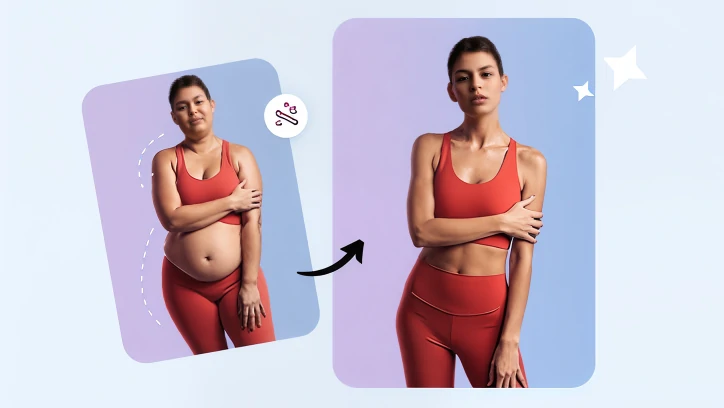
Slim Yourself with AI Skinny Filter
Slim Yourself with AI Skinny Filter
The only AI Skinny Filter you will need is FlexClip. Trained with real images, it knows what a good body shape is. Besides, it automatically studies the image. While taking down extra pounds, it makes up elements around your body so you don’t get overstretched backgrounds.
Now, click the Slim Yourself Now button below to access FlexClip’s AI Skinny Filter.

Step 1. Upload Your Photo
Drag and drop your photo to FlexClip’s upload section. FlexClip’s AI Skinny Filter gets the editing task done automatically. So you don’t need any editing skills. Here is the example image we will need.
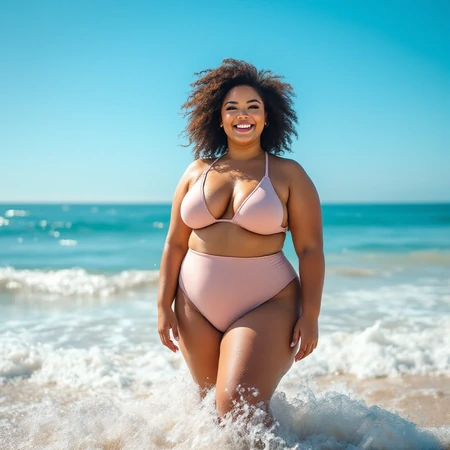
Example Image
Step 2. Enter a Prompt
Use a textual prompt to tell FlexClip how slim you want to be. Most important of all, be specific on what not to touch. Here is a prompt example.
Refine the figure with a model-like silhouette: slimmer waist, toned legs, and elegant posture while preserving realistic details.
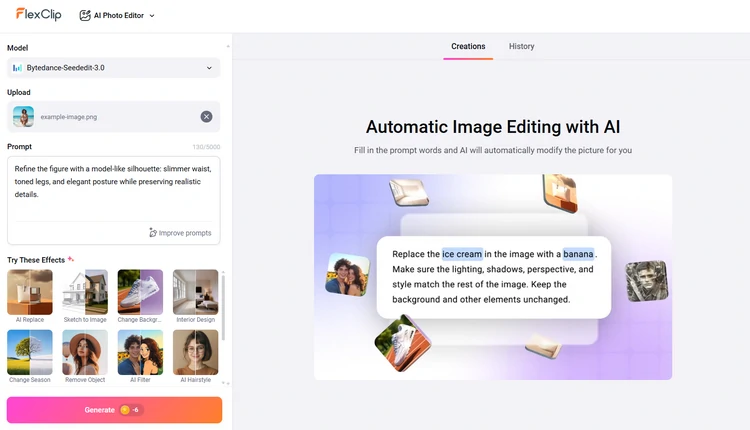
Apply AI Skinny Filter to Photo
Step 3. Export & Share
You are about to meet a slimmer you in a couple of seconds. Check the output image details, for example, the chin, stomach, arm, leg, etc. If there are less satisfying parts, you can download the output, and start again until you get the best results.
Whenever you are happy with the output photo, export it or post to social media directly.
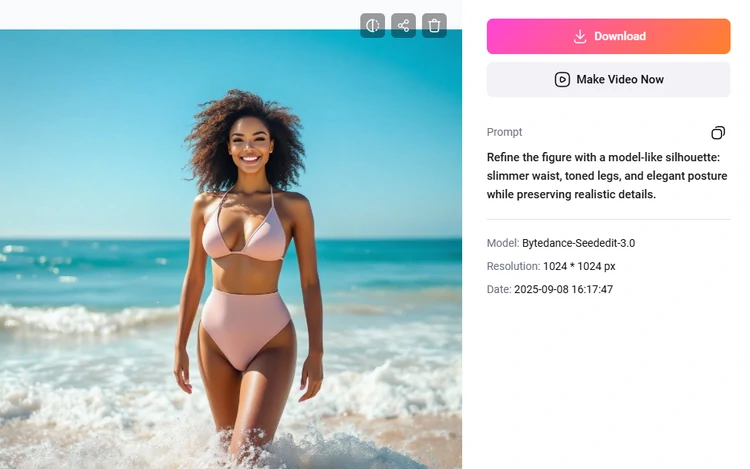
Export/Share AI Skinny Filter
Step 4. (Optional) Animate Your New Photo
You can not only get a slimmer version of yourself in photo, but also bring it to life. With FlexClip’s Image to Video feature, you can animate yourself in photo to dance, pose, or more.
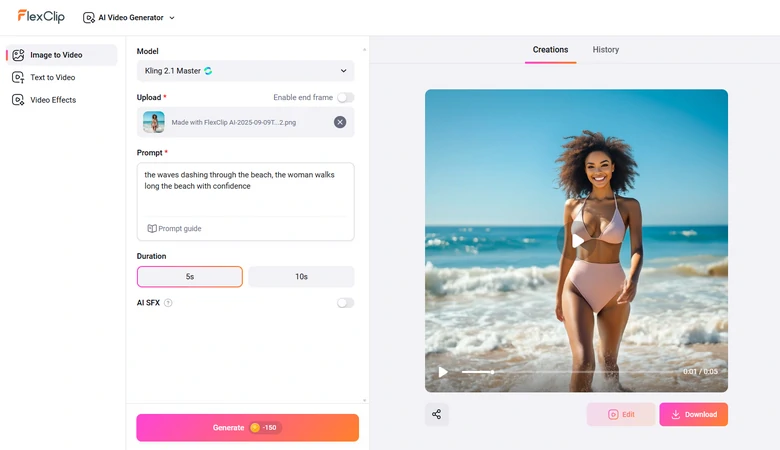
Animate Photo with Slimmer You
Now, enjoy a slimmer yourself in realistic video!
Animated Video Output with Slimmer You
More Things You Can Do with FlexClip
Besides virtually losing weight, here are more things you can do with FlexClip:
FlexClip AI Tools


Tricks to Achieve the Best Results on the AI Skinny Filter
True, FlexClip can make perfect slimming edits. However, you may come across unnatural results. Here are some common pitfalls to watch out!
Drastic slimming can make your body look unrealistic or disproportionate. Always aim for subtle, balanced change that complements your natural shape.
Slimming can unintentionally alter light and shadow placement. Make sure you include lighting consistency in the text prompt for a high-quality result.
If you have multiple images, make sure to apply the same slimming intensity to all images. Look over-edited and under-edited ones for consistency.
FAQs About AI Skinny Filter
1. Will my photo look fake after using an AI skinny filter?
In FlexClip’s case, no. If you apply slimming subtly and preserve natural proportions, lighting, and textures, the output will be rather satisfying.
2. Does an AI skinny filter change my face?
It is possible, so you need to be specific and limit edits to the body only and keep your facial features unchanged.
3. Can I use an AI skinny filter on group photos?
Yes, you can apply the AI skinny filter on group photos and make everyone slim. However, that means extra computing, and more likeliness to encounter distorted backgrounds.
4. How much does it cost to use AI skinny filter?
FlexClip adopts the credit-based pricing policy. Each skinny filter generation takes 5 credits, which is only about $0.12.




FlexClip Video Maker
The easiest way to help you create custom videos, no design skills needed.
Start Now for Free
Hot & Trending
-

Ultimate Tik Tok Guide – How to Tik Tok & How to Make a Tik Tok Video that Gets Likes
-

7 Best Ways to Find Music in YouTube Videos
-

Instagram Story Video Quality Bad After Upload? Fix It!
-

How to Repost Video on TikTok & How to Remove TikTok Repost
-

Improve Video Quality Online: 3 AI Video Quality Enhancers You Can't Miss
-

4K Convert to HD 1080p without Watermark: Best 4k Video Converters
-
How to Change Face in Video on Phone/Desktop/Online
-

Top 13 Birthday Video Makers with Music and Effects Free


