


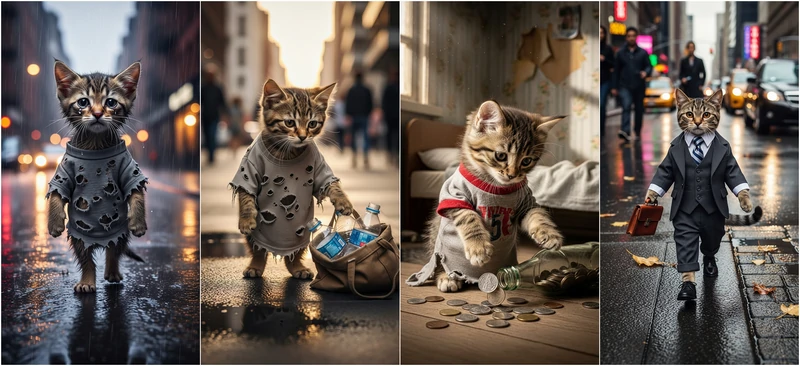
Scrolling through YouTube Shorts, TikTok, you’ve probably noticed a series of poor cat story videos like the following winning millions of views.
AI Poor Cat Story Video Example
Struggling to replicate that success? You’ve come to the right page. Check the content below, you’ll discover the right formula, the best AI tools, and winning prompts, helping you go from unnoticed to trending.
Table of Content
How to Turn Normal Photos into a Wedding Photo
Nearly all AI poor cat story videos follow the same formula. It includes the following plots:
You can modify any details in the formula, for instance, a fat cat trying to lose weight, a poor cat working hard to buy a toy, etc. Any of these content will be popular.

FlexClip - Turn Ideas to Eye-Catching Visuals
FlexClip is your one-stop website to craft any videos. Backed up by the latest AI models, it generates images in consistent characters, and animates them at ease. Here are more details.
FlexClip’s Text to Image
Text prompt to image is not something new anymore, but each image output from FlexClip is exquisite. You have access to over 40 styles and 12 of the most advanced models like OpenAI, Flux, ByteDance, ensuring smooth, accurate interpretation of your ideas.
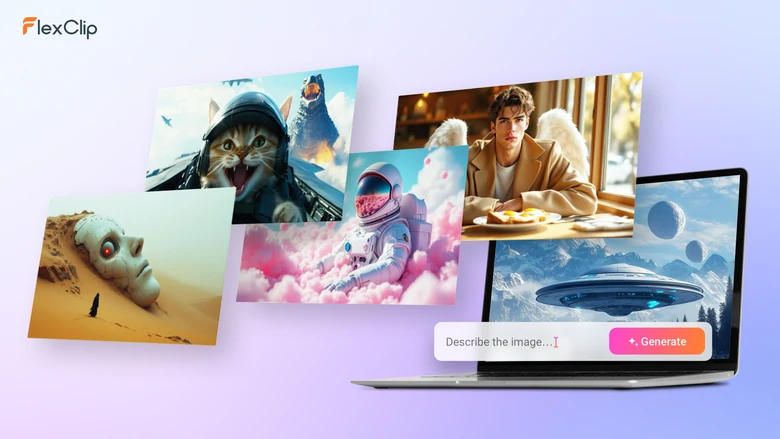
FlexClip AI Text to Image Tool Overview
FlexClip’s AI Photo Editor
Even though you are entering the same prompt, you don’t get the same character appearance. That’s where FlexClip’s AI Photo Editor comes to handy. You can upload several reference images to generate one image, without affecting the facial details and overall quality.
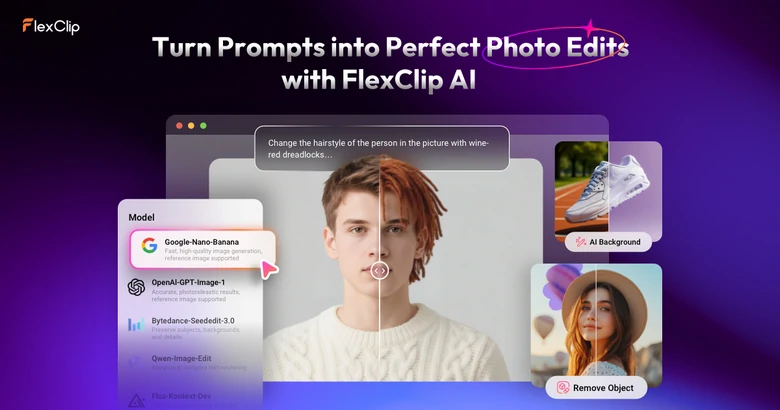
FlexClip AI Photo Editor Tool Overview
FlexClip’s Image to Video
Farewell to complicated animation tools. FlexClip’s Image to Video tool helps you add natural movements to images, with a simple text prompt. Some of the generation models allow you to set the start frame and end frame to generate more precise videos.
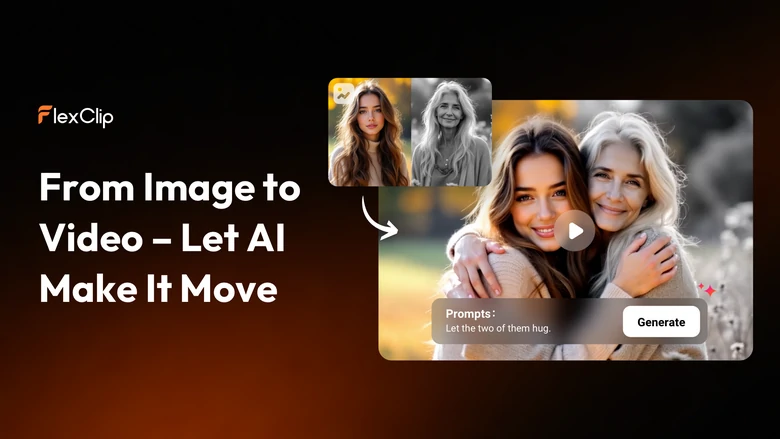
FlexClip AI Image to Video Tool Overview
How to Generate AI Poor Cat Story Video
It takes only 5 steps to create an AI poor cat story video in FlexClip, and you don’t even have to switch among different websites and software. Let’s dive in!
Step 1. Write a Story
Sign up and log in to ChatGPT. Ask it to generate a short poor cat story video script. You can start from scratch or enter an outline and then ask ChatGPT to generate a more detailed story.
Next up, ask ChatGPT to break the story into multiple storyboards. This will make poor cat story video generation much easier.
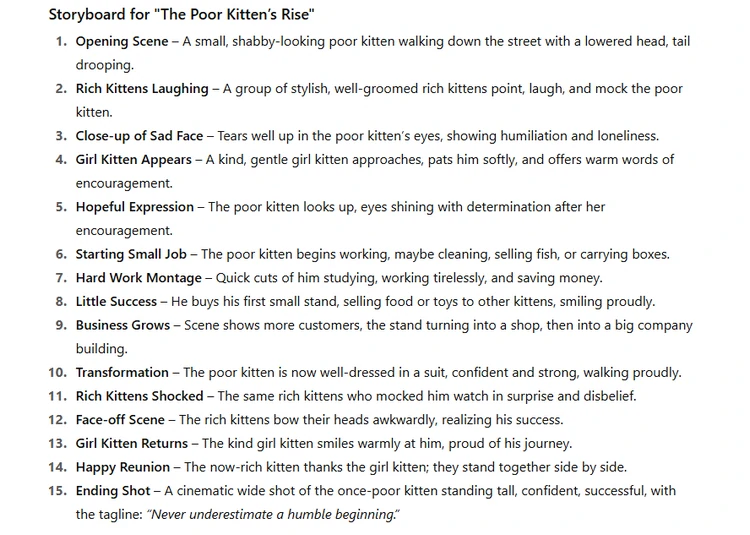
ChatGPT Generated Storyboards for Video Generation
Step 2. Craft Main Characters
Dive into FlexClip’s Image Generator tool, describe the main cat characters in several sentences, choose a generation model, image style, aspect ratio, and image count, then hit Generate. You will get a cat character within several seconds.
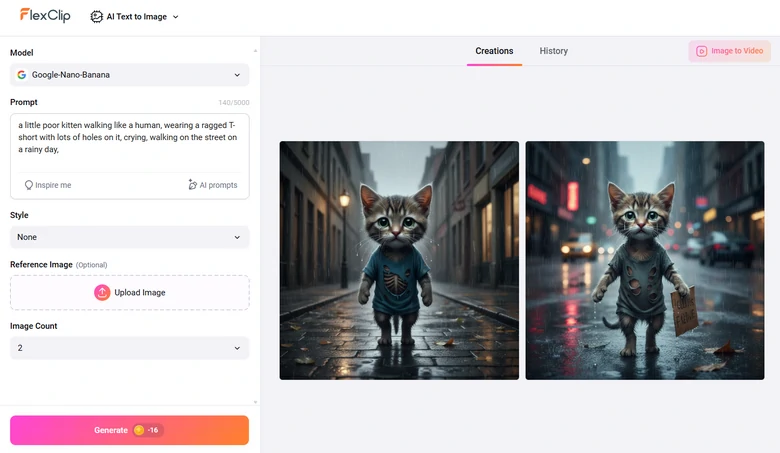
Generate Characters for AI Poor Cat Video

Step 3. Generate Scene Images
Now, based on the storyboards ChatGPT generated and the characters you generated, craft images for each scene.
This time, turn to FlexClip’s AI Photo Editor, upload correspondent character images, enter a prompt describing the images you need. Hit Generate, you will be able to get the results in several seconds.
For instance, we need a picture of the poor kitten feeling down, and the girl kitten standing next to him and showing sympathy. I put in the prompt: the poor kitten lowers his head, looking sad, the girl kitten standing next to him, looking at him with huge sympathy.
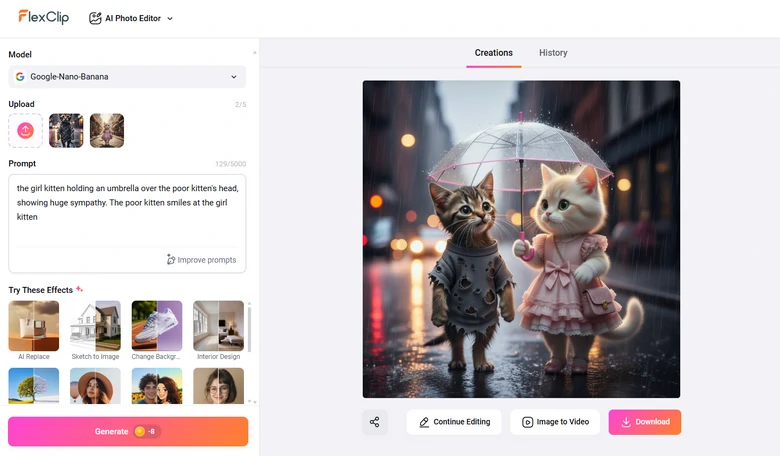
Craft Scene Images with FlexClip's AI Photo Editor
Step 4. Animate Each Scene
After all scene images are generated, it is time to animate them. FlexClip’s image to video generator can turn still images into videos with natural, smooth movements. Again, what you need is picking up a model you love, describe the movements in one sentence.
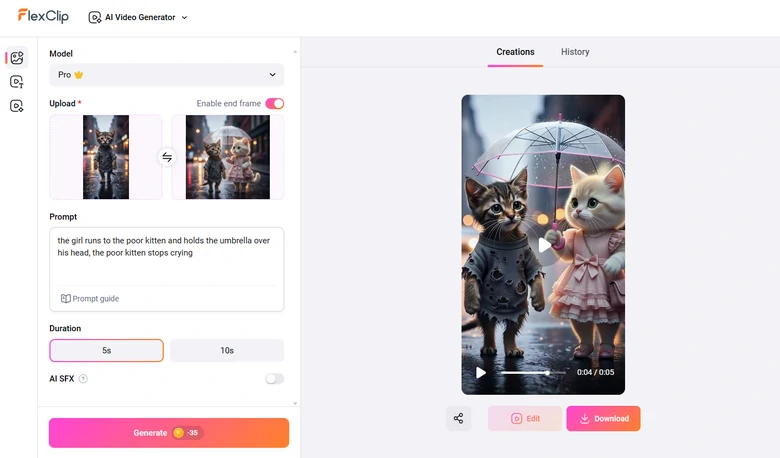
Animate Scene Images
This is the animation we generated with the previous image. We asked the girl kitten to hold an umbrella over the poor kitten's head.
AI Poor Cat Video Clip Generated by FlexClip
Step 5. Edit the Poor Cat Video
Drag and drop all video clips to FlexClip’s video editing panel, where you can combine them into one video, bring in text, add background music, sound effects. Drag and drop your way to a satisfying poor cat video!
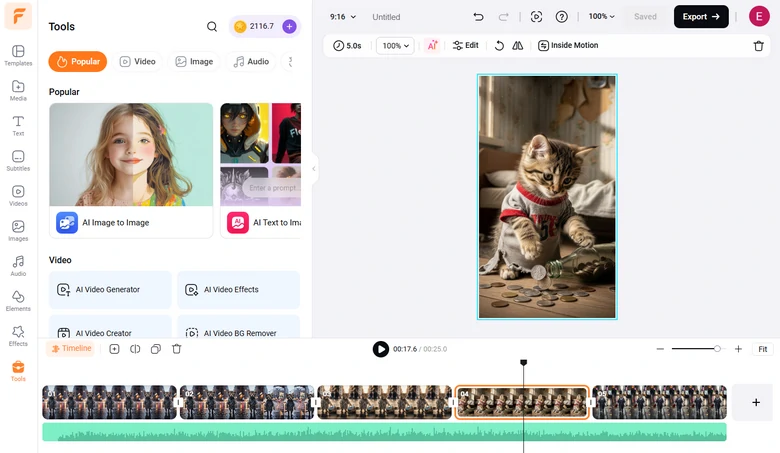
Edit the Poor Cat Video
Whenever you are done with editing, enjoy the ultimate freedom of video sharing. You can download the video to a local folder, save to a cloud service, share via a short link, or post to social media.
FAQs About AI Poor Cat Story Video
1. How long should an AI cat story video be?
AI cat story videos are mainly posted on YouTube Shorts, TikTok, or Instagram Reels, so 30-60 seconds is ideal.
2. What kind of music works best?
Most creators use the classic Meow Meow song, like the one we showed above, but audiences are getting tired of it. Soft, emotional instrumentals also work well on AI cat story video.
3. How much does it take to create an AI poor cat story video?
It very depends on the tool and model you are using. FlexClip is an AI poor cat story video creator with high cost performance. You just have to pay for what you need, instead of dealing with the tedious subscription. Each image generation takes about 1-16 credits, and video generation takes 10-150 credits. 800 credits only cost $24.99. Check the Pricing Page for more information.




FlexClip AI Video Maker
Reach professional-quality videos faster with easy editing tools, templates, and smart AI.
Start Now for Free
Hot & Trending
-

Best Ways to Find Music in YouTube Videos
-

Instagram Story Video Quality Bad After Upload? Fix It!
-

How to Repost Video on TikTok & How to Remove TikTok Repost
-

Improve Video Quality Online: 3 AI Video Quality Enhancers You Can't Miss
-

4K Convert to HD 1080p without Watermark: Best 4k Video Converters
-

Best 8 Free Video Editors - No Download Required
-

Top 13 Birthday Video Makers with Music and Effects Free
-

How to Search Filters on TikTok & Use a Filter You See - TikTok Filter Guide


