


There is a strong AI full body generator for you to create stunning full-body images effortlessly. This recommended AI full body generator allows you to create a realistic person from a simple face photo easily. Whether you want to generate a person for creative projects or personal use, this AI-generated body will look authentic and lifelike. The AI full body generator options ensure a cohesive and natural appearance, enhancing your creative possibilities.
If you only have portrait or half-length photo and want to more photos from different angles, the excellent AI full body generator can help you. It can easily generate full body image from your uploaded portrait or half-length photo. There are some full body image examples using FlexClip’s AI full body generator. Let’s see:
You can create a full body image from the half-length photo:
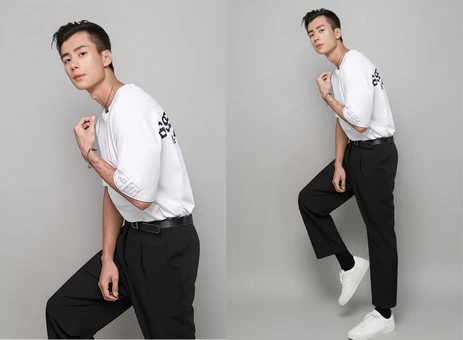
Example of AI-generated Full Body Image - FlexClip
You can also create a full body image from the portrait:
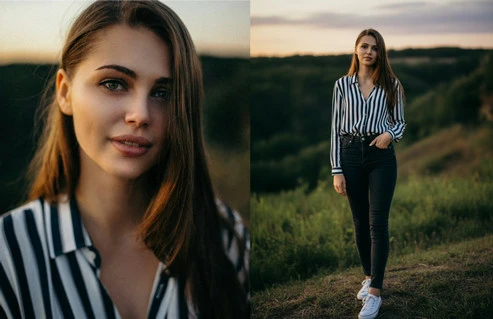
Example of AI-generated Full Body Image - FlexClip
#1 The Strong AI Full Body Generator - FlexClip
With FlexClip’s AI full body generator, you can effortlessly transform any face photo into a complete full-body image. You can easily generate full-body AI portrait photography here. Its AI full body generator allows you to generate exclusive full body portrait photos for yourself. When you upload a portrait to FlexClip, simply enter text prompts, and the AI full body generator will effortlessly create suitable human body photos for you.
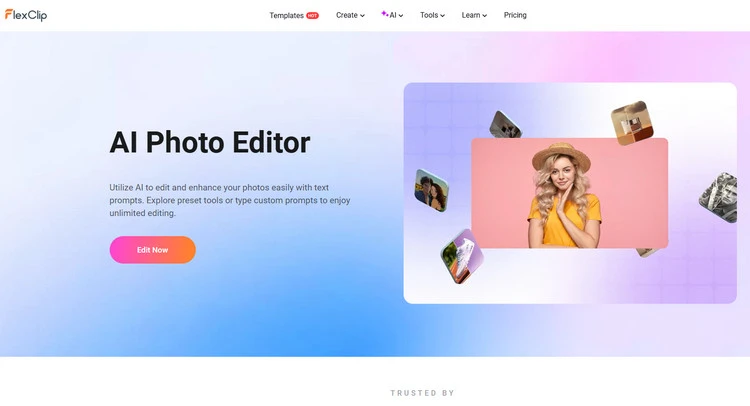
AI Full Body Generator - FlexClip
Easily generate full body image from portrait - FlexClip’s strong AI full body generator can help you generate full body image from uploaded portrait effortlessly. It utilizes AI to preserve your facial features easily with text prompts. You can easily upload portrait or half-length photo and type simple text descriptions to generate full body image. Just type what you want, and AI will handle the rest. Moreover, you can replace your portrait’s background in FlexClip.
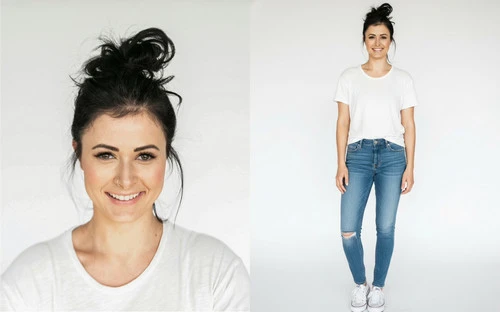
Easy Process of Creating Full Body Image - FlexClip
Customize the AI-generated full body image - FlexClip’s AI full body generator not only generates suitable full body images for you, but also allows you to customize the AI-generated full body image as you need. You can change the overall look of the full body image, such as clothing, posture, and lighting. You can upload some pictures of clothes you like and let AI put them on for you in an image. You can quickly create a new photo online in FlexClip.
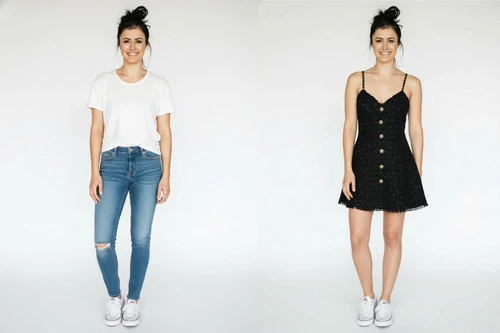
Customize Full Body Image - FlexClip
Convert new image into any style - Moreover, FlexClip’s AI image to image tool can help you convert your AI-generated full body image into different kinds of art. Fueled by cutting-edge AI technology, this online image to image generator will identify the uploaded image and transform it into a new style while keeping the original characteristics. You can easily convert your AI-generated full body image to cartoon, anime, sketch, oil painting, 3D character, and more with a few clicks.
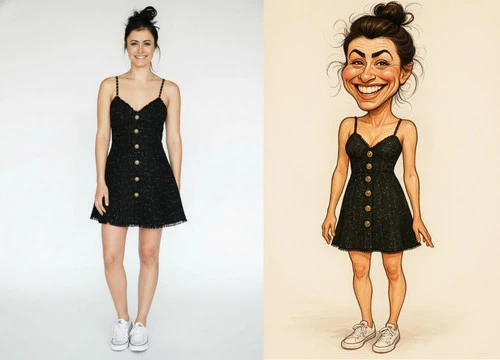
Convert New Image into Any Style - FlexClip
2# How to Create Realistic Human Body Images in FlexClip
Now, it’s your time to start creating realistic full body image in FlexClip. Follow the prompts below to start creating your AI full body image from portrait or half-length photo right now!
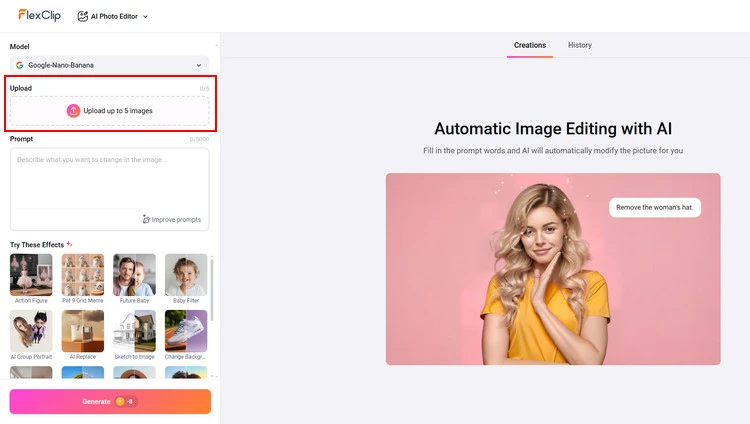
Upload Your Photo - FlexClip
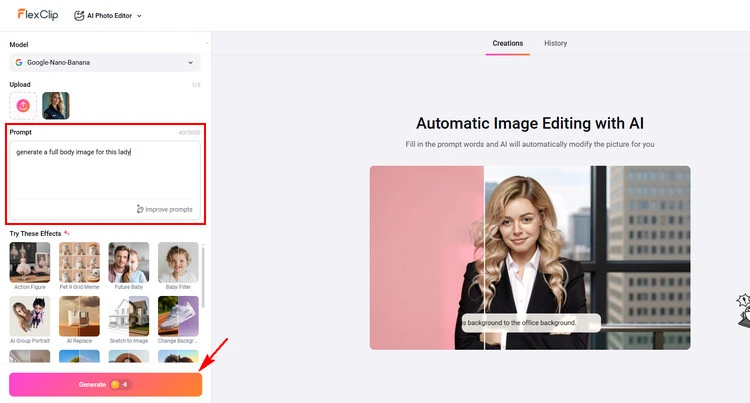
Customize - FlexClip
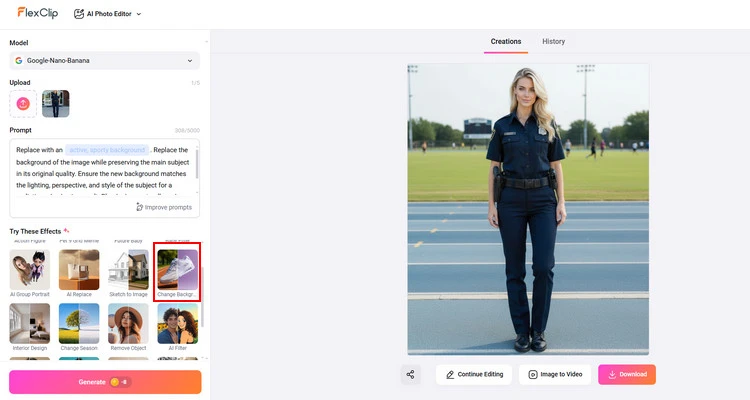
Edit AI Full Body Image - FlexClip
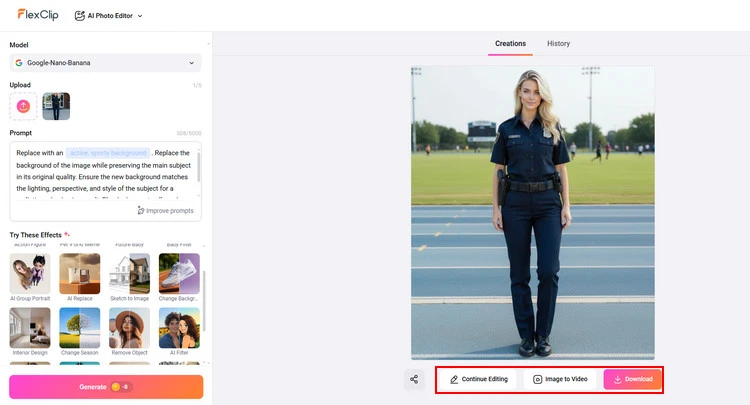
Download Full Body Image - FlexClip
The Bottom Line
Hope you’ve learned how to effortlessly create realistic human body image using AI in FlexClip. And FlexClip also provides many video/image creation functions for you to explore. Now, it’s your move!




FlexClip AI Video Maker
Reach professional-quality videos faster with easy editing tools, templates, and smart AI.
Start Now for Free
Hot & Trending
-

Best Ways to Find Music in YouTube Videos
-

Instagram Story Video Quality Bad After Upload? Fix It!
-

How to Repost Video on TikTok & How to Remove TikTok Repost
-

Improve Video Quality Online: 3 AI Video Quality Enhancers You Can't Miss
-

4K Convert to HD 1080p without Watermark: Best 4k Video Converters
-

Best 8 Free Video Editors - No Download Required
-

Top 13 Birthday Video Makers with Music and Effects Free
-

How to Search Filters on TikTok & Use a Filter You See - TikTok Filter Guide




