


Does your fitness content get less attention than the effort you put in? It is time to turn to AI fitness coach video, a brand new way to boost engagement and grow your audience effortlessly.
In this post, you will know everything about AI workout videos, including why people love them, and how to create one for your own. Let’s dive right in!
Fitness Video Templates You May Love
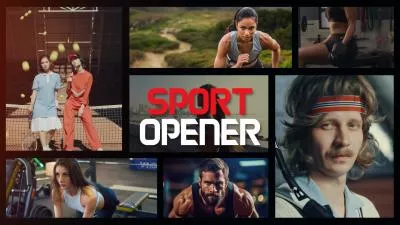

What Is an AI Fitness Coach Video
An AI fitness coach video means digital workout videos created using artificial intelligence. Unlike traditional workout videos which is filmed and edited with real human effort, AI fitness coach videos use a virtual trainer to demonstrate exercises.
Here are some key features of an AI fitness coach video.
AI Fitness Coach Video
Since an AI fitness coach video is short of human nuances, why do people still love it?
How to Generate an AI Workout Video
With the right tool, an AI fitness coach video is only 5 steps away. FlexClip is a one-stop solution for AI workout video creation, allowing you to design AI coach images, animate them and merge everything into professional videos. Let’s dive into the details.
Step 1. Generate AI Coach Images
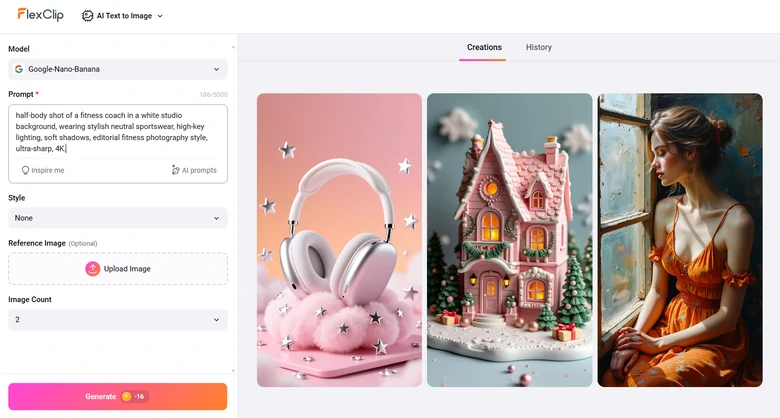
The first step is creating a virtual coach. FlexClip’s Text to Image tool understands your prompt and creates a coach with realistic muscles.

Here is the detailed steps to create a virtual coach. Visit FlexClip’s Text to Image tool, enter a prompt describing the coach you need, pick a generation model, set preferences like image style, image count, aspect ratio, then hit Generate.
Generate AI Coach Images with FlexClip
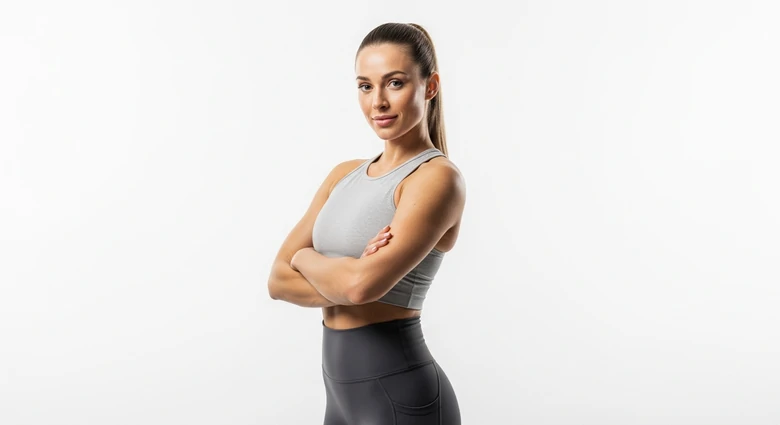
We entered the prompt: half-body shot of a fitness coach in a white studio background, wearing stylish neutral sportswear, high-key lighting, soft shadows, editorial fitness photography style, ultra-sharp, 4K.This is what we get from FlexClip.
Generate AI Coach Images with FlexClip
Step 2. (Optional) Virtual Coach in Different Backdrops
AI workout video in a single backdrop is totally fine, but just in case you need to render among different facilities like treadmill, ellipsometer, gantry, etc, FlexClip’s AI Photo Editor helps out.
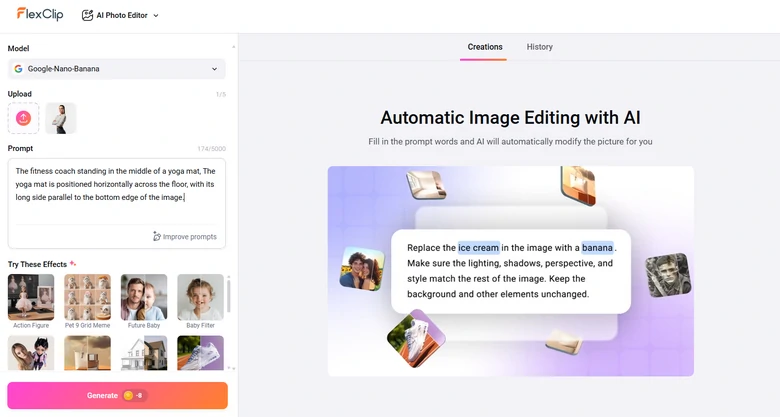
Switch to FlexClip’s AI Photo Editor, drag and drop the AI coach image to the upload section, enter a prompt describing the backdrop. Hit Generate, you will get a brand new coach image without changing the facial details.
FlexClip Editing AI Coach Image
We input the prompt: The fitness coach standing in the middle of a yoga mat, The yoga mat is positioned horizontally across the floor, with its long side parallel to the bottom edge of the image. This is what we get from FlexClip.
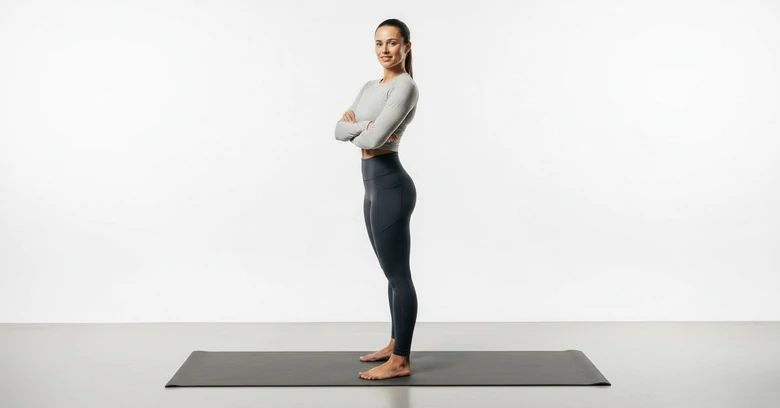
FlexClip Edited AI Coach Image
Step 3. Animate Your Coach Images
Now, it is time to make the AI coach work out! Traditionally, animating an image requires expertise in AE. FlexClip’s AI Image to Video is a game-changer here. As usual, you just need a prompt.
Upload your virtual coach image to FlexClip’s AI Image to Video Editor, input a prompt, select a model, video duration, and AI is good to generate. FlexClip is even incorporated with advanced generation models like Google Veo 3.1, Sora 2 to generate AI videos with narrations, and perfect lip-sync.
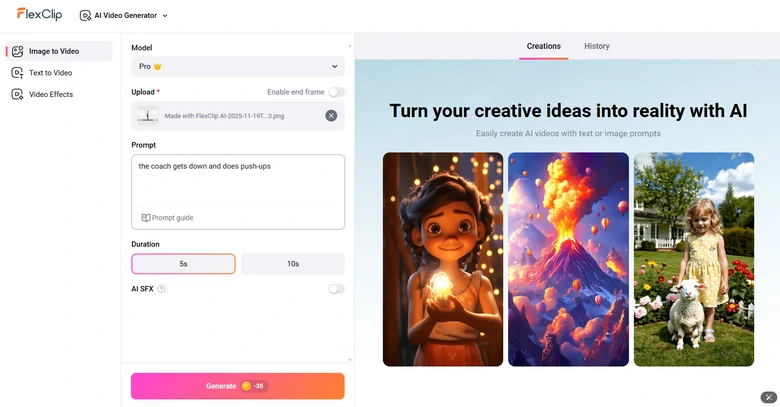
FlexClip Animating AI Coach Image
We tried to make the virtual coach do several push-ups. Check how marvelously FlexClip does its generation.
AI Workout Video Generated by FlexClip
Step 4. Combine Workout Clips
A single workout clip doesn’t make a whole coach video. FlexClip’s video editor offers a simple timeline where you can easily merge, split, duplicate clips as you wish. Other practical edits are also possible here.
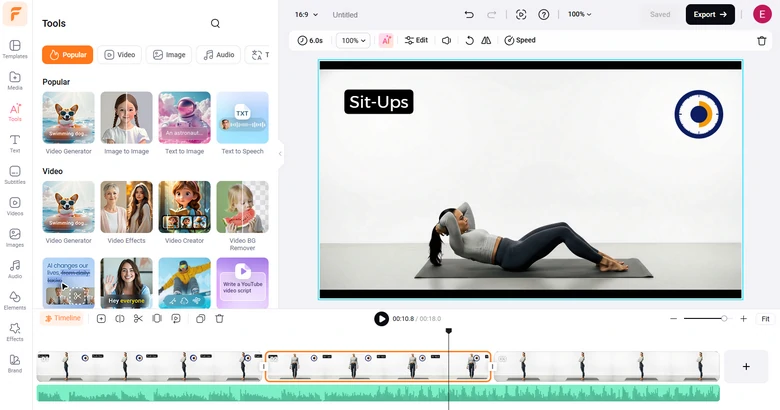
Edit the AI Fitness Video
Step 5. Export & Share
FlexClip offers ultimate freedom of sharing your AI fitness coach video. You can save your AI workout video to a local folder, save to cloud service, share via a short link, or post to social media.
Frequently Asked Questions
1. Can AI workout videos replace a human trainer?
AI videos are great for guidance, motivation, and structure, but they lack the human ability to adjust for injuries, energy levels, or personal nuances. They work best as a supplement or alternative for at-home workouts.
2. How long are AI workout videos usually?
AI workout videos can range from 5-minute quick workouts to 60-minute full sessions, depending on the goal, fat burning, strength training, or mobility.
3. Can I layer voiceovers, branding, or custom intros into an AI workout video I create?
Yes, FlexClip is integrated with full customization in its timeline. Feel free to edit your AI fitness video.




FlexClip AI Video Maker
Reach professional-quality videos faster with easy editing tools, templates, and smart AI.
Start Now for Free
Hot & Trending
-

Best Ways to Find Music in YouTube Videos
-

Instagram Story Video Quality Bad After Upload? Fix It!
-

How to Repost Video on TikTok & How to Remove TikTok Repost
-

Improve Video Quality Online: 3 AI Video Quality Enhancers You Can't Miss
-

4K Convert to HD 1080p without Watermark: Best 4k Video Converters
-

Best 8 Free Video Editors - No Download Required
-

Top 13 Birthday Video Makers with Music and Effects Free
-

How to Search Filters on TikTok & Use a Filter You See - TikTok Filter Guide




