


Perhaps you have a favorite photo of your face for your social media avatar. But now you’re hoping this wasn’t just a face and want to know what it would be like to have a full body or even a cool outfit in this face photo? We got it!
With the help of some online tools, you can generate a body from an uploaded face image with AI in a breeze. No more tired of complicated editing steps. You can create a realistic body from a simple face photo easily. These AI-generated full-body images will look authentic and lifelike.
Here are some examples of generated AI bodies from uploaded face images using the recommended online tool - FlexClip.
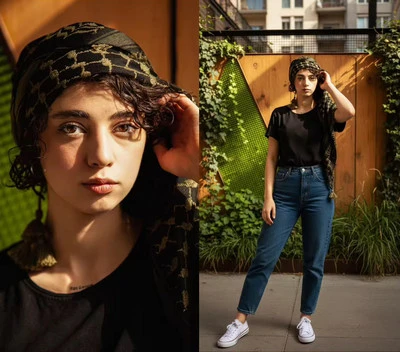
Example 1 - FlexClip
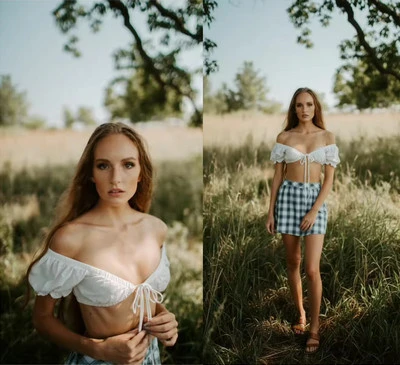
Example 2 - FlexClip
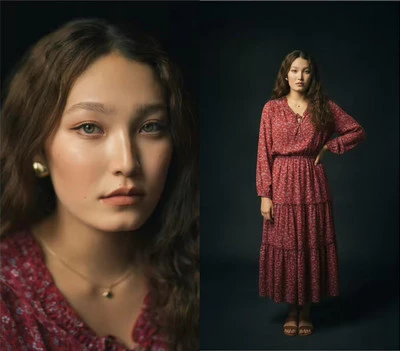
Example 3 - FlexClip
Part 1 Generate Body from Your Face with AI - FlexClip
FlexClip’s AI full body generator is designed to generate a cohesive and realistic full-body image from a single face photo, maintaining natural proportions and appearance. With it, you can effortlessly transform any face photo into a complete full-body image. When you upload a portrait to FlexClip, simply enter text prompts, and its AI full body generator will effortlessly create suitable human body photos for your uploaded face photo.
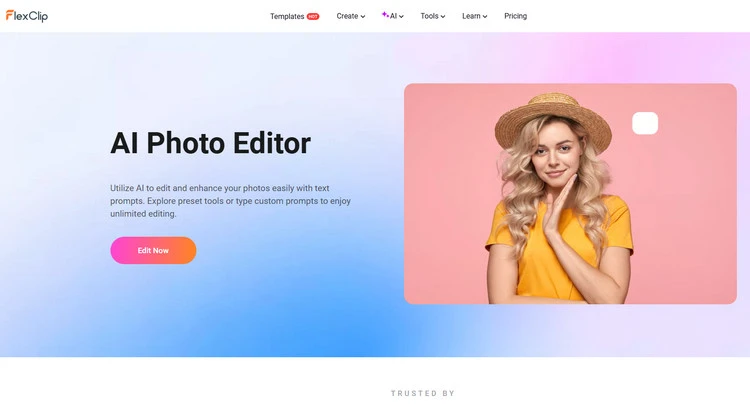
Upload Single Photo - FlexClip
FlexClip’s online AI body generator utilizes AI to preserve your facial features easily with text prompts. You can easily upload face photo and type simple text descriptions to generate full body image. Whether you want a plump body or a slim figure, just type what you want, and AI will handle the rest.
Moreover, you can let this AI-generated body try on outfits virtually. You can create an engaging outfit in the AI full body photo easily. It can smoothly and seamlessly create natural and realistic outfits, leaving no distortion or flaws. Or you can choose to upload clothing picture to FlexClip directly.
How to Generate Body from Your Face in FlexClip
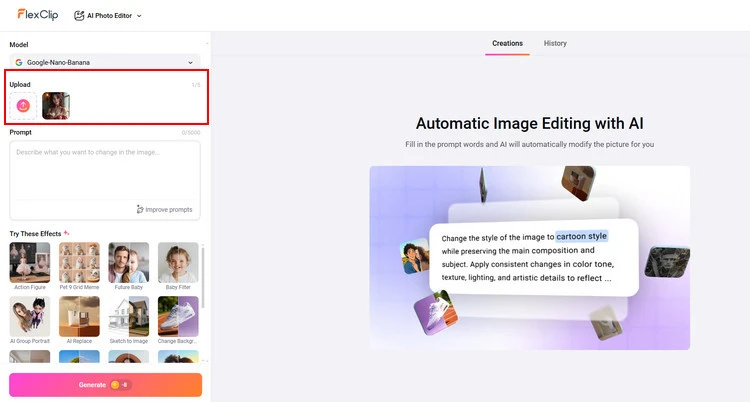
Upload Single Photo - FlexClip
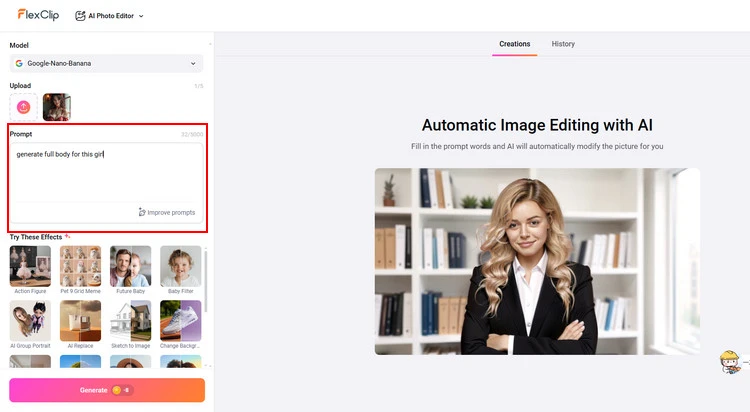
Write Your Prompt - FlexClip
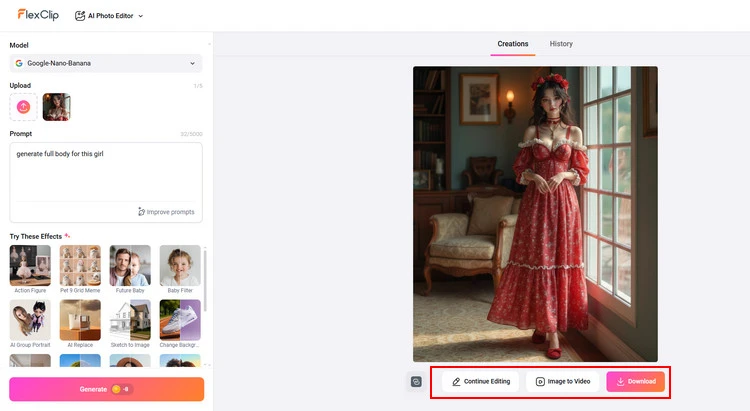
Download New Photo - FlexClip
Part 2 Generate Body from Your Face with AI - Media.io
Let’s join the trend of AI full body generation from face photo and transform your selfies into complete body shots. With Media.io’s advanced AI models, you can customize the attire, body type, and more as you like.
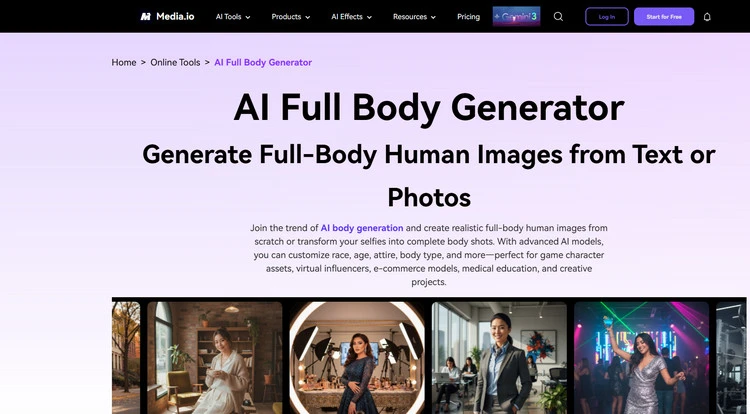
Generate Body from Your Face with AI - Media.io
With Media.io, you are allowed to generate a full body AI human in two ways, use our Text-to-Image generator to create from scratch with detailed prompts, or use Image-to-Image to extend your existing portrait/half-body photo into a complete full-body image with customizable body variables.
And Media.io offers extensive customization options, including ethnicity/race, body type (slim, athletic, curvy, plus-size), height proportions, clothing styles, hairstyles, poses, and background settings. You can create virtually any human appearance you imagine through detailed text prompts. Media.io’s advanced AI technology will maintain exceptional facial identity consistency when extending portraits to full-body images. The system preserves facial features, skin tone, and expression while intelligently generating the body that matches your specified parameters, creating a seamless and natural-looking result.
How to Generate Body from Your Face in Media.io
Part 3 Generate Body from Your Face with AI - Vondy
With Vondy’s online AI body generator, you can choose to transform any face into a complete full-body image quickly. This AI body generator will ensure a cohesive and natural appearance, enhancing your creative possibilities.
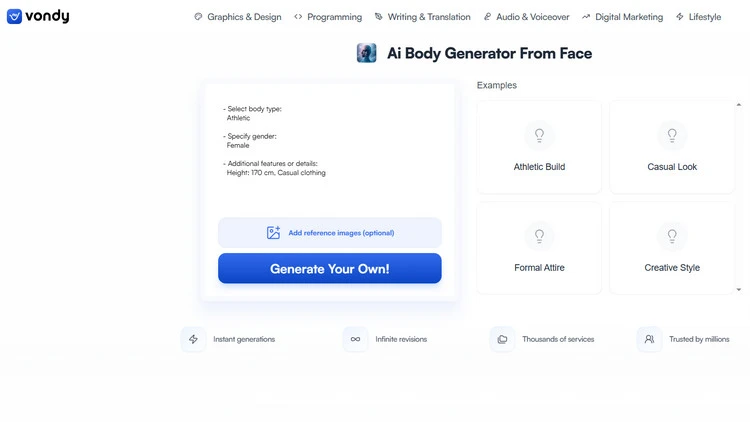
Generate Body from Your Face with AI - Vondy
It uses advanced algorithms to create a full-body image from a face photo. You can customize the output by selecting body type, gender, and additional features. Because with Vondy’s online AI body generator, you can just upload that face, tell AI it to give you a full body, and AI instantly fills in the rest. Here, you can explore various customization options to create a unique and realistic person.
You can also experiment with more creative prompts with Vondy’s online AI body generator. The possibilities are endless, and its AI is surprisingly good at meeting your demands. When you get the AI full-body result, you will still feel like you and not some AI approximation with spaghetti arms and generic features. It’s consistent, accurate, and actually keeps your look intact.
How to Generate Body from Your Face in Vondy
The Final Words
That’s all for how to generate body from uploaded face with AI in 3 different online tools. Let’s embark on a journey through endless creative possibilities here. And FlexClip also provides many video/image creation functions for you to explore. Now, it’s your move!




FlexClip AI Video Maker
Reach professional-quality videos faster with easy editing tools, templates, and smart AI.
Start Now for Free
Hot & Trending
-

Best Ways to Find Music in YouTube Videos
-

Instagram Story Video Quality Bad After Upload? Fix It!
-

How to Repost Video on TikTok & How to Remove TikTok Repost
-

Improve Video Quality Online: 3 AI Video Quality Enhancers You Can't Miss
-

4K Convert to HD 1080p without Watermark: Best 4k Video Converters
-

Best 8 Free Video Editors - No Download Required
-

Top 13 Birthday Video Makers with Music and Effects Free
-

How to Search Filters on TikTok & Use a Filter You See - TikTok Filter Guide




