Are you an e-commerce seller showcasing your designs, a photographer enhancing a portrait, or just someone curious about how you’d look in a new necklace or earrings? Thanks to AI jewelry editing, that’s now a reality.
With AI jewelry editing, you can instantly add rings, necklaces, and earrings to photos. No Photoshop expertise required—just a few clicks.
Bonus: Beautiful Video Templates for Your Photo/Video Editing Inspiration

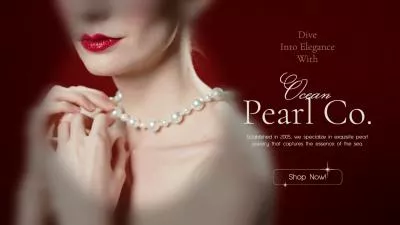


Part 1 Recommended Online AI Photo Editor for Jewelry Editing
When it comes to adding jewelry to photo with AI, FlexClip's AI Photo Editor is the best tool you can’t miss! It is a smart, web-based editing tool designed to make photo enhancement quick and accessible to everyone. From removing unwanted objects, changing backgrounds, enhancing portraits, or—most excitingly—adding jewelry and accessories to your image, FlexClip's AI photo editor makes the process effortless.
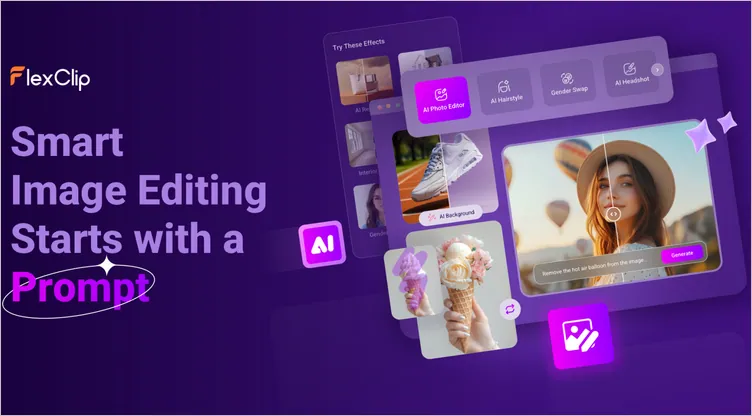
Recommended Online AI Photo Editor for Jewelry Editing - FlexClip
All you need to do is upload a photo, describe what you’d like (for example, "add a silver necklace") or upload the jewelry photo directly, and FlexClip’s AI brings your idea to life in seconds. It’s quick, fun, and perfect for showcasing your new design, enhancing your portrait, or prompting your jewelry brand.

Key Features of FlexClip’s AI Photo Editor:
Part 2 How to Add Jewelry to a Photo with FlexClip's AI Photo Editor
Now, let's see how to use FlexClip's AI to add jewelry to your photos and give your portraits a glamorous upgrade or showcase your new jewelry design.
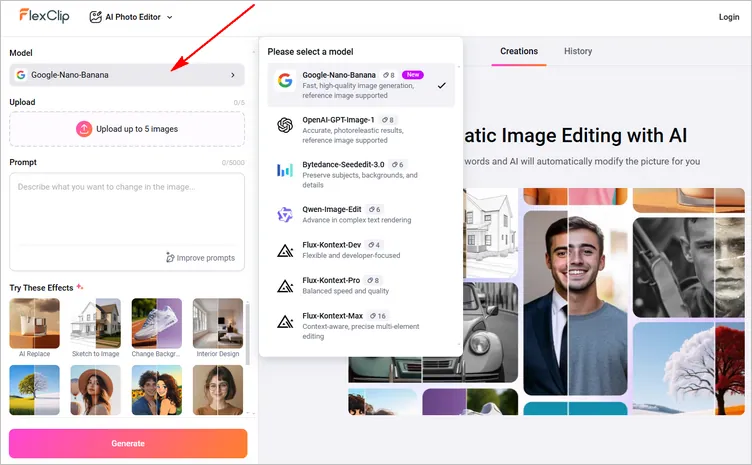
Add Jewelry to a Photo with FlexClip's AI Photo Editor - Select Model
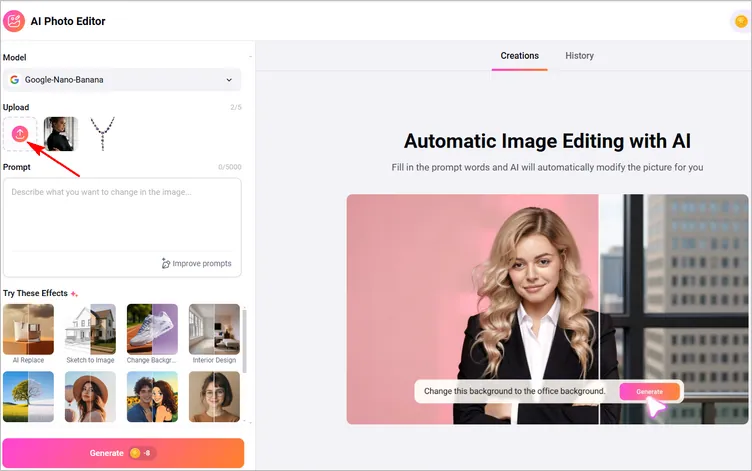
Add Jewelry to a Photo with FlexClip's AI Photo Editor - Add Your Images
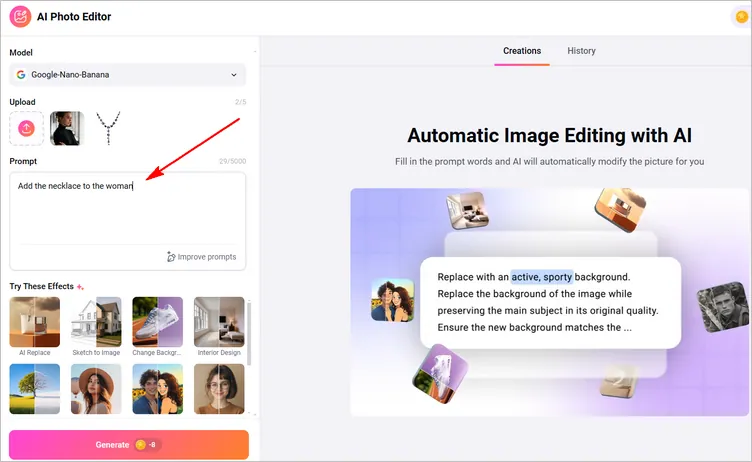
Add Jewelry to a Photo with FlexClip's AI Photo Editor - Write Prompt
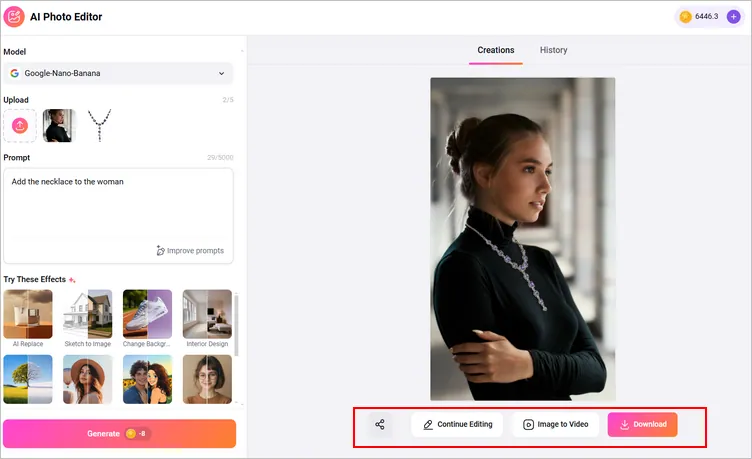
Add Jewelry to a Photo with FlexClip's AI Photo Editor - Download
Bonus: Show Jewelry in Motion – Bring Them to Life with Video
Why stick to still photos when your jewelry can dazzle in motion? With FlexClip's AI-powered video generator, you can click the Image-to-Video button on your result page to animate your AI-enhanced photo to a video project or one from multiple images from scratch to showcase jewelry in motion—perfect for social media, marketing, or virtual try-ons.
Let's Click the Have a Try Now button to access FlexClip's Image to Video tool and follow the steps to learn how to turn your still photos into a mini jewelry showcase video like the one below.
Jewelry Showcase Video
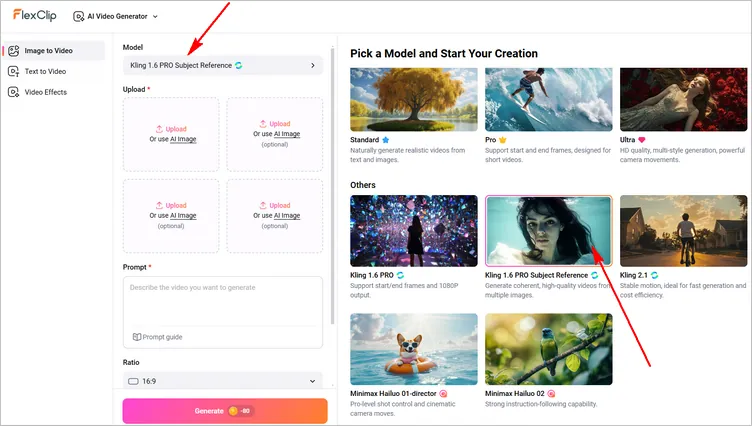
Bring Jewelry to Life with Video - Select Model
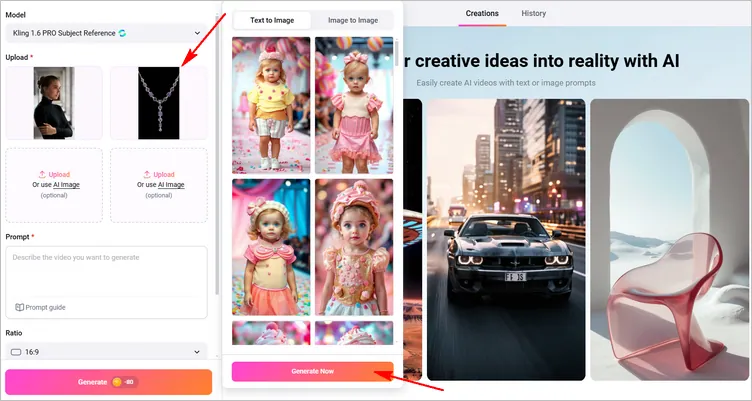
Bring Jewelry to Life with Video - Upload Images
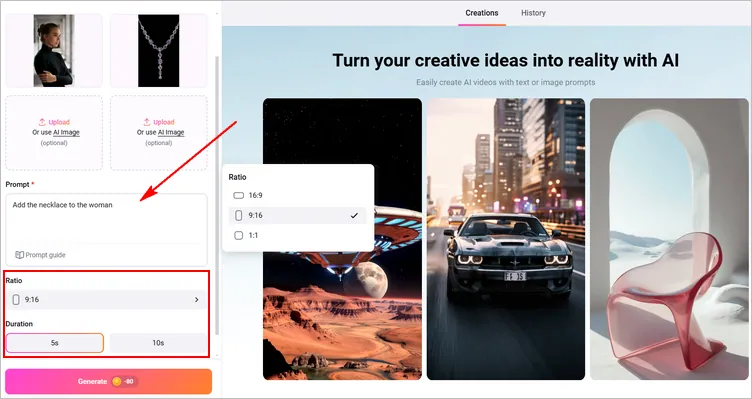
Bring Jewelry to Life with Video - Write Prompts
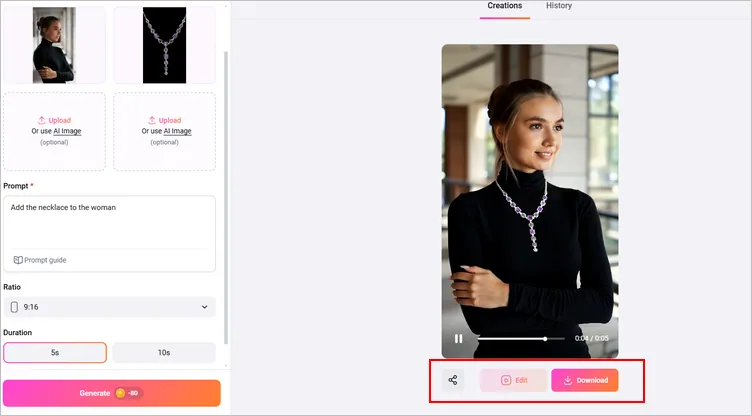
Bring Jewelry to Life with Video - Download or Edit
Final Words
Now that you know how simple it is to add jewelry with FlexClip's AI, it's time to put your ideas into action. Whether you're a creator, marketer, or jewelry enthusiast, this tool saves time while delivering polished, share-worthy results. Happy making!




FlexClip AI Video Maker
Reach professional-quality videos faster with easy editing tools, templates, and smart AI.
Start Now for Free
Hot & Trending
-

Best Ways to Find Music in YouTube Videos
-

Instagram Story Video Quality Bad After Upload? Fix It!
-

How to Repost Video on TikTok & How to Remove TikTok Repost
-

Improve Video Quality Online: 3 AI Video Quality Enhancers You Can't Miss
-

4K Convert to HD 1080p without Watermark: Best 4k Video Converters
-

Best 8 Free Video Editors - No Download Required
-

Top 13 Birthday Video Makers with Music and Effects Free
-

How to Search Filters on TikTok & Use a Filter You See - TikTok Filter Guide