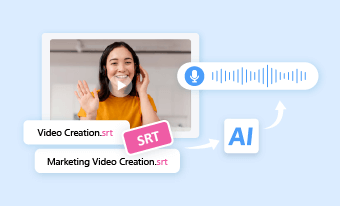
Converting MP3 to SRT offers you an easy way to add subtitles to audio content like podcasts, interviews, or lectures. What’s more, with the MP3 transcript, you can also use it for blog posts, newsletters, and translations to reach a wider audience.
So, if you are looking for a free and versatile way to convert MP3 to SRT files, we’ve got you covered!
In this tutorial, we will walk you through the 4 best AI-powered MP3 to SRT converters that will help you seamlessly convert MP3 to SRT for free both online and on the desktop, effortlessly adding subtitles to your audio content and enhancing its shareability.

Here’s what you’ll learn:
Also, read the 4 best ways to convert SRT to speech.
1. Convert MP3 to SRT by FlexClip AI Video Maker
If you need a flexible MP3 to SRT converter to convert MP3 to SRT online with precise accuracy plus tons of features for both audio and video editing, the user-friendly and feature-packed FlexClip AI video maker has every reason to be one of your top picks.
Seamlessly convert MP3 to SRT by FlexClip online.

Best Features to Convert MP3 to SRT with FlexClip:
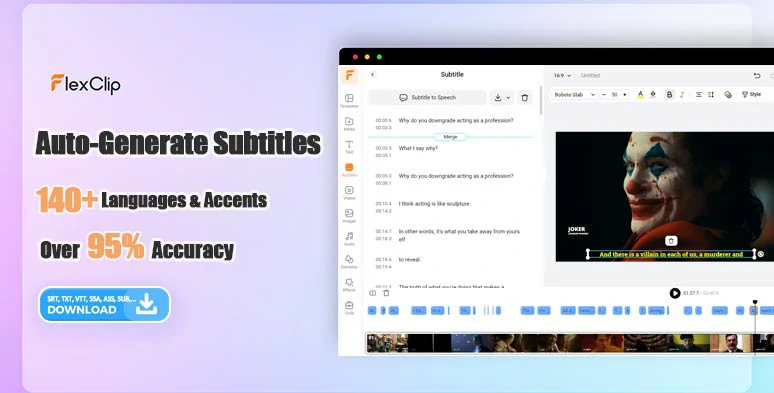
Convert MP3 to SRT by FlexClip AI auto subtitle generator in one click.
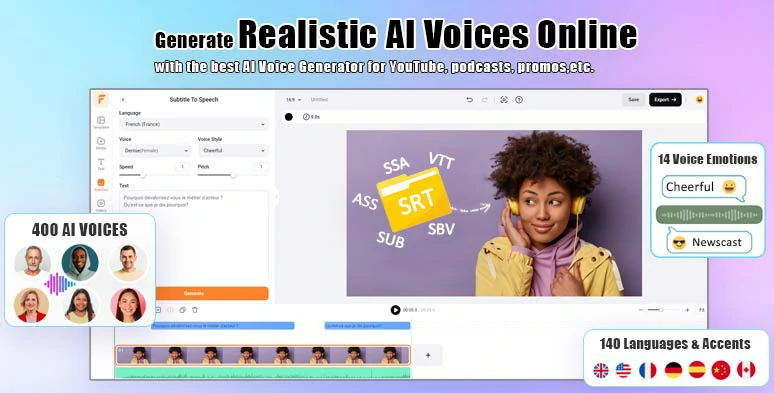
Convert SRT to AI voices by FlexClip subtitle to speech generator.
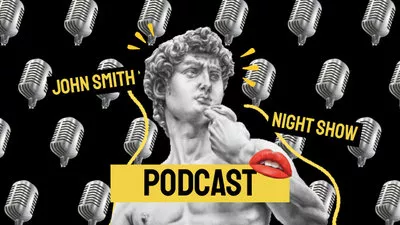

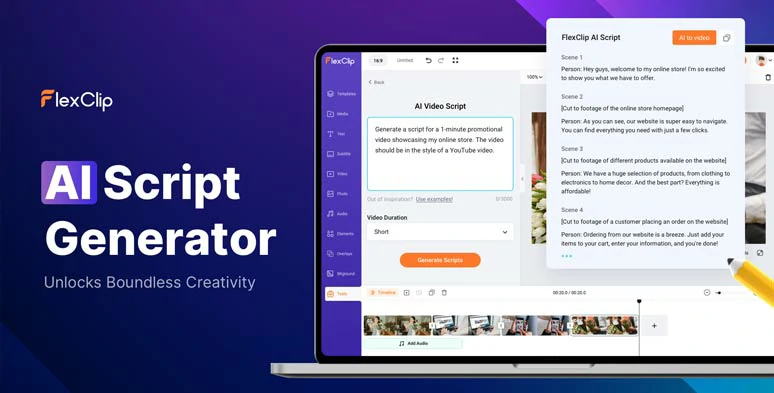
Use the AI video script generator to write scripts for your video projects.
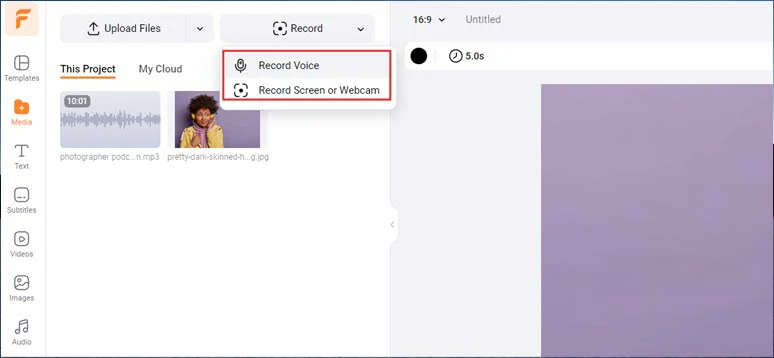
Directly record audio or video to convert it to an SRT file.
How to Convert MP3 to SRT by FlexClip Online:
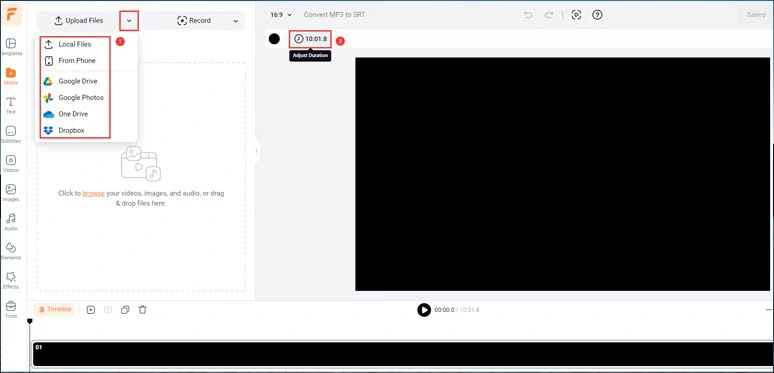
Upload your MP3 files to FlexClip and set the video duration.
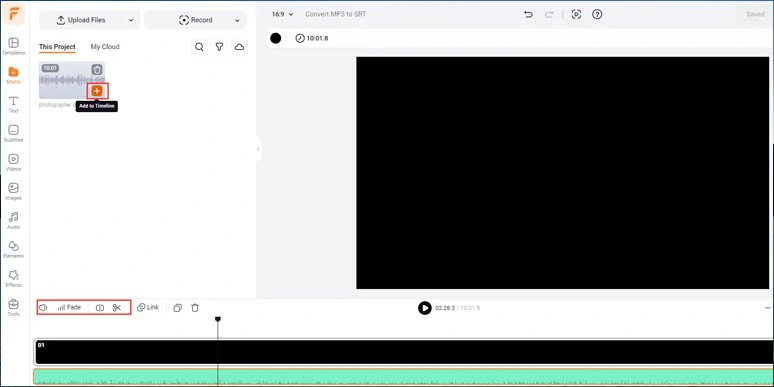
Add the MP3 to the timeline.
Click Subtitle tab > Auto AI Subtitle > identify the language of MP3 audio files > hit Next > select the style of subtitle, which can be changed later > hit the Generate button. Then FlexClip shall auto-transcribe MP3 to text for you with over 95% accuracy.
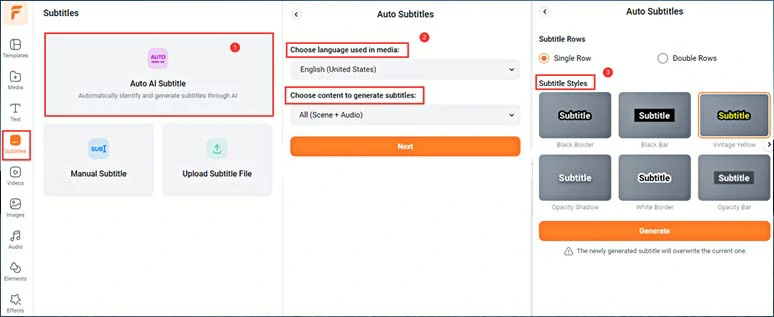
Auto-transcribe MP3 to text with the click of a button.
Now, you can playback the MP3 > proofread the MP3 transcript > correct any typos > if you find one subtitle too short, you can click the Merge tool to combine two subtitles or press Enter to split a long subtitle > click the Download button > select SRT to download the MP3 transcript in SRT file to your computer.
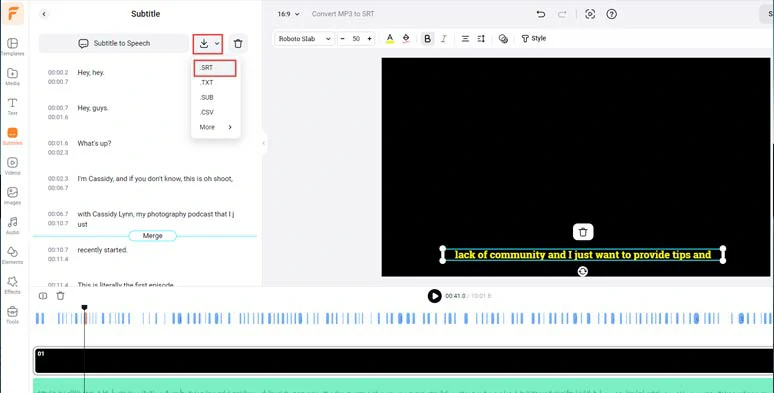
Proofread the auto-generated MP3 transcript and download it in an SRT file for free.
Alternatively, you can import images and videos to the Media library or use 4M+ royalty-free video and image assets > click the “Add as Layer” to add engaging visuals to create video content from your MP3 audio.
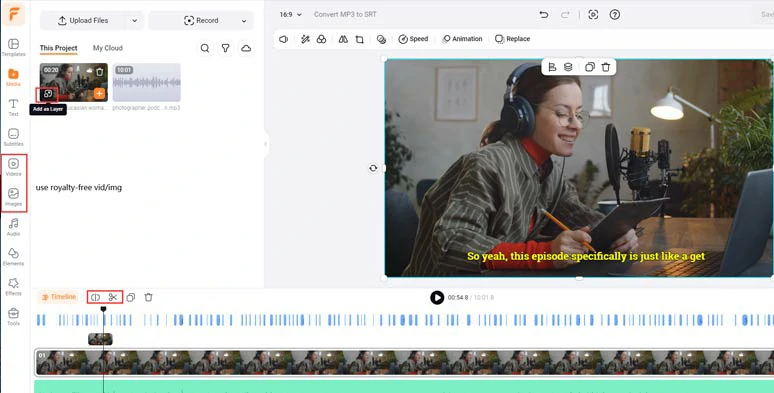
Layer videos and images to create visuals for the video content.
Besides, 1,000+ readymade and editable text animations, such as Like, Share, and Subscribe buttons, video titles, and 74,000+ royalty-free music tracks and sound effects are also available in the Text and Audio tab to help you create captivating video content.
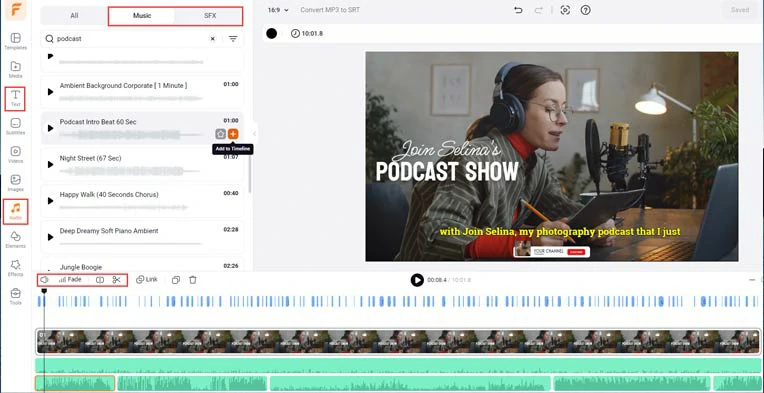
Add text animations and royalty-free music and sound effects to the video.
Downside:
Pricing:
2. Convert MP3 to SRT by Sonix.AI
Well, if not only do you need to convert MP3 to SRT but also want to seamlessly translate the MP3 transcript to another language to repurpose the audio content to reach a wider audience, Sonix. AI, another versatile online MP3 to SRT converter, is built to meet your needs.
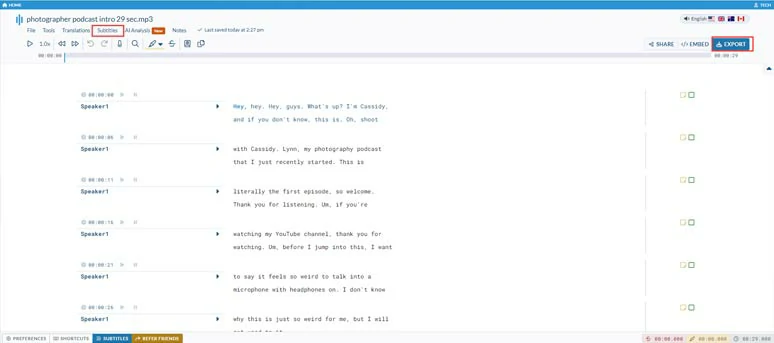
Convert MP3 to SRT by Sonix online.
Best Features to Convert MP3 to SRT with Sonix. AI:
How to Convert MP3 to SRT by Sonix.AI Online:
Convert MP3 to SRT by Sonix. AI online.
Click the transcribed MP3 audio file > click the Subtitle tab > hit Split transcript to split transcript into subtitles > edit the speakers and MP3 transcript > click the Export button > select SRT file for download.
Alternatively, you can click the Translations tab > Translate transcript to a different language > select from 38 target languages> hit the Translate Now to translate the transcript > click the Export button > save the translated MP3 transcript in SRT format to your computer.
Downside:
Pricing:
3. How to Convert MP3 to SRT by Otter.AI Online
Whether you are a student who wants to convert MP3 to SRT for school lectures or a business professional who needs to convert MP3 to SRT for webinars in Zoom or even transcribe a real-time meeting, Otter.AI with its powerful transcription service makes it another perfect MP3 to SRT converter to convert MP3 to SRT file online and on your smartphone (IOS, Android).
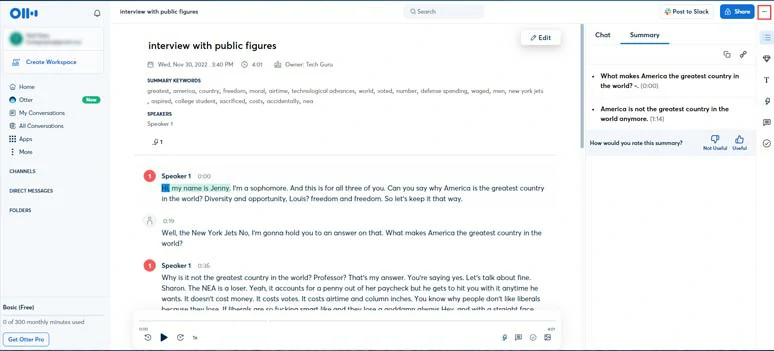
Convert MP3 to SRT by Otter online.
Best Features to Convert MP3 to SRT with Otter:
How to Convert MP3 to SRT by Otter.AI Online
Click the MP3 transcript > AI has already generated the title, summary, keywords and outline from the MP3 audio recordings > edit the speakers and playback audio to proofread the transcript and make the necessary adjustments > click the three dots to the top right corner > Export > SRT > set max number of lines and max character per line and enable auto line breaks > click the Export button to save the SRT to your computer.
Downside:
Pricing:
4. How to Convert MP3 to SRT by Whisper Transcribe:
Finally, if you prefer a desktop MP3 to SRT converter to convert MP3 to SRT on a PC or Mac, another ultimate choice for you is Whisper Transcribe. The software incorporates OpenAI’s advanced Whisper API for audio and video transcription and uses ChatGPT-4 to generate content from your provided audio and video content. Awesome!
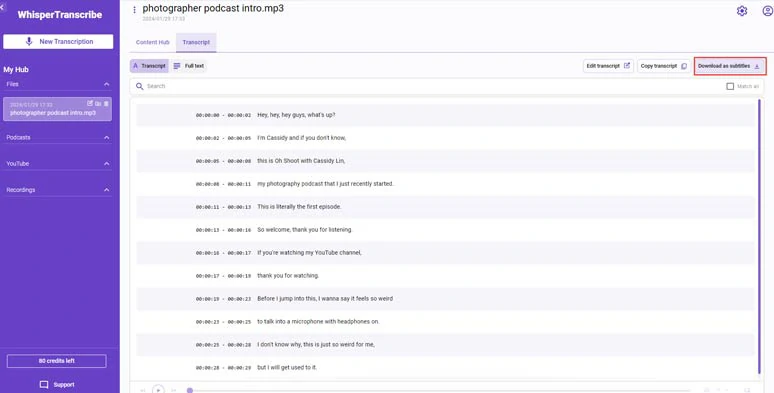
Convert MP3 to SRT by Whisper Transcribe on desktop.
Best Features to Convert MP3 to SRT with Whisper Transcribe:
How to Convert MP3 to SRT by Whisper Transcribe
Click the Transcript tab > playback the audio to check the MP3 transcript > edit the transcript > once you are satisfied with the transcript, click the Download as Subtitles > select SRT format to save the SRT file to your computer.
Alternatively, by clicking the Content Hub where you can see new content generated by ChatGPT-4 for you such as a summary, audio title, newsletters, blog posts, Instagram and X posts, etc. So, you can fine-tune these AI-generated contents and use them accordingly.
Downside:
Pricing:
Now, It's Your Move
Well, not all MP3 to SRT converters are created equal. Please feel free to try out these tools to convert MP3 to SRT and let us know your favorite by sharing this post on your Facebook or X (Twitter). Cheers to your content creation success!




FlexClip AI Video Maker
Reach professional-quality videos faster with easy editing tools, templates, and smart AI.
Start Now for Free
Hot & Trending
-

Best Ways to Find Music in YouTube Videos
-

Instagram Story Video Quality Bad After Upload? Fix It!
-

How to Repost Video on TikTok & How to Remove TikTok Repost
-

Improve Video Quality Online: 3 AI Video Quality Enhancers You Can't Miss
-

4K Convert to HD 1080p without Watermark: Best 4k Video Converters
-

Best 8 Free Video Editors - No Download Required
-

Top 13 Birthday Video Makers with Music and Effects Free
-

How to Search Filters on TikTok & Use a Filter You See - TikTok Filter Guide