Summary:Wondering how to get verified on Instagram? Here in this article, we'll explain what is a Instagram verified badge and how to get it in detailed steps.
Instagram has more than 300 million users per month, and many companies are trying to interact with users in the Instagram community to get more customers. To make your Instagram promotion more effective, you need to attract more users to follow your Instagram business account, learn how to run your Instagram business account, and turn your users into your customers. That's why there are many users searching for how to get verified on Instagram to build trust with followers.
The verification badge displays a blue check next to the Instagram account name in the search results and on the relevant profile page. This means that Instagram confirms that this account is a real account of the public figures, celebrities or global brands it represents. Here we're going to show the steps to get verified on Instagram.
Image board: How to Get Verified on Instagram
Part 1. What Does Instagram Verification Mean?
According to Instagram itself, Instagram verification means you'll get a blue check next your Instagram account name, which confirms that this account is the authentic presence of the public figure, celebrity or global brand it represents.
This so-called blue "hook" is not a product or service, but a certification mark on the Instagram after the celebrity and corporate brand certification. Certified users can be more easily searched and enjoy some special services. More importantly, this is a symbol of status, which allows users to gain official recognition to win the trust of Instagram's 700 million active users per month.
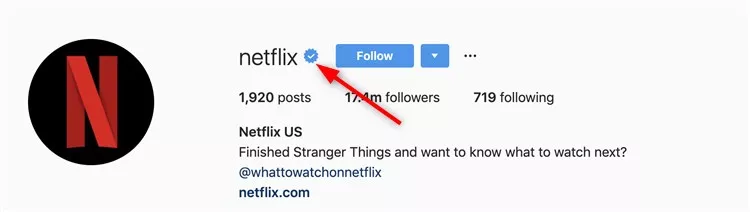
Image board: What Does Instagram Verification Mean
Part 2. Who Can Get A Verified Account on Instagram?
It's been a mystery how Instagram choose who get a verified badge since Instagram introduced the criteria for applying for verification. According to Instagram, there are many factors while evaluating Instagram accounts to determine whether they meet the verification criteria. To qualify, you need to:
1.Follow Instagram's
2.Be authentic: Whether a person, a brand or a business, you must be who you claim to be.
3.Be unique: You need to the only presence of this person, business or brand, and Instagram only verify one account for a person or business.
4.Be complete: Instagram blue badge is designed for public figures and real brand, so your account can't be private and you should at least have a bio, profile and one post.
5.Notable: A verified account must represent a famous brand, highly searched for person, brand or entity. Also, your paid followers or paid interaction won't help.
Image board: Who Can Get A Verified Account on Instagram
Part 3. How to Get Verified on Instagram within Steps
Step 1. Login your Instagram account and go to your profile, then tap the menu icon on the top right cover.
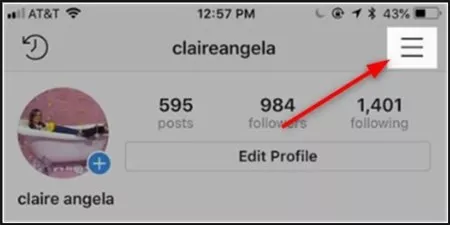
Image board: How to Get Verified on Instagram - Step 1
Step 2. Click the Settings at the bottom.
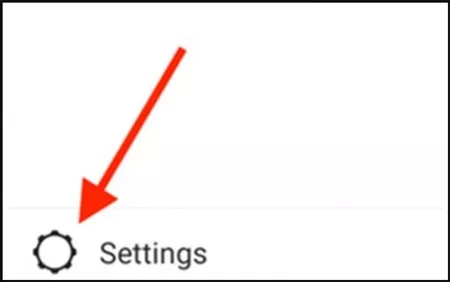
Image board: How to Get Verified on Instagram - Step 2
Step 3. Tap on the Account.
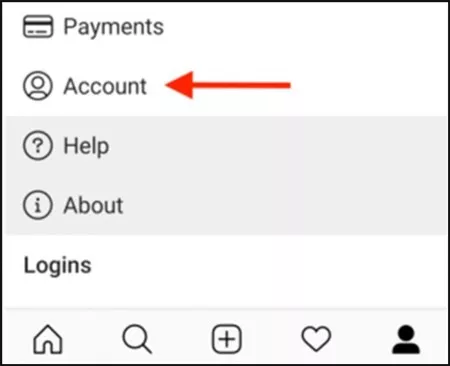
Image board: How to Get Verified on Instagram - Step 3
Step 4. Tap on Request verification.
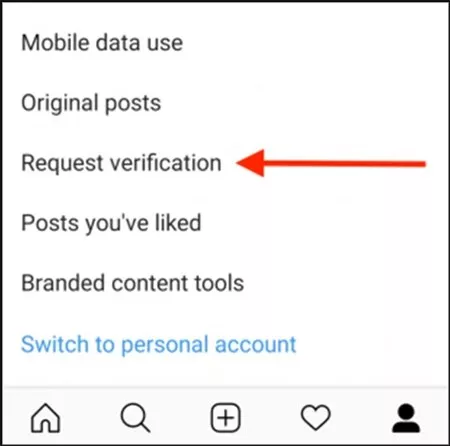
Image board: How to Get Verified on Instagram - Step 4
Step 5. Fill out the Instagram verification form including full name, professional name and your category.
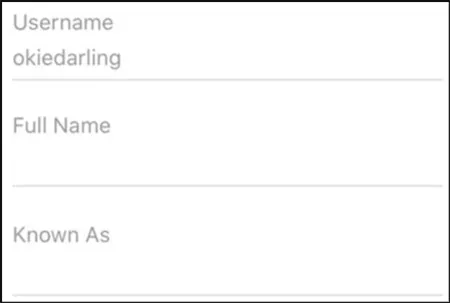
Image board: How to Get Verified on Instagram - Step 5
Step 6. Then you need to upload a photo of your ID. You can use driver's license, passport or international identification card for individuals; and you can use tax filing, recent utility bill, article of incorporation for business account. Then tap on Send.
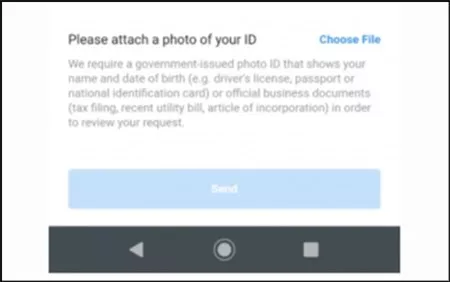
Image board: How to Get Verified on Instagram - Step 6
Then Instagram officials will review your request and it may take a few days until they reply you. At the meantime, you can keep on building your Instagram content and attract more engaged followers.
The Bottom Line
That's all about how to get verified on Instagram and everything about the Instagram badge. If you want to get verified on Instagram, you can try to apply for it with the steps above. And if you want to make some videos for Instagram, just try FlexClip now!




FlexClip AI Video Maker
Reach professional-quality videos faster with easy editing tools, templates, and smart AI.
Start Now for Free
Hot & Trending
-

Ultimate Tik Tok Guide – How to Tik Tok & How to Make a Tik Tok Video that Gets Likes
-

7 Best Ways to Find Music in YouTube Videos
-

Instagram Story Video Quality Bad After Upload? Fix It!
-

How to Repost Video on TikTok & How to Remove TikTok Repost
-

Improve Video Quality Online: 3 AI Video Quality Enhancers You Can't Miss
-

4K Convert to HD 1080p without Watermark: Best 4k Video Converters
-

Top 13 Birthday Video Makers with Music and Effects Free
-

How to Search Filters on TikTok & Use a Filter You See - TikTok Filter Guide