


Delivering 4K output, accurate text rendering, strong semantic reasoning, Gemini sets a milestone in AI image generation. You might have seen tons of amazing photos created by others, but there is only one magic - the prompt. The more specific, imaginative your prompt is, the better results you can get.
Whether you are an AI enthusiast who is experimenting Gemini, or professional designer seeking fresh ideas, here are 40 well-structured prompts can make a huge difference. Copy, paste, and spark new visual ideas with every prompt.
1. Portrait & Character Manipulation
Facial details have always been a weak point for image generation models. Google Nano Banana Pro has improved semantic understanding and enlarged dataset, so the output details like eyes, hair strands, skin texture, and even reflections look crisp and realistic.
Check out some creative ways to play with your portraits on Gemini.
Grid Portrait in Different Expressions
Create a 3x3 grid of the same boy’s portrait, each cell showing a different facial expression: happy, sad, surprised, angry, thoughtful, excited, sleepy, mischievous, and neutral. Keep his identity, hairstyle, and clothing consistent across all nine portraits. Studio lighting, soft background, realistic skin texture, 4K, cinematic portrait style.
Copy and paste the prompt and generate images using Gemini
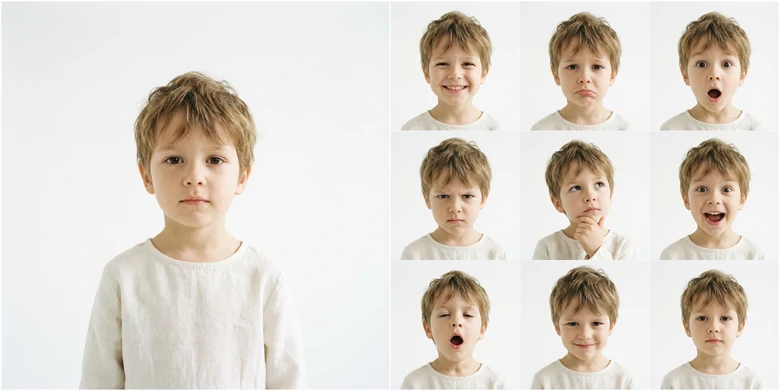
Generate Photo Grid in Different Expressions
Put on Makeup
Transform the portrait of this woman by applying a new makeup style. Keep her facial features, hairstyle, and clothing consistent. Change the makeup to [insert style, e.g., natural, bold red lips, smoky eyes, pastel eyeshadow, glittery look, evening glam, soft blush]. Maintain realistic skin texture, soft lighting, and photorealistic details. 4K resolution, ultra-detailed, studio-quality portrait.
Copy and paste the prompt and generate images using Gemini
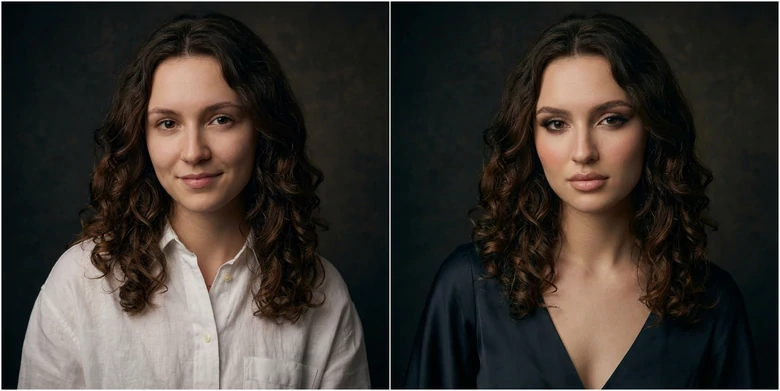
Put on Makeup on Portrait
Change Expressions
Generate a portrait of this woman while keeping her hairstyle, facial features, and clothing exactly the same. Change the expression to [happy/sad/surprised/angry/thoughtful/excited/mischievous/neutral]. Maintain realistic skin texture, soft lighting, 4K resolution, photorealistic, studio-quality portrait.
Copy and paste the prompt and generate images using Gemini
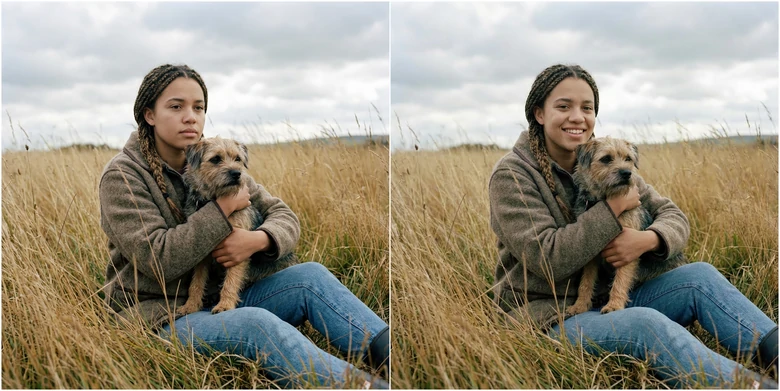
Change Expression in Photo
Multiple Faces into One Portrait
Make the two people hug, place woman on the right and man on the left, keeping their facial features, hairstyles, and clothing intact. Soft lighting, neutral background, photorealistic 4K studio-quality portrait.
Copy and paste the prompt and generate images using Gemini
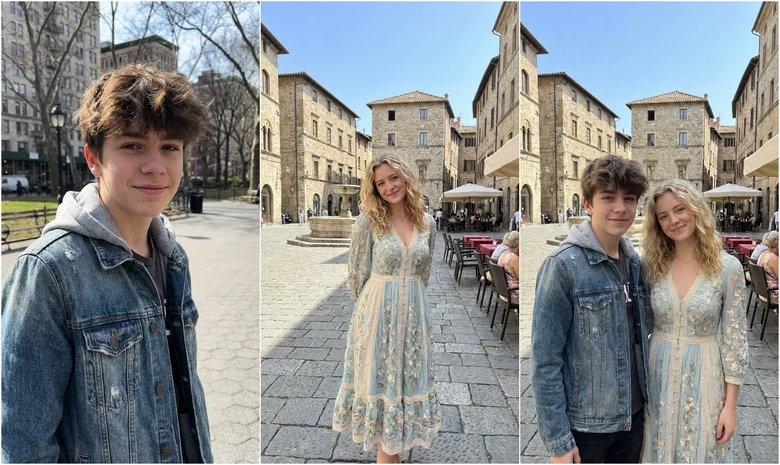
Create a Portrait with Multiple Faces
Future Baby
Create a portrait of the future child of this woman and this man. Show a blend of their facial features, with natural skin tones and eye color. Generate versions as a 6-month-old baby. Soft background, realistic lighting, 4K, photorealistic style.
Copy and paste the prompt and generate images using Gemini
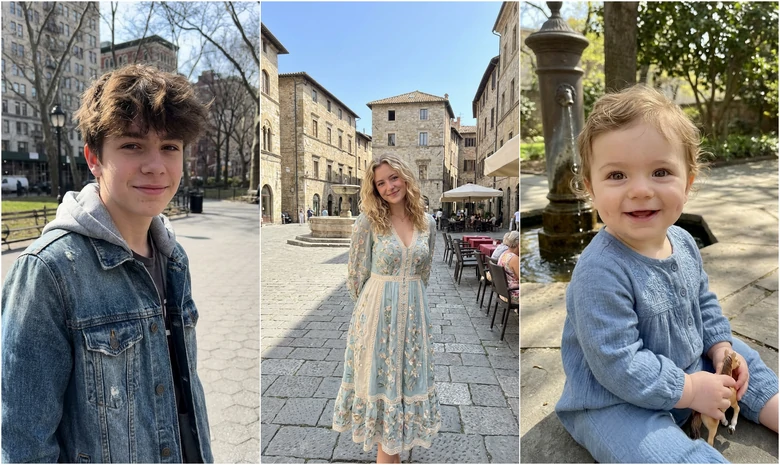
Create Future Baby
2. Motion, Time & Environment Control
Nano Banana shows great control over all elements on the image. It removes, alters, replaces elements as you like, including facial expressions, pose, lights, clothes, etc.
Motion Control
Change pose to a playful jump shot with natural motion blur and realistic shadows, keep face identity accurate.
Copy and paste the prompt and generate images using Gemini
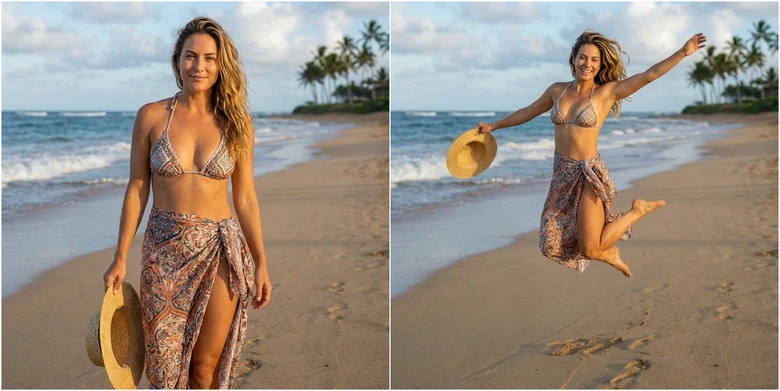
Motion Control
Try World Looks
Make a collage of 6 portraits styled in different global fashion themes: Parisian chic, Tokyo street fashion, New York business style, Korean soft girl look, Italian vintage elegance, beach tropical look. Keep my face identity consistent.
Copy and paste the prompt and generate images using Gemini
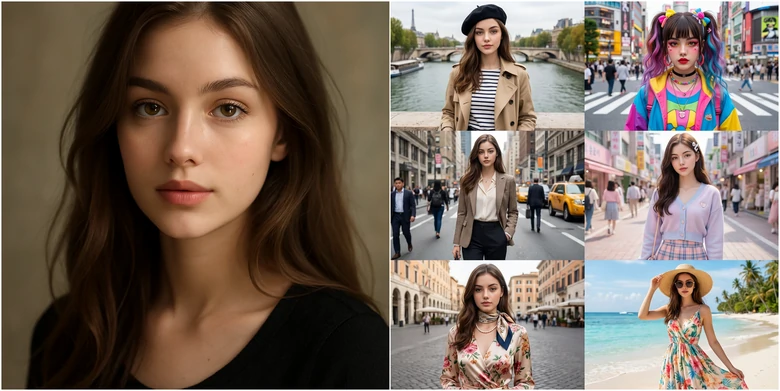
Try World Looks
Change Season in Photo
Generate a 4-photo collage of the scene themed to the four seasons: blooming spring, bright summer, colorful autumn, snowy winter. Natural lighting.
Copy and paste the prompt and generate images using Gemini
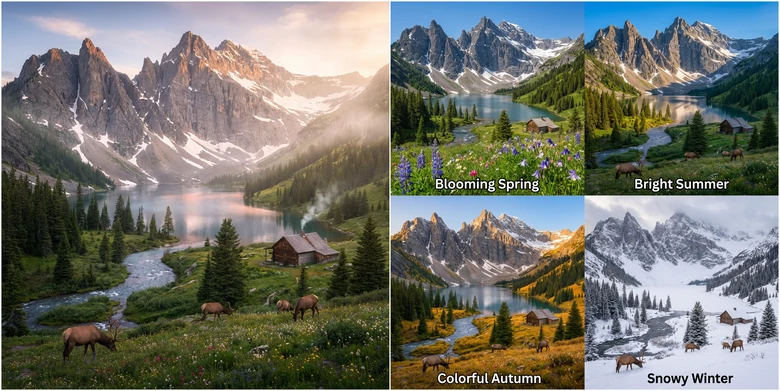
Change Season in Photo
Apply Moody Lights
add soft and natural, coming from a light source that appears to be positioned to the left of the subject. Creating a warm and inviting atmosphere, with soft shadows gently falling across the face and body. The light enhances the subject's natural skin tone, giving her a healthy, glowing complexion. The lighting also helps to highlight her facial features, such as her cheekbones and the texture of her hair, while the shadowed areas provide contrast, adding depth to the image.
Copy and paste the prompt and generate images using Gemini
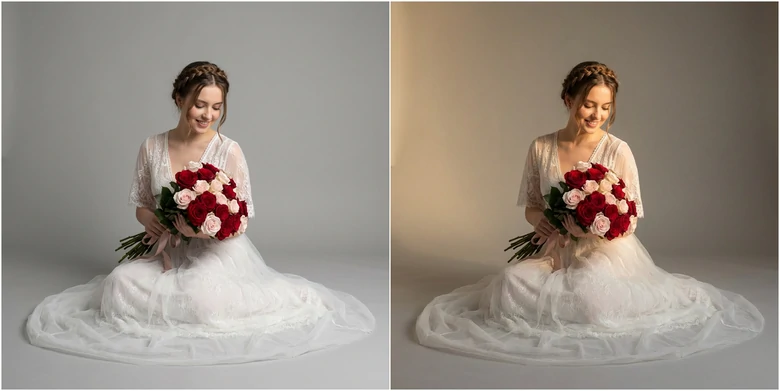
Add Moody Lights
Complicated Lighting Conditions
Sunlight shines through a geometrically complex glass sculpture, casting intricate patterns of caustic light onto the concrete floor. This illustrates the phenomenon of light dispersion.
Copy and paste the prompt and generate images using Gemini
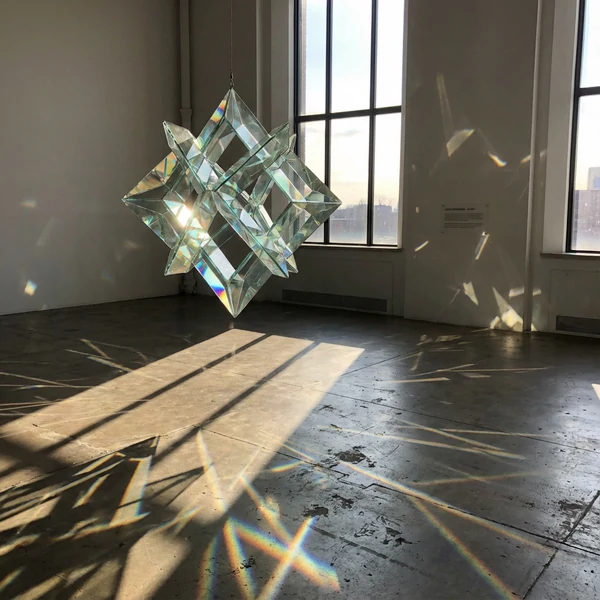
Create Complicated Lighting Condition
3. Product, Object & Scene Editing
Gemini has been a secret weapon for marketers to improve their product images. Embrace brand new ways to display your product.
3D Toy Figurines
Create a 1/7 scale commercialized figurine of the character in the picture, in a realistic style, in a real environment. The figurine is placed on a computer desk. The figurine has a round transparent acrylic base. The content on the computer screen is a 3D modeling process of this figurine. Next to the computer screen is a toy packaging box, designed in a style reminiscent of high-quality collectible figures, printed with original artwork. The packaging features two-dimensional flat illustrations of the figurine.
Copy and paste the prompt and generate images using Gemini
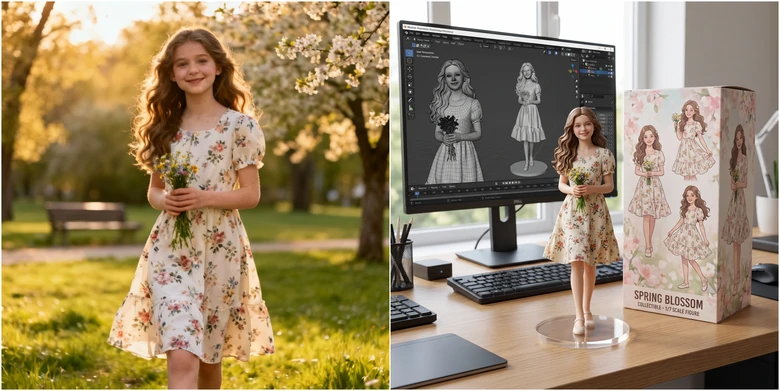
Portrait to 3D Toy Figurines
Object Extraction
Use a grid diagram to analyze all the clothing and accessories worn by the people in the image.
Copy and paste the prompt and generate images using Gemini
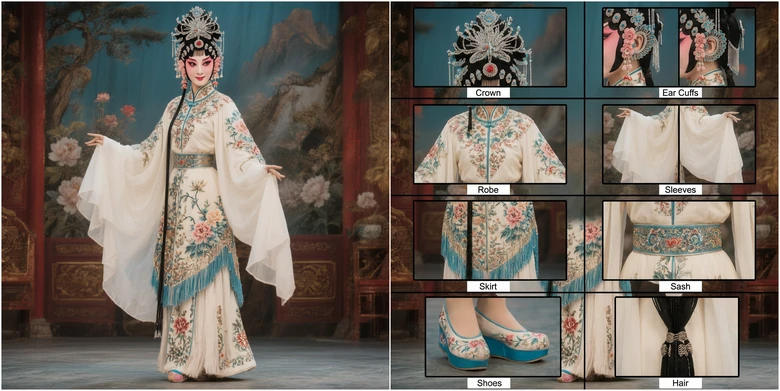
Extract Object from Image
Mix Multiple Elements into One
Arrange the following furniture into a single living room with a cozy, inviting atmosphere. Soft, warm lighting, realistic shadows, harmonious composition, natural perspective, and detailed textures on all furniture pieces. High-resolution, photorealistic style.
Copy and paste the prompt and generate images using Gemini
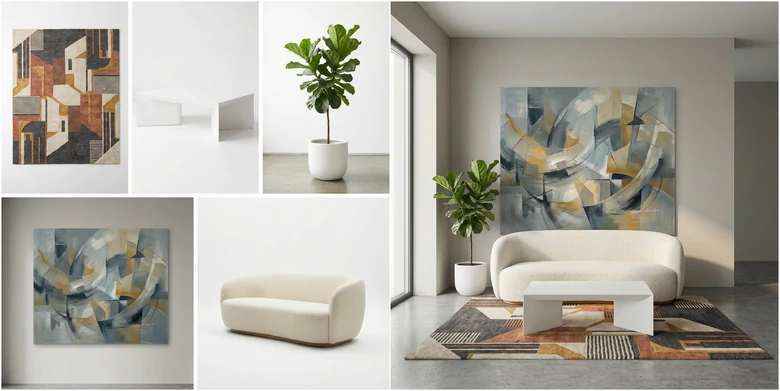
Mix Multiple Elements into One
Replace Elements on Image
Replace the following bag with a transparent, elegant perfume bottle. Maintain realistic reflections, glass transparency, and lighting consistent with the original scene. High-resolution, photorealistic style, detailed textures, natural shadows.
Copy and paste the prompt and generate images using Gemini
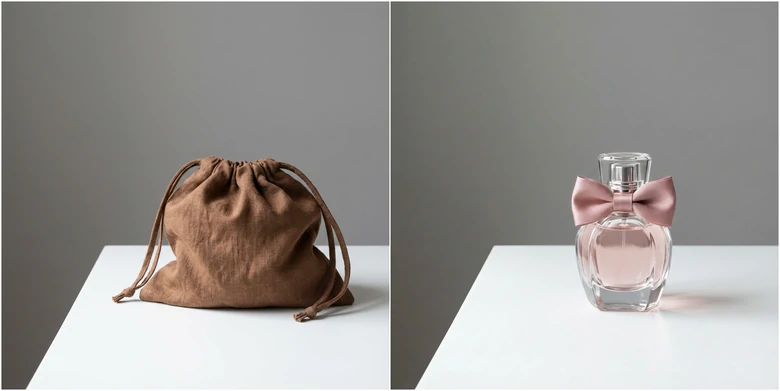
Replace Elements on Image
Change Image Texture
Replace the bag texture with high-end premium leather, subtle grain details, soft glossy highlights, luxury fashion style. Keep original shape and color matching the lighting.
Copy and paste the prompt and generate images using Gemini
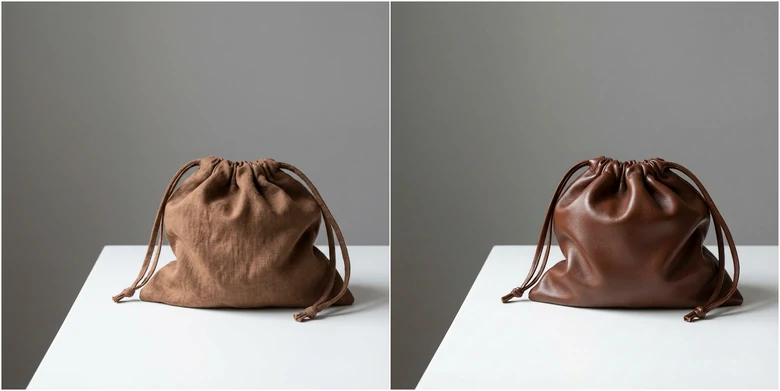
Change Image Texture
Outpainting Images
Extend the scene seamlessly outward, preserving lighting, perspective, and style. Add natural environmental elements that match the original composition.
Copy and paste the prompt and generate images using Gemini
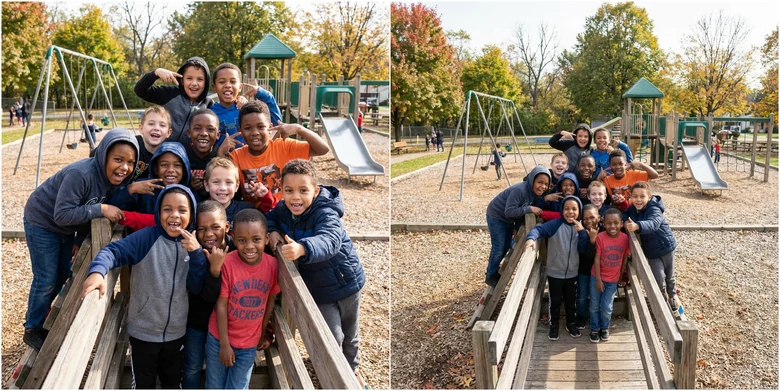
Outpaint Images
4. Photo Restoration & Enhancement
Everyone can get awkward shots. Let’s see how Gemini fixes them and gives them a brand new life.
Restore Old Photo
Restore this old photo by repairing scratches, cracks, and fading. Enhance details, maintain original facial features, natural colors, and realistic textures. High-resolution, photorealistic restoration.
Copy and paste the prompt and generate images using Gemini
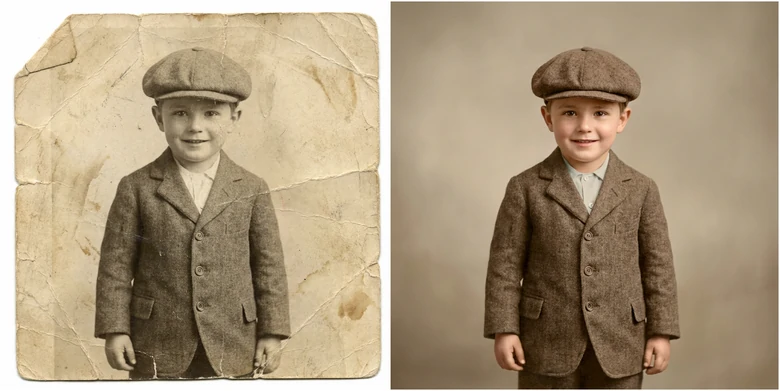
Restore Old Photos
Change Camera Angle
Transform the photo into a 2*2 grid showing different aspects of the people but keep other elements the same. High realism.
Copy and paste the prompt and generate images using Gemini
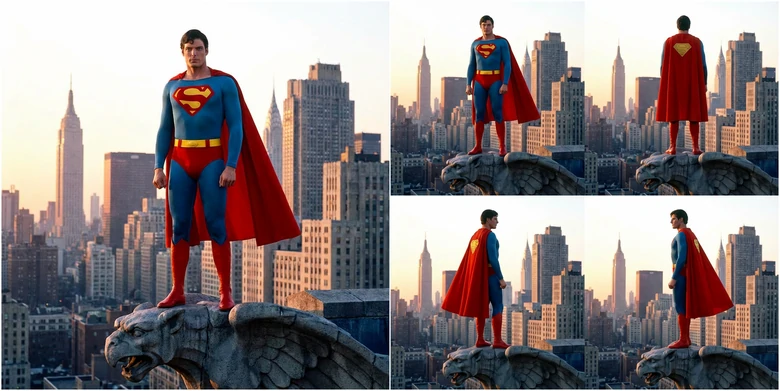
Change Camera Angle
Change Focus Point of an Image
Enhance the focus on the subject’s face, making eyes and facial features sharp while maintaining natural background blur. Preserve original expression, lighting, and photorealistic details.
Copy and paste the prompt and generate images using Gemini
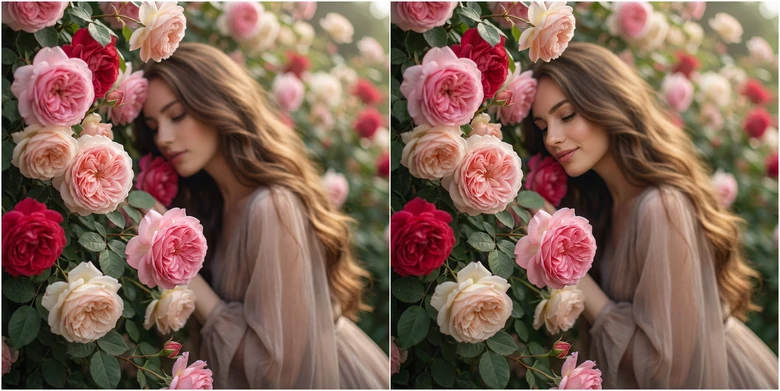
Change Focus Point of an Image
Image Style Transfer
Change the style of the image to Ghibli style while preserving the main composition and subject. Apply consistent changes in color tone, texture, lighting, and artistic details to reflect the new style. Ensure the transformation looks cohesive, visually appealing, and true to the chosen aesthetic.
Copy and paste the prompt and generate images using Gemini
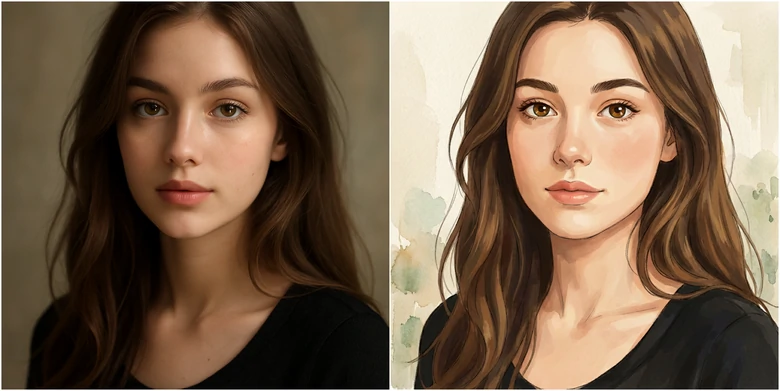
Change Image Style
Virtual Try-Ons
Virtually dress the person in the photo in a tailored dark navy business suit with a white shirt and tie. Realistic fabric textures, natural folds, proper fit, photorealistic style, maintain original body proportions and face identity.
Copy and paste the prompt and generate images using Gemini
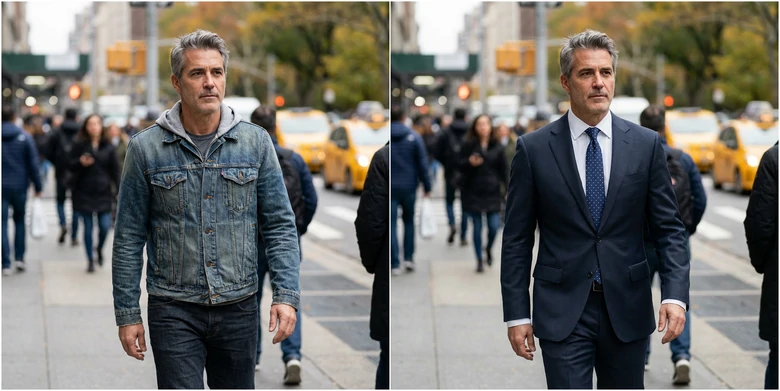
Virtually Try On Clothes
5. Illustration & Visualization
Gemini is more than just an AI image generator. It draws with wisdom. Blending creativity with basic knowledge, it creates expressive illustrations perfect for educational and creative purposes.
Math Problem Solving
Draw a draft paper and write the solution process and answer to this problem by hand with a ballpoint pen.
Copy and paste the prompt and generate images using Gemini
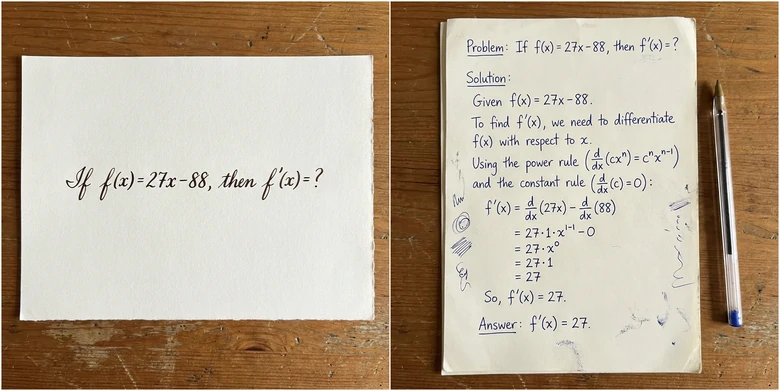
Solve Math Problem
Anatomy Illustration
Create a detailed dog anatomy illustration showing skeletal, muscular, and internal organs. Labeled parts with clean lines, realistic proportions, and scientific accuracy. Neutral background, high-resolution educational style.
Copy and paste the prompt and generate images using Gemini
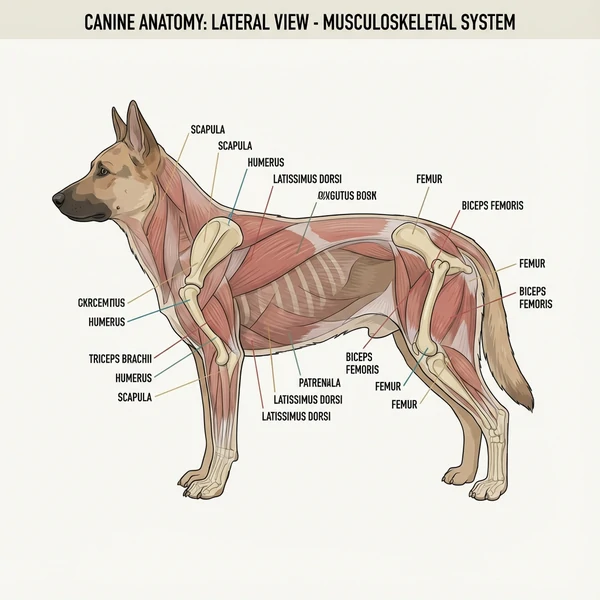
Anatomy Illustration Creation
Visualize Sketch Process
Use a 3*3 grid to visuaize the process of drawing Pikachu in a fun, educational cartoon style. Show each stage from sketch to final colored version, with clear progression, labeled steps, and vibrant colors on a neutral background.
Copy and paste the prompt and generate images using Gemini
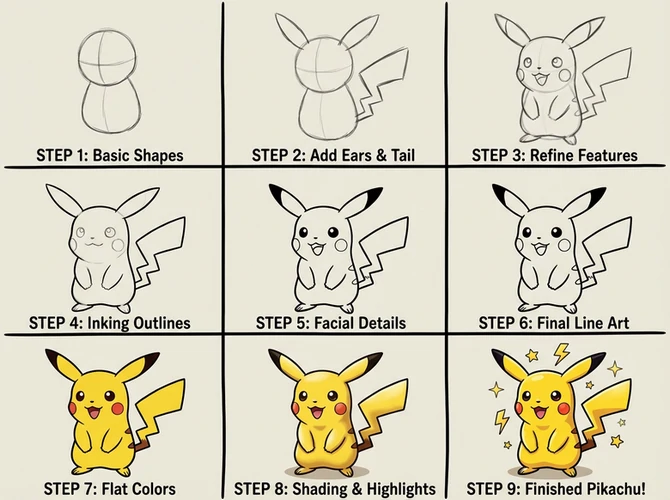
Visualize Sketch Process
2D to 3D Visual
Turn this 2D sketch of a house into a fully decorated 3D photorealistic rendering. Include [style/theme], realistic lighting and shadows, detailed textures, and a harmonious environment. Maintain architectural accuracy.
Copy and paste the prompt and generate images using Gemini
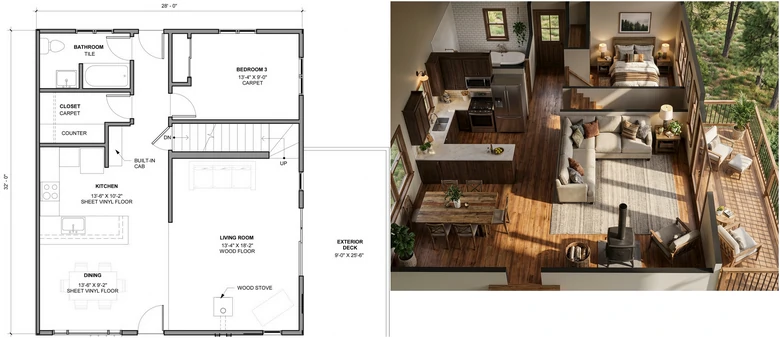
2D to 3D Visual
6. Marketing, Design & Content Creation
This part, we will dive into creative ways for marketers to boost engagement and visuals online, using easy-to-use Nano Banana.
Mockups
Generate a series of high-quality mockups featuring this logo applied to various products and surfaces. Include items like T-shirts, mugs, product packages, and digital screens. Ensure realistic textures, lighting, shadows, and perspectives. Maintain logo clarity and proportion on each item, with visually appealing, photorealistic composition.
Copy and paste the prompt and generate images using Gemini
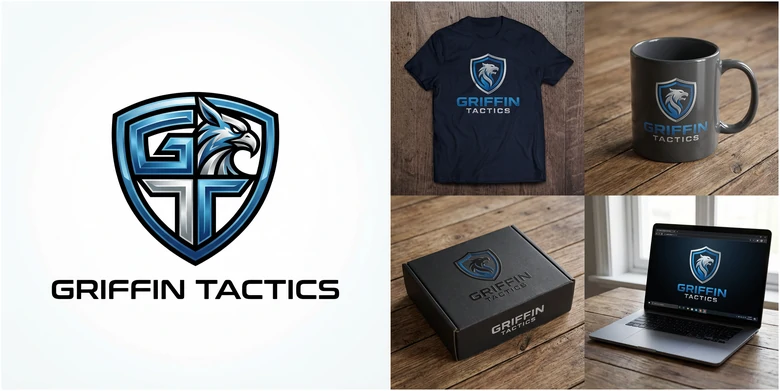
Mockup Generation
Blog Cover/Thumbnail
Generate a screenshot of your macOS desktop, with Google Chrome open. In the browser window, display the YouTube website and show thumbnails of videos from the YouTube channel with the most followers.
Copy and paste the prompt and generate images using Gemini

Blog Cover/Thumbnail Geneation
Website Page Design
Create an online store page for this garment, with a style similar to GUCCI.
Copy and paste the prompt and generate images using Gemini
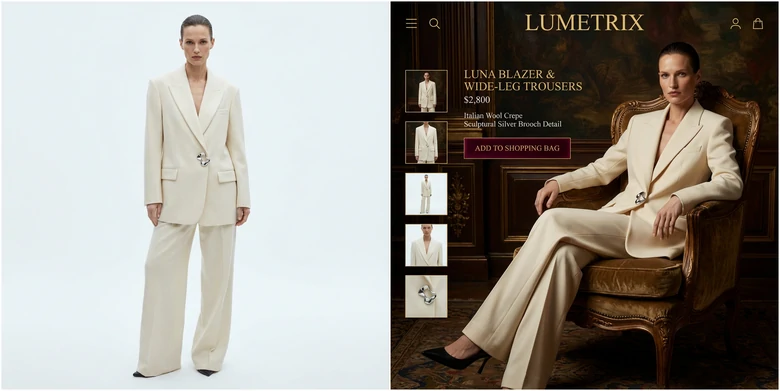
Website Page Creation
Customized Business Card
Search the information of Mr. Beast and create a business card for him. Remember to include his distinctive features.
Copy and paste the prompt and generate images using Gemini
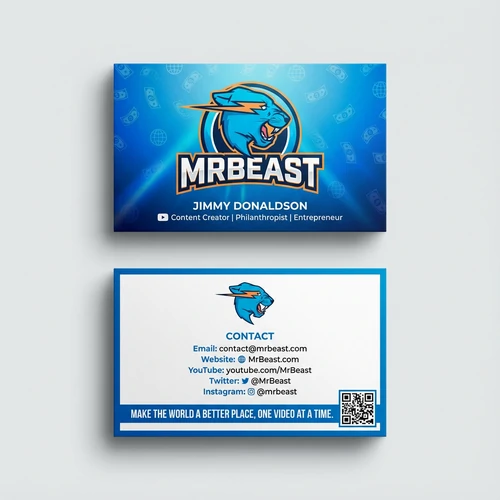
Customized Business Card
Game UI
Design a fantasy RPG game UI with health bars, mana bars, skill buttons, inventory panel, and minimap. Medieval fantasy style with ornate borders, glowing magical accents, readable icons, immersive and colorful, high-resolution, photorealistic or detailed 2D illustration style.
Copy and paste the prompt and generate images using Gemini
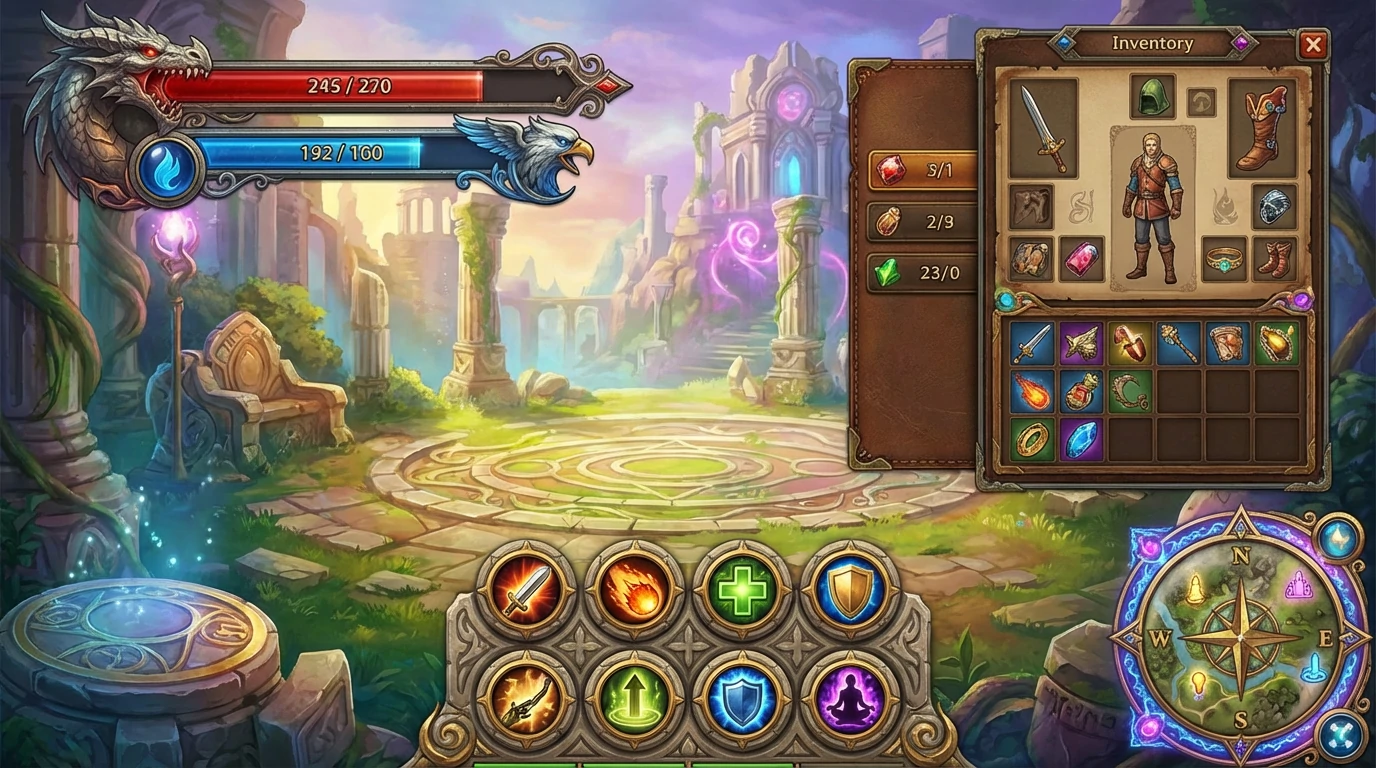
Game UI Creation
UGC Images
Close-up portrait of a confident woman applying [PRODUCT] to her skin. Smooth lighting, soft background. Fresh, glowy skin aesthetic. UGC vibe.
Copy and paste the prompt and generate images using Gemini
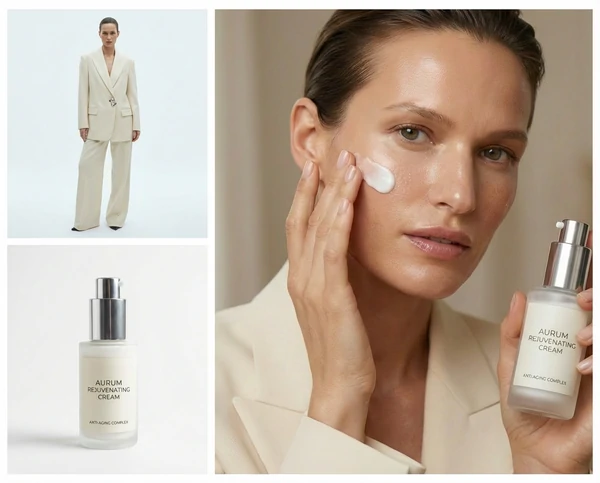
UGC Images
7. Creative Uses
Want to have fun with Gemini? Here are some of the creative uses summarized from Reddit.
Manga Creation
Create a 3-panel manga showing a conversation between two characters about basketball match. Include speech bubbles, varied expressions, close-up and mid-shot perspectives, black-and-white line art, detailed backgrounds, expressive poses, readable composition.
Copy and paste the prompt and generate images using Gemini
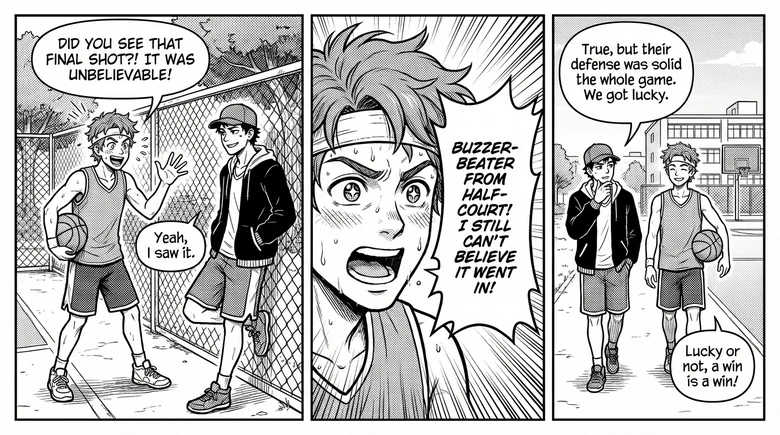
Manga Creation
Classic Movie Scene Recreation
A parody of a famous scene from The Great Gatsby. A Cat dressed in a tuxedo and black bow tie, smiles and raises a champagne glass, as if toasting someone, its movements elegant and confident. The background is blurred lighting and shimmering decorations, suggesting a ball or lavish party.
Copy and paste the prompt and generate images using Gemini
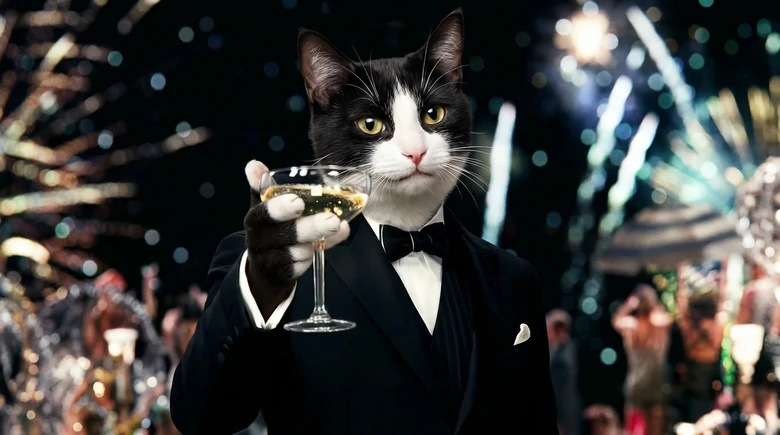
Movie Scene Recreation
Fake Conversation
Create a realistic Facebook Messenger chat interface between a renter and a realtor discussing house rental options. Include profile pictures, blue and gray message bubbles, timestamps, and natural conversational tone.
Copy and paste the prompt and generate images using Gemini
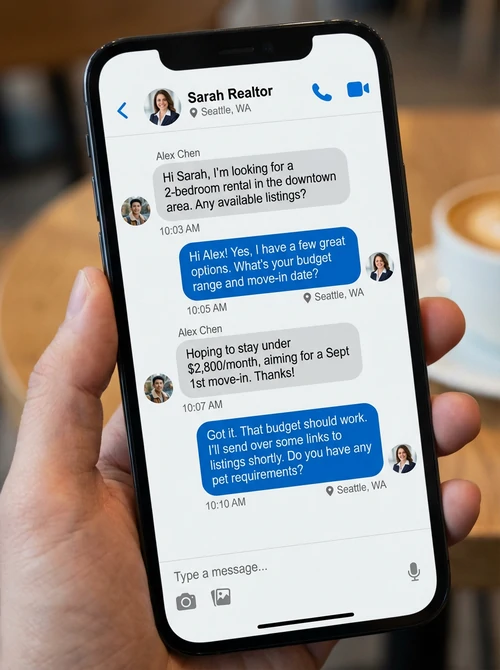
Fake Conversation Creation
High-Speed Macro Photography
High-speed macro photography captured the moment a water balloon burst. The water briefly maintained its spherical shape as rubber fragments peeled away. The scene was dynamic and chaotic, with suspended water droplets.
Copy and paste the prompt and generate images using Gemini
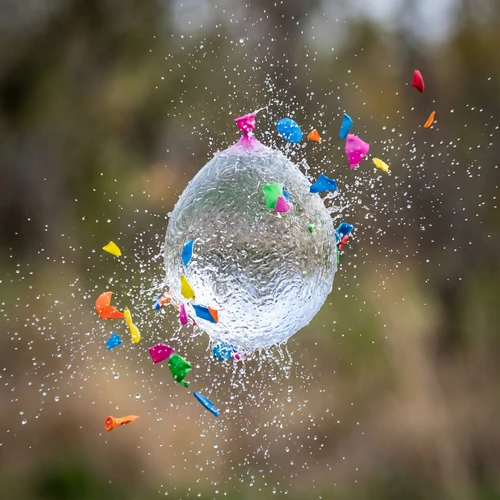
High Speed Macro Photography
8. Text, Translation & Infographics
Now, Gemini has more power to understand text on images. Not only it adds accurate text to the image, but also modifies, translates them as you wish.
Edit Text on Image
Change the text “juice” on the can into “Beer”. Add a slogan “Taste the Craft, Savor the Story” below the text “Beer”.
Copy and paste the prompt and generate images using Gemini
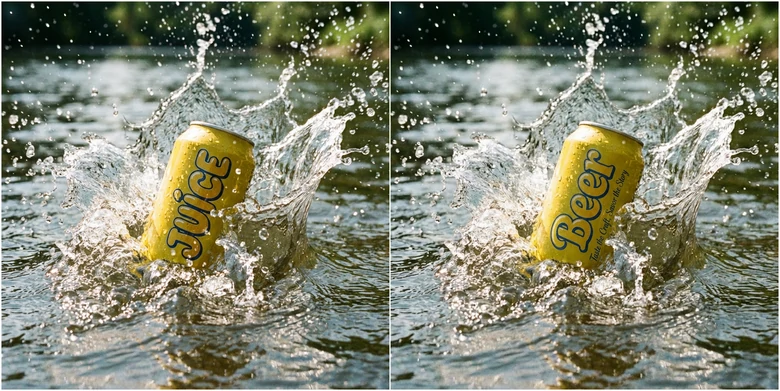
Edit Text on Image
Translate Text on Image
Translate all text on the blackboard on Spanish to English. Keep the original font and other elements the same.
Copy and paste the prompt and generate images using Gemini
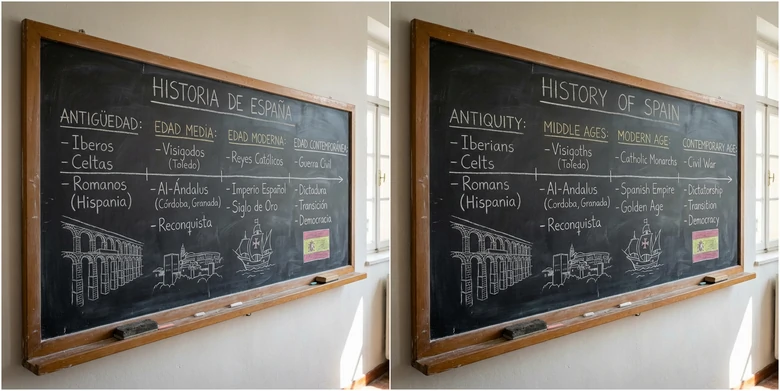
Translate Text on Image
Infographic Generation
Craft me an infographic about American history for educational purposes.
Copy and paste the prompt and generate images using Gemini
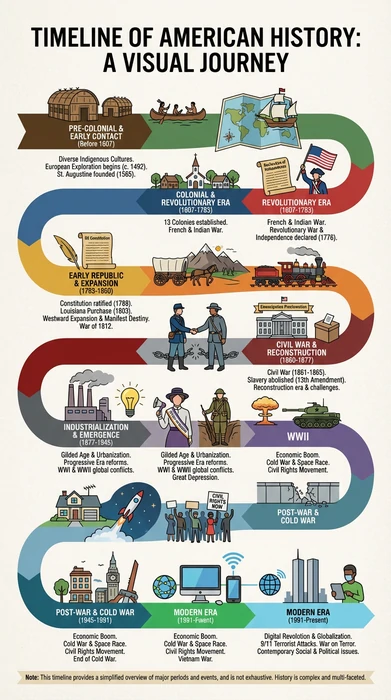
Craft Infographic Using Gemini
Data Visualization
Create me a pie chart of the following marketing cost statistics. The blue represents media cost, which is 30.7%, the red represents ad cost, which is 25.2%, and the yellow represents staff salary, which is 40.6%, while the gray part are others.
Copy and paste the prompt and generate images using Gemini
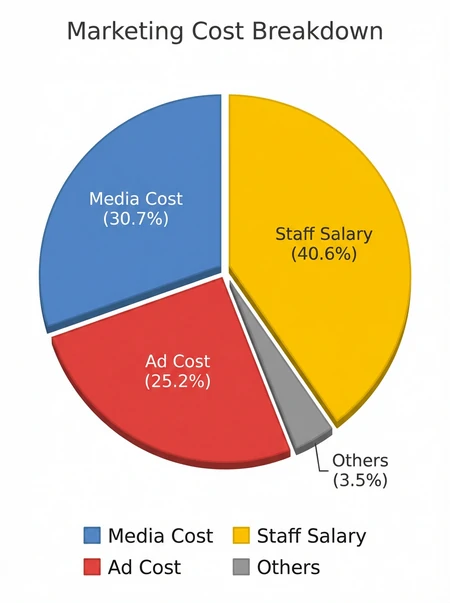
Visualize Your Data Using Gemini
Current Gemini Limitations
While Gemini 3 Pro represents a major advance in image generation, it still has significant limitations. It is better to be aware of them before generation, especially for high-stakes work.
How to Access Gemini Nano Banana Pro
There are several accesses to Nano Banana Pro. Gemini app, Google AI Studio, and third-party tool like FlexClip.
Gemini App
Google Studio
Third-Party App FlexClip
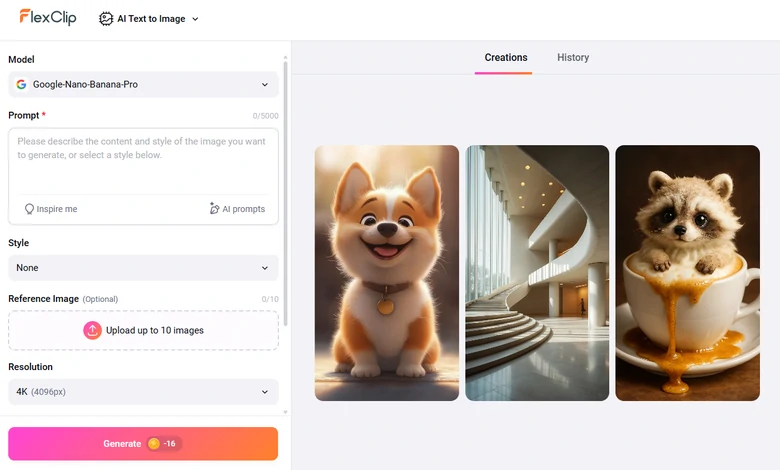
Generate Image Using Gemini at FlexClip
Frequently Asked Questions
1. How do I write an effective Gemini prompt?
An effective prompt includes subject, style, environment, lighting, colors, and perspective. For example: futuristic city skyline at sunset, neon lights, flying cars, 4K, cinematic lighting. If possible, you can also add negative prompts to exclude elements you don’t like.
2. Can I generate multiple images from the same prompt?
Yes, you can get several images from the same prompt due to AI randomness. You can always refine your prompt for better output that matches your aesthetics.
3. Can I edit images after generation?
Yes, you can use Nano Banana Pro to edit images after the generation, like removing object, changing styles, altering lights, etc.




FlexClip AI Video Maker
Reach professional-quality videos faster with easy editing tools, templates, and smart AI.
Start Now for Free
Hot & Trending
-

Best Ways to Find Music in YouTube Videos
-

Instagram Story Video Quality Bad After Upload? Fix It!
-

How to Repost Video on TikTok & How to Remove TikTok Repost
-

Improve Video Quality Online: 3 AI Video Quality Enhancers You Can't Miss
-

4K Convert to HD 1080p without Watermark: Best 4k Video Converters
-

Best 8 Free Video Editors - No Download Required
-

Top 13 Birthday Video Makers with Music and Effects Free
-

How to Search Filters on TikTok & Use a Filter You See - TikTok Filter Guide


