


Every loving couple deserves the timeless wedding elegance, but not all of them has the opportunity to hire professional photographers. You know what’s more disappointing? Traditional photo editing is quite complicated, time-consuming, and expensive.
Embrace AI wedding photo generator, where you can easily turn normal photos into a stunning wedding photo, complete with elegant attire, romantic backdrops, and dreamy lighting. Follow and create virtual wedding photos you love.
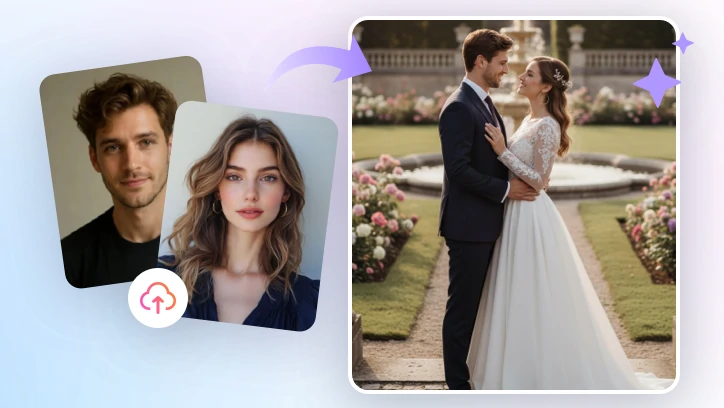
Normal Photo to Wedding Photo Display Image
How to Turn Normal Photos into a Wedding Photo
The only AI wedding photo generator we will be using is FlexClip. Integrated with advanced multiple AI photo editing models, it seamlessly combines multiple reference photos into one with perfect bridal glow. No extra editing skills required.
Click the Create Virtual Wedding Photo button, access FlexClip’s AI Photo Editor and then get started.

Step 1. Select a Generation Model
FlexClip’s AI Photo Editor offers models like Nano Banana, Flux Kontext, etc. As for generating a wedding photo, your option is limited to Nano Banana, and OpenAI-GPT-Image.
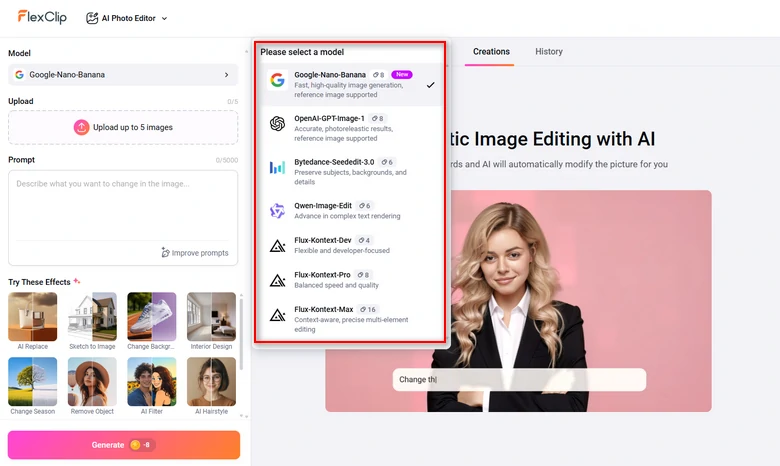
Select a Generation Model
Step 2. Upload Your Image
Drag and drop your image to the upload section. Maximally, you can upload 5 images.
We will be using the following two portraits as an example. However, you can upload more images for reference, for instance, photos of a wedding tuxedo, wedding background, etc.
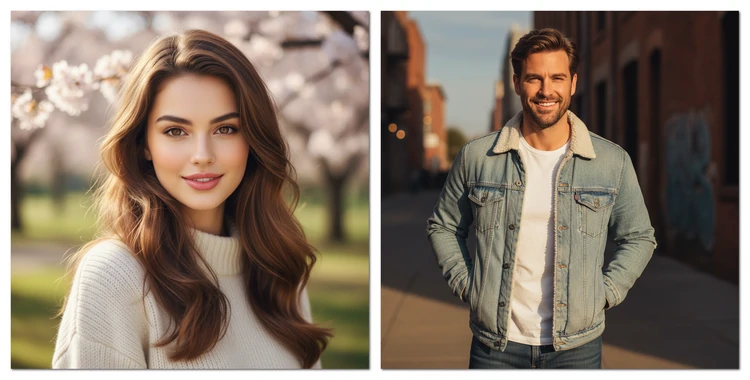
Virtual Wedding Photo Generation - Example Image
Step 3. Enter a Prompt
Describe how you want to merge all elements, and then hit Generate. This is the prompt we entered.
Transform two portraits into a wedding photo, bride in a flowing white gown with veil, groom in a classic black tuxedo, soft golden light, elegant background.
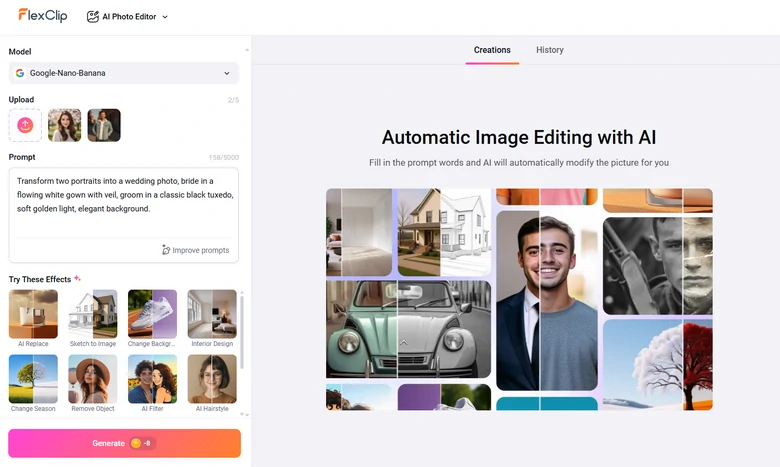
Transfer Normal Photos to a Wedding Photo Using FlexClip AI
Step 4. Preview & Export
The virtual wedding photo should be generated within several seconds. Save the output or post on social media, or continue editing via prompt.
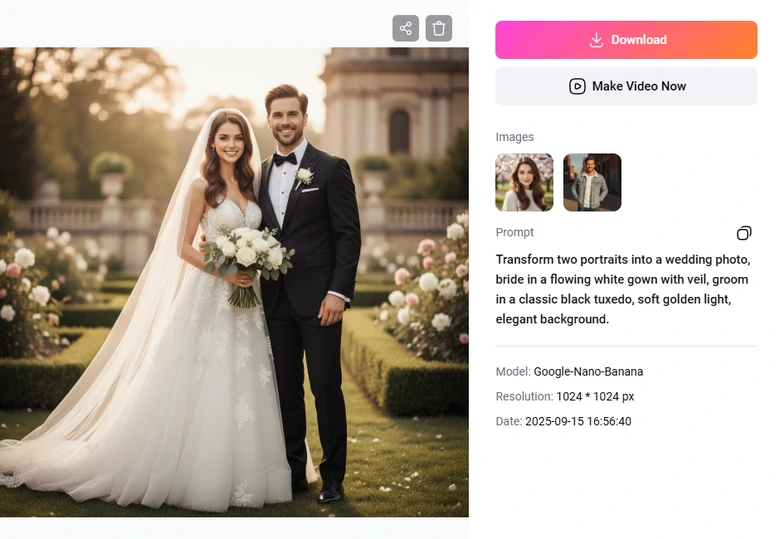
Preview the Wedding Photo
Creative Ways to Play With Your Wedding Photo
FlexClip doesn’t stop at creating a wedding photo. You can create more stunning visuals.
Wedding Kissing Video
FlexClip animates any photos. Trained with millions of real videos, it adds smooth animations to your photo. As for wedding photos, the most recommended movements are kissing, hugging, etc.
Predict Your Future Baby
Your future baby is waiting to meet you at FlexClip! Upload a couple’s photo, FlexClip’s AI Photo Editor can create a baby photo based on their facial details. Again, all it takes is a single prompt.
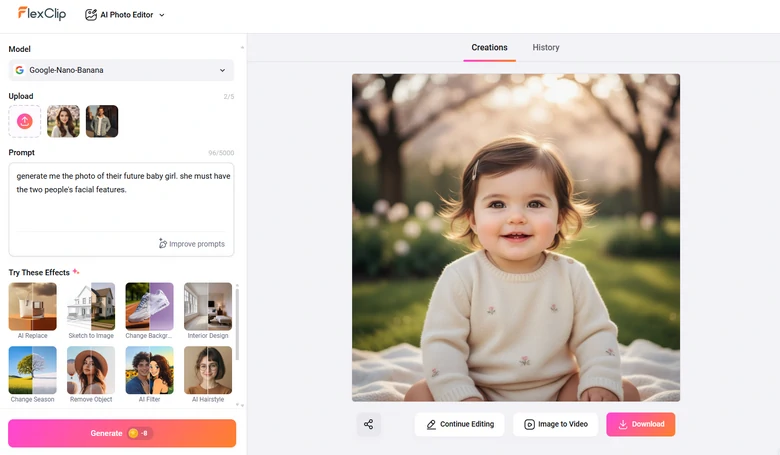
Visualize Future Baby at FlexClip
Wedding Save the Date Slideshow
Feel like using the virtual wedding photos to create a slideshow? FlexClip gets it! Around 1000 professional-level wedding slideshow templates are waiting to be customized. Replace the resources inside the templates with your own wedding photos.


What Makes FlexClip a Great AI Wedding Photo Generator
FlexClip is not the only AI photo editor that converts your normal photos to a wedding photo. Yet, it has tons of persuasive advantages over others.
FlexClip incorporates the most advanced AI generation models, like Google Nano Banana, Qwen, Flux Kontext. Each model has their own advantages. For instance, Nano Banana does a great job in character consistency, Qwen handles texts well. Feel free to explore them all at FlexClip.
We talked about FlexClip’s power in AI photo editing, photo to video conversion, but there is more to explore. FlexClip creates a romantic voiceover for your wedding visuals, upscale your wedding image up to 4X, change hairstyle, etc. Visit FlexClip’s AI Tools page for more.
Most AI Wedding Photo Generators ask you to subscribe. FlexClip, however, allows you to pay for what you need. Each generation costs 4-16 credits, which is about $0.12 - $0.48, depending on which AI model you use. 800 credits take only $19.9.
FAQs About Creating Virtual Wedding Photo
1. Is it possible to customize the background in AI wedding photos?
Absolutely. You can replace the plain backdrops with dreaming wedding venues, beaches, gardens, or luxurious halls.
2. Are AI-generated wedding photos realistic?
Yes. FlexClip incorporates the latest AI models. The results always look professional, with natural lighting, shadows, and elegant details.
3. Can AI change my outfit to a wedding dress or suit?
Yes, FlexClip can change your normal outfit to a wedding dress or suit. You can upload photos of clothes you love to do a virtual try-on, or simply describe the clothes you love.




FlexClip AI Video Maker
Reach professional-quality videos faster with easy editing tools, templates, and smart AI.
Start Now for Free
Hot & Trending
-

Best Ways to Find Music in YouTube Videos
-

Instagram Story Video Quality Bad After Upload? Fix It!
-

How to Repost Video on TikTok & How to Remove TikTok Repost
-

Improve Video Quality Online: 3 AI Video Quality Enhancers You Can't Miss
-

4K Convert to HD 1080p without Watermark: Best 4k Video Converters
-

Best 8 Free Video Editors - No Download Required
-

Top 13 Birthday Video Makers with Music and Effects Free
-

How to Search Filters on TikTok & Use a Filter You See - TikTok Filter Guide


