


Real photos with spooky makeups are no longer a trend. The AI skeleton filter is taking over this Halloween season. It adds fun skeleton makeups on your face, creating a creepy yet captivating visual perfect for any social media.
Whether you need spine-chilling ghostly portraits or typical Day of the Dead skeleton looks, FlexClip gets you covered.
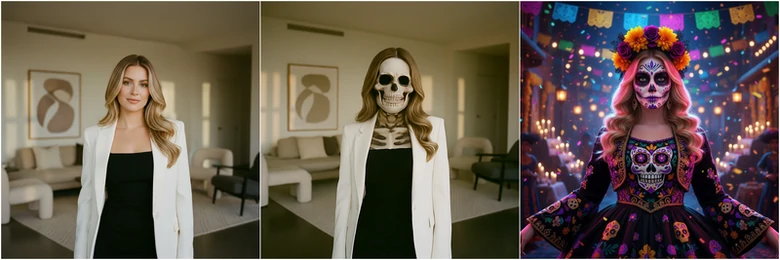

How to Add Skeleton Filter to Photo
Instead of offering fixed skeleton looks as other AI filters do, FlexClip adds customized skeleton effects to your photo. You can turn yourself into the skeleton you love with simple prompts. Click the Try Skeleton Filter button below and follow.
Step 1. Upload Images
You are now at FlexClip’s AI Photo Editor page. Drag and drop your photo to the upload section. This is the image we will be using.

Example Image We Will Use
Step 2. Pick a Model
FlexClip incorporates 8 AI generation models, including Google Nano Banana, Flux, Seedream, etc. Some of them even support uploading multiple images as reference.
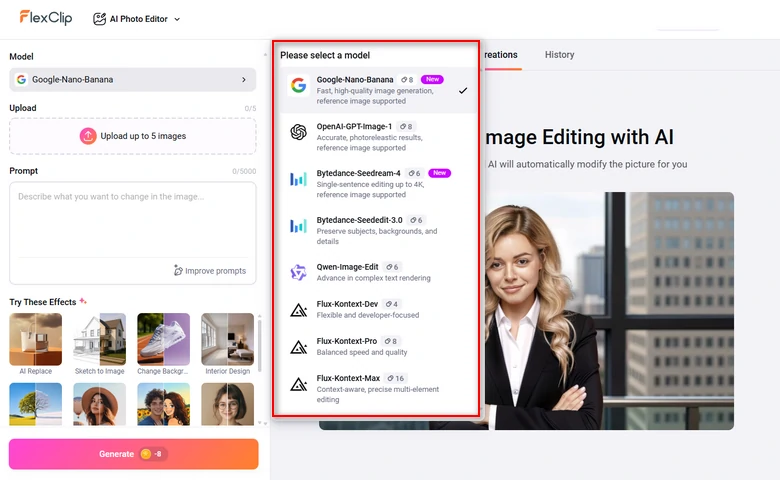
FlexClip Generation Models
Step 3. Enter a Prompt
Describe the skeleton image you love then hit Generate. For instance, we input: her face painted like a sugar skull, featuring dark eye sockets, a stitched mouth, and a small black heart on her forehead. She has long, wavy pink and purple hair adorned with a crown of roses, small flowers, and butterflies. change her cloth to black, replace the background into moody colors. The skin tone matches the background.
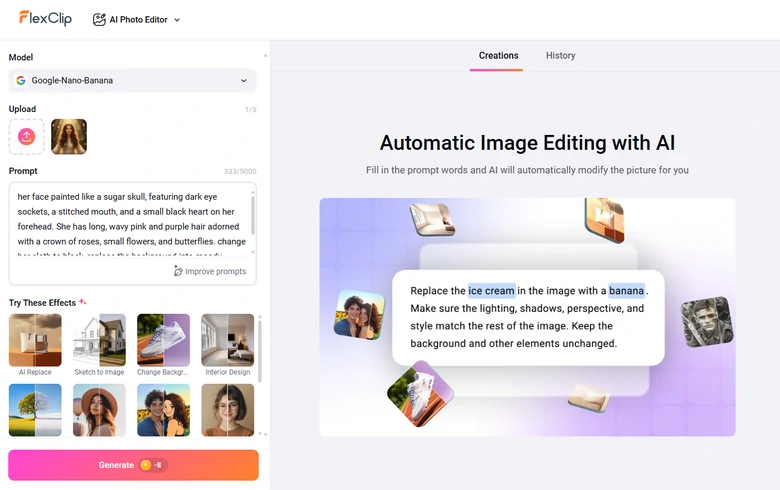
Input Image Generation Prompt and Generate Skeleton Photo
Step 4. Export & Share
Preview the output. You can continue editing, save it to a local folder, or post to social media.
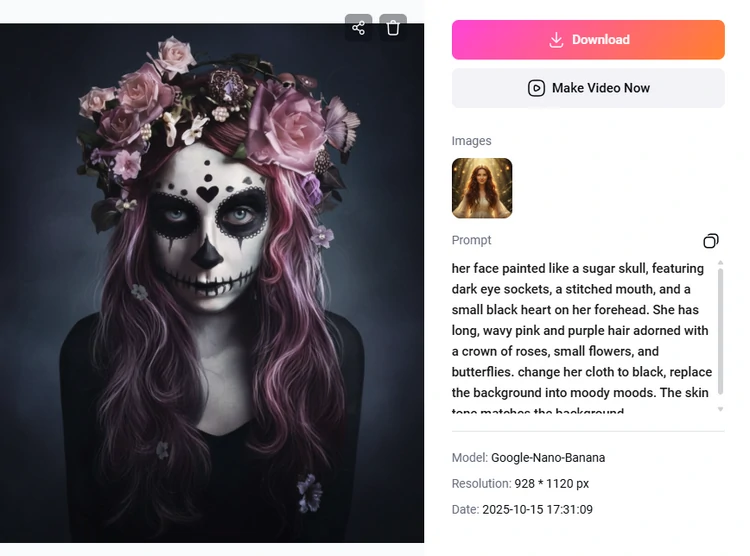
Preview & Export the Skeleton Photo
Step 5. (Optional) Animate Your Skeleton Photo
Trying to highlight the Halloween vibe even further? Then switch to FlexClip's Image to Video tool, describe how you want the image to animate.
We ask the skeleton character to do a creepy smile, and here is what we got from FlexClip.
Animate Skeleton Photo
Tips to Generate Better Skeleton Photos
FlexClip always edits images as you’ve prompted. Here are some creative ideas that might inspire you to use the filter better.
1. Change Background
Normal backgrounds such as street scenes don’t match the skeleton appearance. Replace the plain settings with eerie forests, abandoned houses, misty graveyards with lots of bats. The right background always enhances the bone-chilling mood, making your AI skeleton image look straight out of a ghostly movie poster.
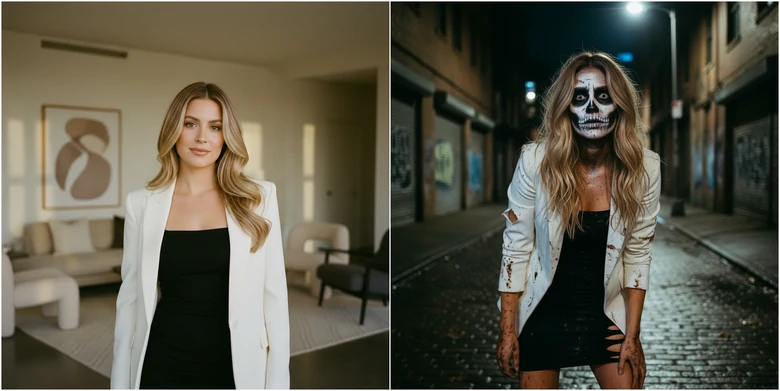
Change Skeleton Photo Background
2. Try Cartoon Styles
Give your skeleton photo a cartoon-style twist. AI tools can merge creepy and cute aesthetics, making your skeleton photos look artistic yet playful. This is perfect for those who want spooky vibes without going full horror.
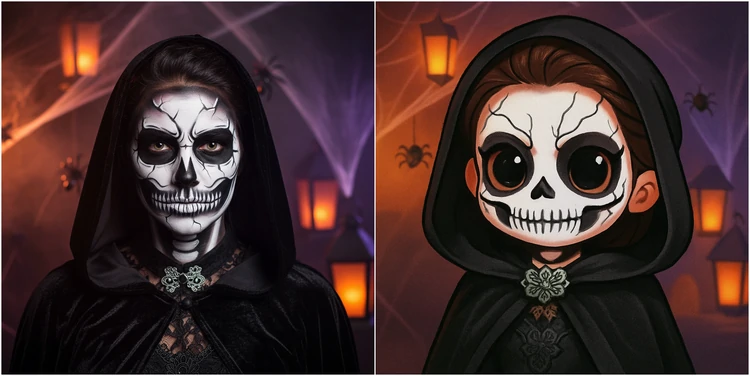
Cartoonify Skeleton Photo
3. Embrace Skeletons
Image interacting with Day of the Dead characters, or being part of a popular horror movie on this Halloween! AI can realize that by automatically placing you into a famous poster. If you feel like hosting a themed Halloween party, never hesitate and ask FlexClip to merge your portrait into a poster.
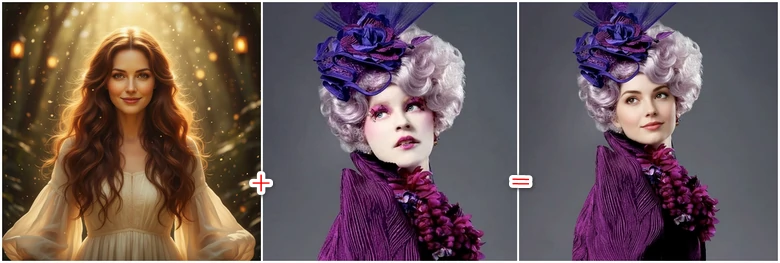
Face Swap with Movie Characters
What Makes FlexClip a Great AI Skeleton Filter
There are tons of AI skeleton filters in the market, but what makes FlexClip the top option?
Most AI Skeleton filters come with fixed elements. The results? They are all about the same. FlexClip asks you to describe the skeleton effects you need, so you get customized results each time. You can even upload reference images so that AI can understand the style you described.
Feel like creating videos for this Halloween? FlexClip gets you covered again. Its editing panel allows you to get started instantly, without studying each editing feature, thanks to the easy interface.
Don’t have any editing experience? FlexClip provides over 7000 video templates including Halloween videos. Drag and drop to make the templates yours.
FAQs About AI Skeleton Filter
1. What’s an AI skeleton filter?
An AI skeleton filter uses artificial intelligence to detect human outlines and overlay a realistic skeleton on your face, or even body parts. Normally the whole process runs automatically. It is always used for Halloween edits, anatomy-style visuals, and spooky portraits.
2. Can I customize the skeleton effect?
Yes, you can specify on the transparency, color tones, and blending to create a customized skeleton look.
3. Do AI skeleton filters work on pets or non-human subjects?
No, AI skeleton filters are designed for humans. If you feel like achieving unique results, you can upload a reference photo to swap a non-human subject photo into styles you like.




FlexClip AI Video Maker
Reach professional-quality videos faster with easy editing tools, templates, and smart AI.
Start Now for Free
Hot & Trending
-

Best Ways to Find Music in YouTube Videos
-

Instagram Story Video Quality Bad After Upload? Fix It!
-

How to Repost Video on TikTok & How to Remove TikTok Repost
-

Improve Video Quality Online: 3 AI Video Quality Enhancers You Can't Miss
-

4K Convert to HD 1080p without Watermark: Best 4k Video Converters
-

Best 8 Free Video Editors - No Download Required
-

Top 13 Birthday Video Makers with Music and Effects Free
-

How to Search Filters on TikTok & Use a Filter You See - TikTok Filter Guide


