


AI disaster videos, digitally made visuals that simulate natural or human-caused disasters, are popping up all over social media. They show possible dangers in a realistic way, but don’t cause real harm. That’s why they work for people’s curiosity and many different uses.
Want to make your own AI destruction video? It’s way easier than you think—just use the right AI disaster video generator. Within four simple steps, you’ll be ready to share your AI disaster destruction videos. Let’s break down how to do it step by step.
Also Interested: How to Create Viral Cat Cooking Videos with AI>>
The Only Tool Needed for AI Disaster Destruction Video
Traditionally, creating disaster destruction effects meant using on-set practical effects, a green screen backdrop, real actors, and lots of post-production editing.
But FlexClip’s AI Disaster Video Generator changes the game: just type out your ideas, and AI will generate the video instantly. No expensive setups, no complicated editing—just share what you want, and let FlexClip’s AI handle the rest. Here is what FlexClip can do for you.

How to Create AI Disaster Video Using FlexClip?
Can’t wait to generate your AI disaster video? Just open FlexClip’s website and create your own disaster video with step-by-step guide below.
Step 1: Generate an AI Disaster Image
Describe your imaginative concept in the Prompt box. Alternatively, upload a reference image to allow FlexClip to directly extract prompts from it. Next, select a style—such as Cinematic or Moody Film—to shape the image’s aesthetic. Then choose the model, aspect ratio, and number of images you want to generate, before clicking the Generate button.
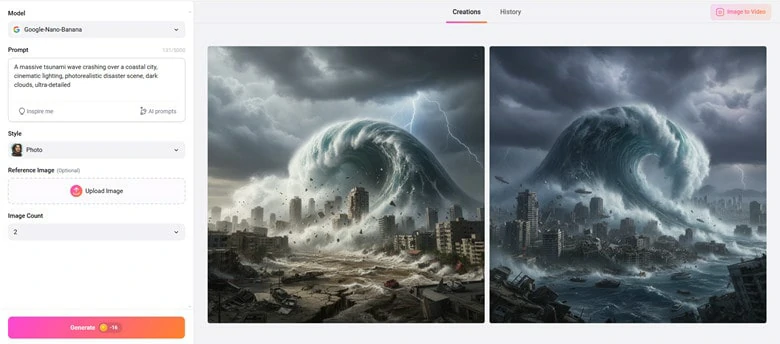
Generate An AI Disaster Image Using FlexClip
Step 2: Animate Your Disaster Image
Let’s add magic to your image: Use FlexClip’s AI Image to Video Tool, upload your generated photo to animate it naturally. Enter prompts to describe the disaster. Best of all, FlexClip has 3 built-in generation models plus trending ones like Kling and Hailuo for diverse needs. Pick a model and click Generate to animate.
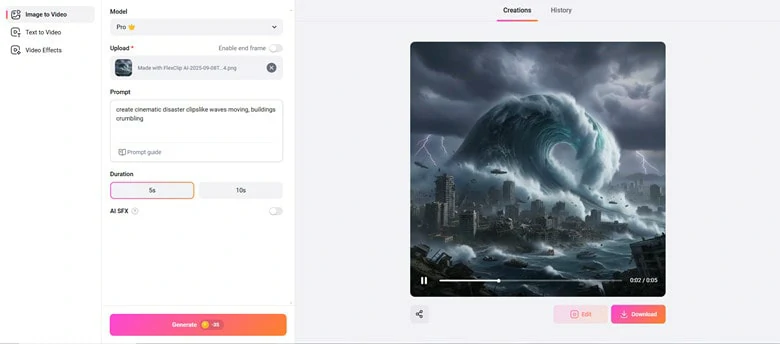
Animate Your Disaster Image into Seamless Video
Here is the disaster video you’ve animated.
Animated AI Disaster Video by FlexClip
Step 3: Perfect Your Disaster Footage with Music
The visuals are striking, but they feel like something’s missing. And that’s the heart of a video—audio. No need to stress: Open FlexClip’s editor, then add thrilling background music and screams to bring the visuals to life more vividly.
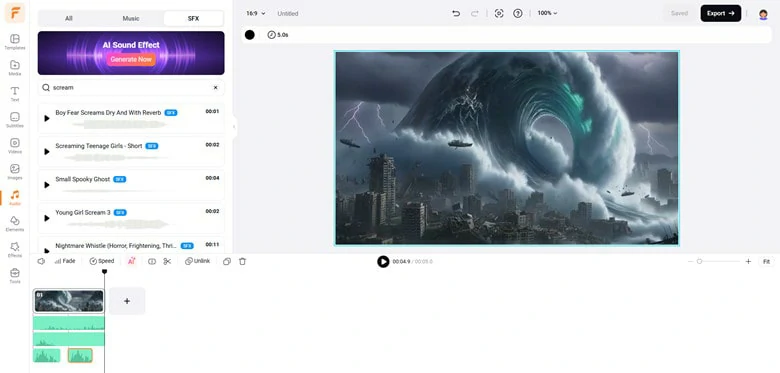
Perfect Your Disaster Footage with Music
You can also get help from FlexClip’s AI tools—just use its AI Music Generator and Video to SFX Generator. These tools leverage AI to analyze your video content and generate high-quality audio that syncs perfectly with the video.
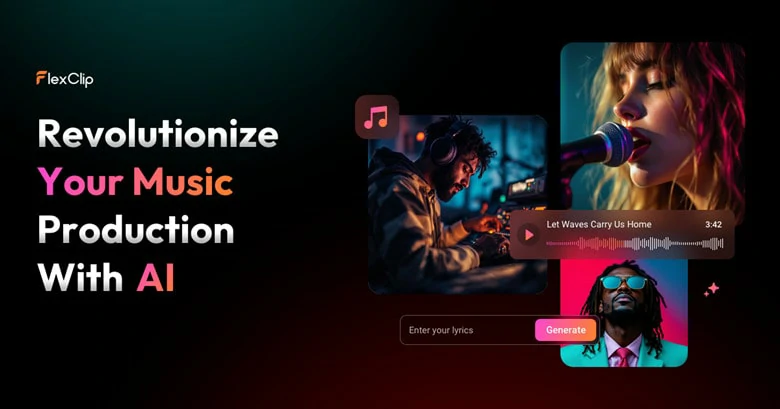
AI Music Generator to Craft Your Own Soundtrack
Step 4: Download and Share
Congrats! You’ve successfully created a visually striking disaster video. Now you can choose to download your AI-generated disaster video to a local folder, post it directly to social media platforms like TikTok or YouTube, or generate a clickable link to share it across social media.
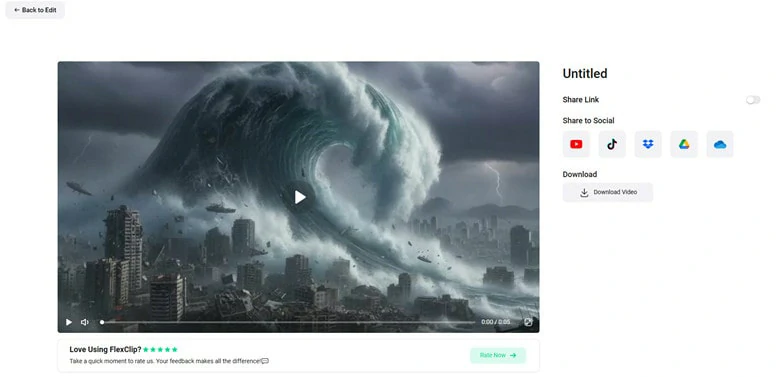
Download and Share Your AI Disaster Video
Frequently Asked Questions
1.What is AI disaster destruction video?
An AI disaster destruction video is a digitally generated video that stimulates natural disasters(like earthquake, floods or hurricanes) or man-made destructions( like explosion or building collapse) using artificial intelligence. It’s usually used for educational, training or promotional purposes.
2.Can I turn normal footage into a disaster scene with AI?
Yes. FlexClip’s AI disaster video generator allows you to upload real-world footage, then create a realistic disaster video by simply describing the destruction scenario via a text prompt—with the tool automatically applying the corresponding disaster effects.
3.Do I need any video editing skill to make them?
Not necessarily. FlexClip’s AI disaster video maker is prompt-based, meaning you just need to describe the scene and AI will generate it for you.
4.Does AI generated disaster videos look realistic?
Well, the realism of your disaster video depends on two key factors: the AI tool you choose and the level of detail included in your text prompt.
Take FlexClip, for example: its AI Disaster Video Generator is powered by the latest AI algorithms, trained on millions of datasets, to produce Hollywood-style realistic effects. What’s more, it also offers an AI Prompts feature that helps refine and expand your original prompt with richer, more precise details, further boosting the final video’s authenticity.
5.Are there copyright issues with AI disaster videos?
It depends on the platform’s term of use. For FlexClip, all the AI-generated videos can be used for both personal and commercial purposes.
Want to add your photo a funny yet creative twist? Just try Big Head Effect - a popular trend that exaggerates the size of a person’s head compared to their body for fun, caricature and creative purposes.




FlexClip AI Video Maker
Reach professional-quality videos faster with easy editing tools, templates, and smart AI.
Start Now for Free
Hot & Trending
-

Best Ways to Find Music in YouTube Videos
-

Instagram Story Video Quality Bad After Upload? Fix It!
-

How to Repost Video on TikTok & How to Remove TikTok Repost
-

Improve Video Quality Online: 3 AI Video Quality Enhancers You Can't Miss
-

4K Convert to HD 1080p without Watermark: Best 4k Video Converters
-

Top 13 Birthday Video Makers with Music and Effects Free
-

How to Search Filters on TikTok & Use a Filter You See - TikTok Filter Guide
-

Large Collection of Creative and Funny Birthday Video Ideas for Ones You Care




