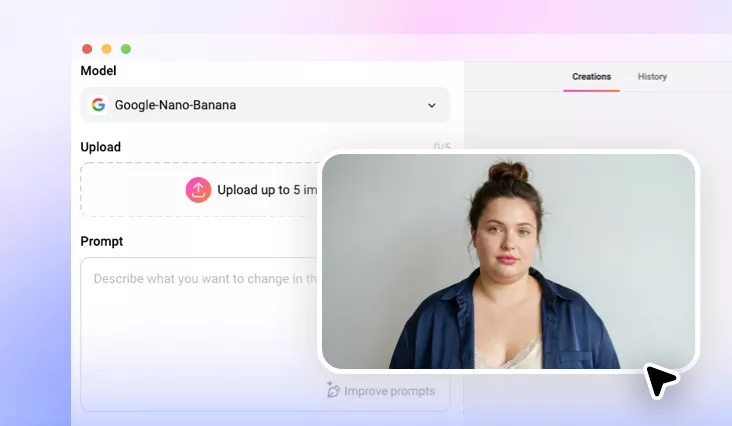
AI Mac Photo Editor Online
Enjoy effortless photo editing on Mac. Unlock AI-powered tools and give your images the perfect look with FlexClip’s online editor.

Why Choose FlexClip’s Mac Photo Editor?

100% Online
Start your photo editing journey in no time! FlexClip’s Mac photo editor runs directly in your browser—no downloads or installation required.

AI-powered Photo Editing
Say goodbye to complex manual edits and embrace AI-powered photo editing. Simply upload your photo, share your ideas, and relax with a cup of tea while AI works its magic.

Versatile Features
FlexClip is an all-in-one photo editing platform that lets you remove backgrounds, relight photos, add objects, and complete more creative edits in one place.
please input title
Easily Remove Anything Unwanted with AI
FlexClip makes photo removal easy and fast. Whether it’s a cluttered background, distracting photobomber, unwanted text, or even tiny facial blemishes, FlexClip precisely analyzes the area and removes unnecessary elements without distortion or visible flaws.
Try FlexClip’s Mac Photo Editor
Art Filters to Make Your Photo Unique
Transform your photos into artistic looks in just one tap. FlexClip offers a wide range of styles to choose from, including cartoon, anime, sketch, oil painting, 3D character, Ghibli, and holiday themes like Christmas and Halloween. Simply upload your photo and watch this Mac photo editor reimagine every detail in a new style.
Try FlexClip’s Mac Photo Editor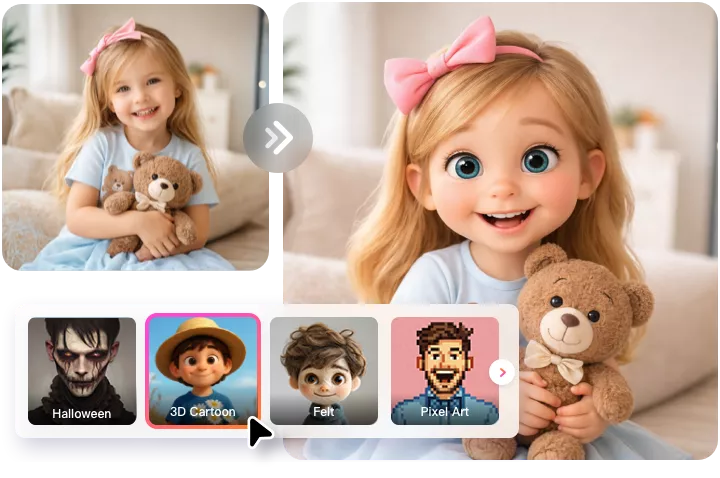
Restore Beauty of Precious Old Photos
Restore sharpness, clarity, and vibrant colors to make your old photos shine again. FlexClip intelligently removes scratches, stains, and spots, precisely sharpens every detail, and enhances colors to bring faded pictures back to life. Beside, it can also upscale and extend old photos to meet your needs.
Try FlexClip’s Mac Photo Editor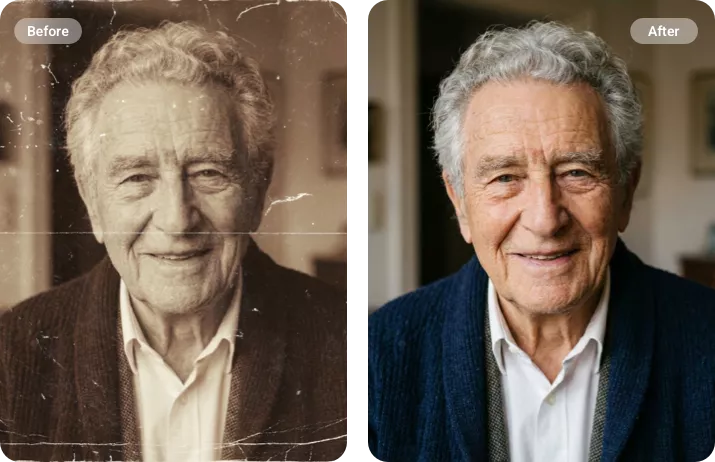
Relight Photos for the Perfect Look
Easily fix dark photos, correct overexposure, or add new lighting to achieve your desired mood and aesthetic. FlexClip’s AI intelligently analyzes your image and applies realistic lighting that mimics real-world conditions. Every result looks photo-realistic, with original details fully preserved. Relight your photos for the perfect look now.
Try FlexClip’s Mac Photo Editor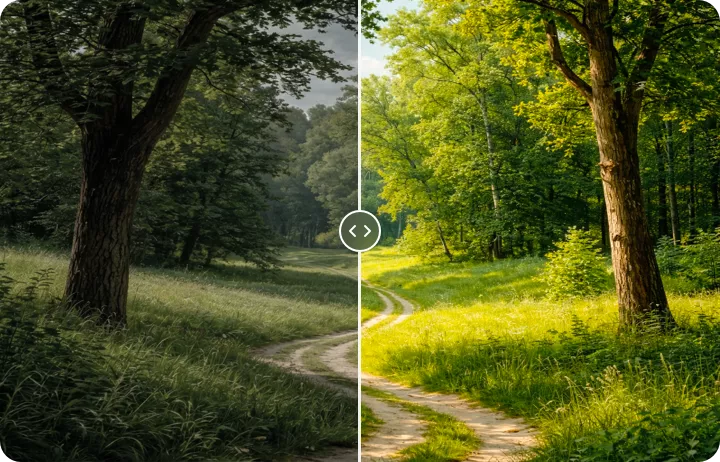
Have Fun with Creative Image Edits
FlexClip turns your creative ideas into reality. Whether it’s a celebrity-style selfie, a group portrait created from multiple photos, copying objects from another image, face swapping, or changing hairstyles and outfits, FlexClip is the perfect place to bring your vision to life.
Try FlexClip’s Mac Photo Editor
How to Edit a Photo in FlexClip’s Mac Photo Editor
- 1
Upload Your Photo
Access FlexClip’s AI Mac photo editor, drag and drop the image you want to edit.
- 2
Edit Image via Prompt
Choose a generation model, describe the personal touches you want in a prompt, and click Generate to let AI do the rest.
- 3
Export and Share
FlexClip will finish the generation in seconds. Once satisfied, export your edited photo to local or share to social media.