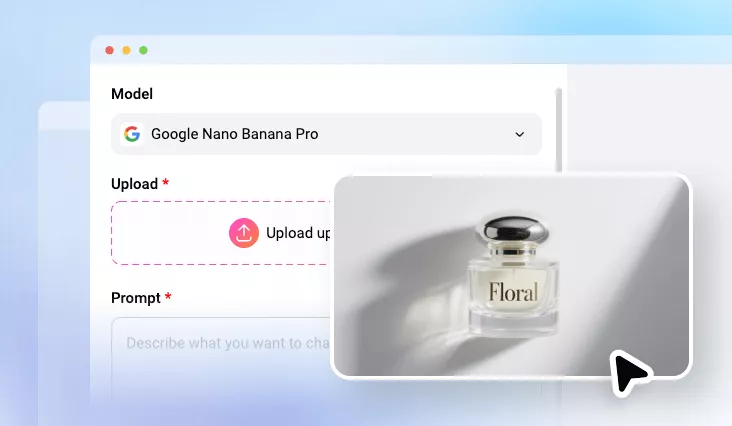
Edit Text in Image
Use AI to add, remove, or change text in images while maintaining the original style and quality. No gaint software, no steep learning curve needed.
TRUSTED BY
Explore FlexClip’s Photo Text Editor Features

Easy Edits
You don’t need advanced editing skills or giant software. FlexClip is powered by the lastest AI models which you can remove, replace, or add new text in images with a simple prompt.

Multi-Platform Supported
FlexClip's Image Text Editor works on both mobile and desktop. In another word, you can edit text in image anywhere, any time you like.

Wide Format Support
FlexClip supports nearly all image formats, even some less common ones. You don’t have to deal with format conversion issues before editing text in an image.
High-Quality Image Text Swap Output
We are not talking about resolution, but trustworthy, realistic text swap outputs. FlexClip's AI accurately analyzes lighting, shadows, textures, and background patterns, edits the text, then reconstracts the surrounding visuals with precision. You will not even find any editing trace from the finish.
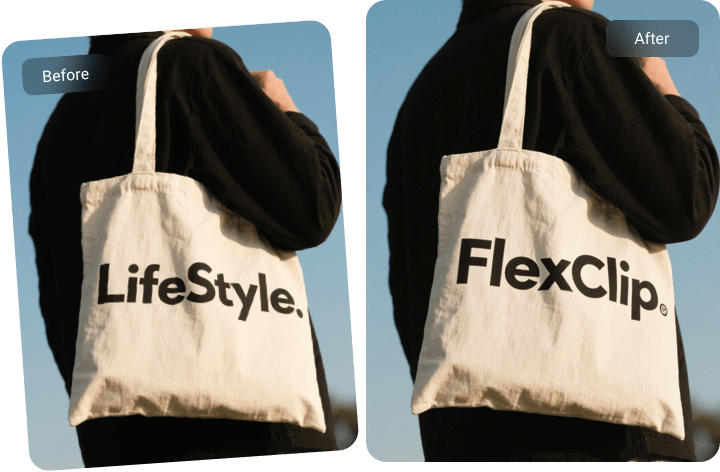
Edit Text in Image With the Same Font, Size, and Layout
Whether you are replacing a product name, flyer text, or lable information, text font is important to remain visual consistency. FlexClip gets it! It automatically analyzes and matches the font characteristics. Even if the typeface isn't available, it recreates a highly similar look that keeps the design intact.
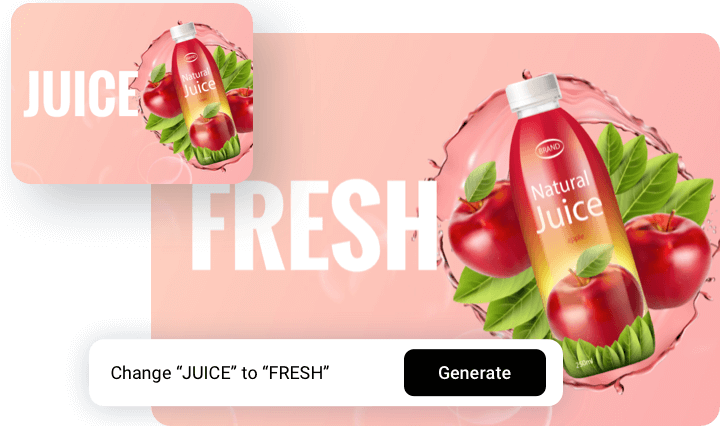
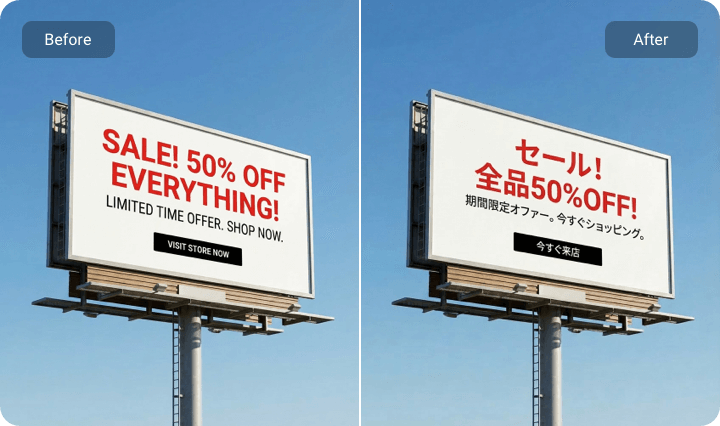
Translate Text to Make Your Visuals Go Globe
Creating images with text had been a challenge for all AI, but not any more. FlexClip understands the most widely-used languages, translates them with high accuracy, and reinserts the new wording into the image while maintaining stylistic consistency. Boost communication across borders without redesigning from scratch!
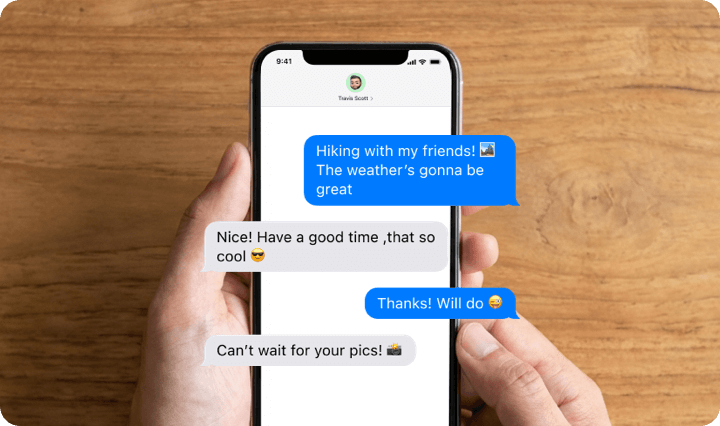
Fake Text Conversation
Challenge FlexClip with editing text conversation screenshot, you will find it rather smart on identifying which part to change. It accurately detects message bubbles, timestamps, and interface elements, allowing you to replace and rewrite text with impressive accuracy. Perfect for storytelling, meme creation, marketing scenarios, app demos, or customer support examples.
Further Polish Your Images
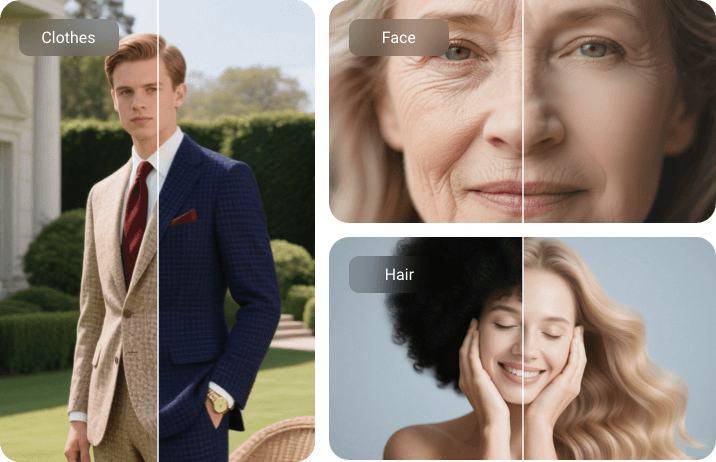
Ignite your creativity and play with your photo. Besides editing text in photo, you can level up your photo at FlexClip by removing wrinkles, freckles, double chin, adding accessories you love, swapping in a new hairstyle, changing new clothes. Whether you are aiming for subtle enhancements or a bold makeover, FlexClip offers you limitless possibilities.
How to Edit Text in Image
- 1
Upload Image to FlexClip
Access FlexClip’s AI Photo Editor tool. Drag and drop your image to the upload section.
- 2
Edit Text in Image
Enter a text prompt describing how you want to edit the text. For example, replace text A to text B.
- 3
Export & Share
Whenever you are happy with the edit, directly download to a local folder, or post to social media.