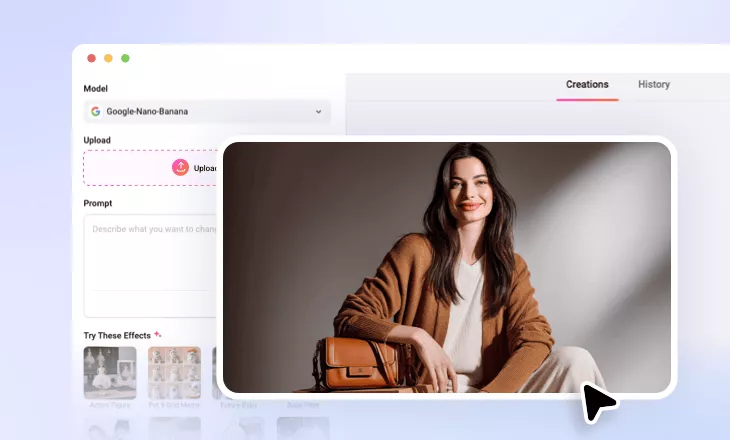
AI Pregnant Filter
Add realistic baby bumps of different pregnancy stages to your photo for business or entertainment purposes.
TRUSTED BY
Why Use FlexClip’s AI Pregnant Filter

AI Accuracy
Trained by massive real photos, FlexClip can identify the belly area, add realistic baby bumps for realistic pregnancy photos.

Easy to Use
No professional skills are needed. All you need to do is inputting a detailed text prompt. AI will understand it and automatically edit the image.

Multiple Formats Supported
Farewell to unsupported image formats. Besides common formats like PNG, JPG, it also supports less common formats like SVG, AI, TIFF, etc.
Visualize Yourself in Different Pregnant Stages
Whether you are expecting, planning, or just being curious, FlexClip helps visualize yourself with a cute baby bump, from early months to full term, in several seconds. This is a fun way to virtually go through the pregnancy journey, and relive the maternity stress. Simply upload your photo, instantly bring a future-mom look to life in the most heartwarming way.

Fake Pregnant Photos to Prank Others
Fake pregnant photos are perfect for April Fool’s posts, social media fun, or to make your loved ones laugh. FlexClip’s pregnant filter creates harmless pranks at ease. The powerful AI adds a convincing baby bump with natural lighting and realistic details that people barely notice it is AI magic.
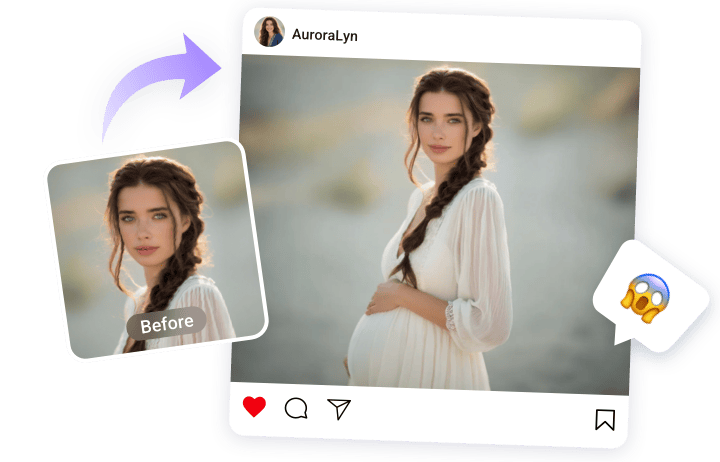
Pregnant Filter Perfect for Business Promotion
To show off your maternity clothes, accessories, or other related products, you don’t have to go through the trouble of getting expensive pregnant model shots! FlexClip’s AI pregnant filter can instantly generate realistic pregnancy visuals using multiple reference images. Embrace a more budget-friendly way to make your pregnancy-related content stand out.

Fun Pregnant Filter for Men, Cartoon Characters, or Pets
Who says pregnant filters are just for women? Apply FlexClip’s AI pregnant filter on photos of men, cartoon characters, or even pets, the results will absolutely get hilarious. After that, you can use the outputs for memes, funny TikTok posts, or creative ads. It is a guaranteed way to bring smiles to everyone.

How to Apply the AI Pregnant Filter to Photos
- 1
Upload a Photo
Access FlexClip’s AI Photo Editor tool. Drag and drop your image to the upload section.
- 2
Generate Pregnant Photo
Enter a text prompt describing the pregnant photo you need, then hit Generate. You can input a simple prompt and let FlexClip refine it.
- 3
Export & Share
Save the pregnant image to a local folder or post directly to social media.