


Add Free Fire Effects to Video
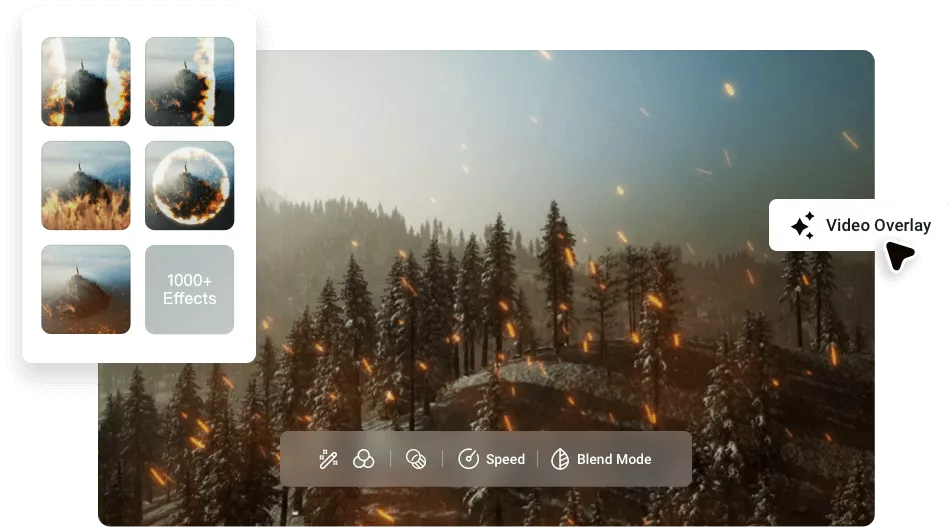
One tap operation to access and apply free fire effects to video online.
Start with Free and Amazing Fire Effects & Overlays
please input title
Various Selection of Fire Video Effects
Discover a diverse array of fire effects at your fingertips and apply to enhance your video. Options range from fiery sparks, blazing fireballs, smoldering fire dust, captivating flames, and more immersive choices to create an intense and engaging atmosphere in your video.
Explore Fire Effects
Stunning Fire Effects for Various Purposes
Whether you seek to amplify the visual impact of a barbecue promo, heighten the tension in a sports video, or ignite an engaging vibe in a logo reveal, FlexClip delivers precisely crafted fire video effects to perfectly match your vision, all with effortless one-click operation that exceeds expectations.
Apply Fire Effects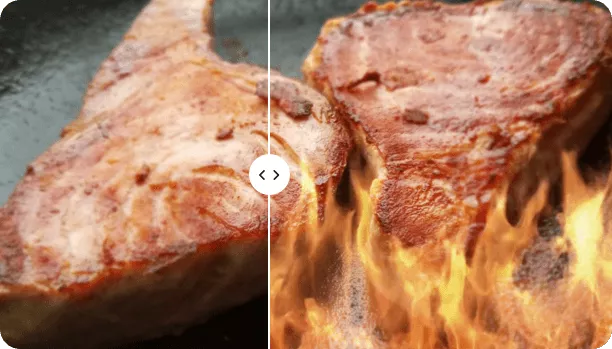
Create Fire Effect Video from Photo with AI
Craft your own fire effects video with AI! Using FlexClip’s image-to-video generator, you can effortlessly add fire effects to photo in minutes. Just upload your picture, describe the fire effects you want in a prompt and hit on the Generate button, Hollywood-quality fire visuals will be ready in seconds.
Generate Fire Effects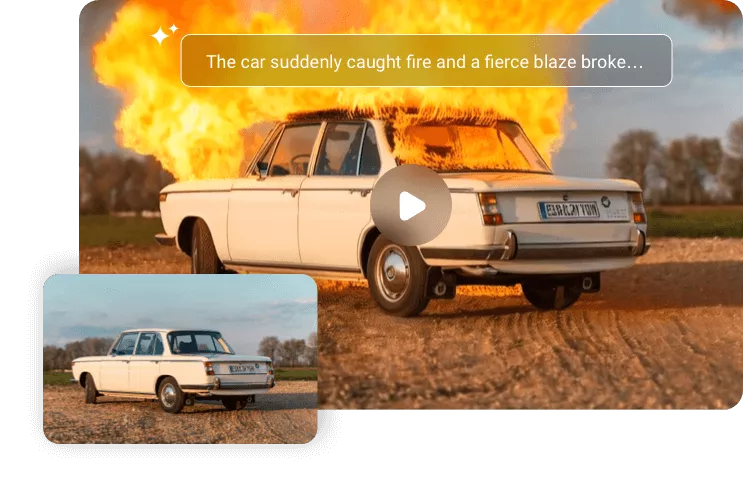
Comprehensive Editing Features for Impressive Fire Video Effects
Besides adding impressive fire effects to videos, you can also experiment with various additional edits to enhance your fiery projects. For example, you can perfect the visuals with flame sound effects, animated text, eye-catching filters, background music, seamless transitions, natural-sounding AI voiceovers, and more. Simply leverage these features to achieve your desired impact.
Apply Fire Effects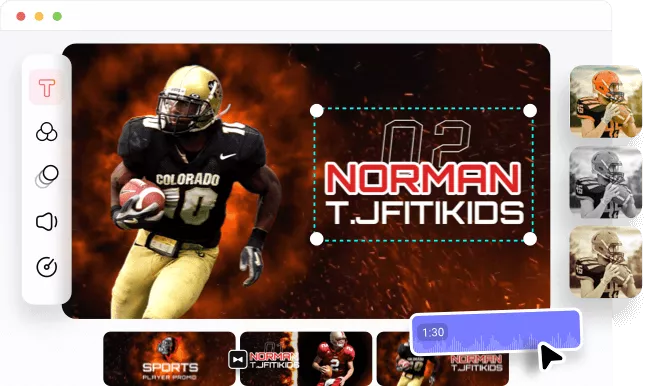
Why Add Fire Effects to Videos with FlexClip?

Powerful Formats Compatibility
Feel ease to add fire effects to any video as FlexClip is compatible with all the mainstream video formats.

Easily Add Fire Effect Online
Directly add dynamic fire effects to videos without any software download or curve learning requirement.

Continuously Fire Effects Update
Our fire effects editor offers you a wide range of fire visual options and the list continues to update regularly.
How to Add Fire Effects to Your Video?
- 1
Upload Your Media
Upload your video or photo and apply it to the timeline.
- 2
Apply Video Effects
Choose the fire effect you prefer and apply it.
- 3
Export and Share
Export the video with fire effects and share it online.
.webp)
Join Millions of Global Creators Who Trust FlexClip
FlexClip is the most easy to use video editing solution for beginners. I experienced various video editing Apps on my YouTube Android Ultra. Predominantly FlexClip AI tools are groundbreaking and one of my favorites is AI Text to Video. FlexClip caters to different perspective persons and their preferences from beginners to professionals.

Muhammad Hamza
YouTuber
As a former middle school video production teacher, I've used a wide variety of video-editing software. In my new role as owner of Mayflower Media making book trailers for authors, I was blown away by the simple learning curve of FlexClip especially considering its numerous features. Additionally, instead of searching online for royalty-free images, video, and music, excellent media is available within FlexClip making it truly a one-stop shop for creators.

Amy Nielsen
Author
FlexClip is a powerful yet easy-to-use online video editing tool. With its extensive templates and resources, you can easily create high-quality videos! As a professional video production company and self-media worker, I strongly recommend FlexClip to you! It will be your best partner in the era of AI where video content is king!

Sam
Video Marketer
I am absolutely blown away by FlexClip! This video creation platform is an absolute game-changer. I was able to make a professional-looking video in minutes, without any prior experience. The interface is super easy to use and the editing tools are top-notch. Highly recommend to anyone looking to make videos quickly and easily!

Nick Sinclair
Game designer
If you want to improve your videos, FlexClip is a great choice for you. FlexClip has many useful tools to help you with video editing. I liked the templates the most because they are ideal for creating intros and outros for videos in just a few seconds.

Luka B
YouTuber
As an Italian YouTuber, I am always on the lookout for tools that allow me to create quality content quickly and efficiently. FlexClip has proven to be an ideal solution for my needs, thanks to its ease of use and the advanced features it offers.

Saverio Cirillo
Digital Marketer
FlexClip is a very simple yet capable online video maker. Its editing capabilities, although basic, are extremely well implemented, and will satisfy anyone looking to make a short video project look good, without spending too much time on it, or having much - if any - filmmaking experience.

Steve Paris
IT & science writer
As a portrait studio owner and a novice at video editing, I highly recommend FlexClip. I've found this tool incredibly easy to use and the beautiful templates make creating stunning videos a breeze. It's a great tool to use for enhancing our clients' experiences and adding an extra touch of creativity to our marketing efforts.

Angelina Elle Melendez
Photographer
FlexClip is the most easy to use video editing solution for beginners. I experienced various video editing Apps on my YouTube Android Ultra. Predominantly FlexClip AI tools are groundbreaking and one of my favorites is AI Text to Video. FlexClip caters to different perspective persons and their preferences from beginners to professionals.
Muhammad Hamza
YouTuber
As a former middle school video production teacher, I've used a wide variety of video-editing software. In my new role as owner of Mayflower Media making book trailers for authors, I was blown away by the simple learning curve of FlexClip especially considering its numerous features. Additionally, instead of searching online for royalty-free images, video, and music, excellent media is available within FlexClip making it truly a one-stop shop for creators.
Amy Nielsen
Author