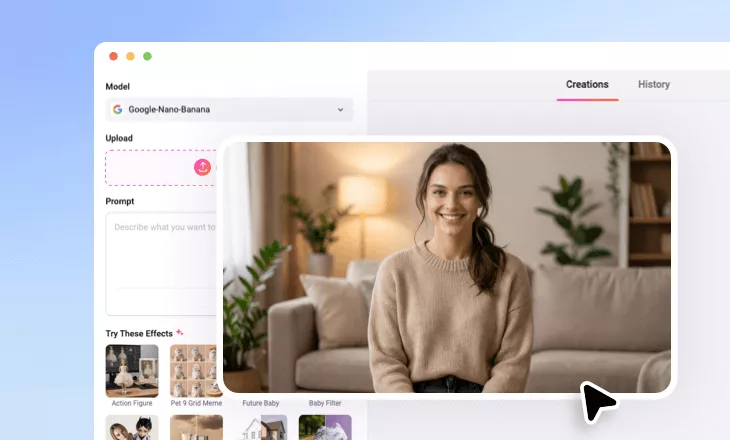
AI Resume Photo Editor Online
Instantly edit and enhance your photos into polished, job-ready headshots for your CV, resume or LinkedIn profile by using our AI resume photo editor.
TRUSTED BY
Why Use FlexClip’s AI Resume Photo Editor?

High-quality Generation with AI
Get your polished, job-ready headshot with AI. Simply upload your photo and let AI retouch it into a studio-quality resume image without hiring a professional photographer or complex editing required.

Save Time & Money
Instantly get polished, job-ready headshots for your resume without a visit to photography studio or any complicated editing process.

Privacy Protection
Your privacy is our priority. We’re utilizing encrypted transmission to ensure that your image data is never misused or leaked.
All-in-one Resume Editor for a Great Impression
Let your confidence and professionalism shine through with a refined resume portrait. With FlexClip’s AI Resume Photo Editor, you can instantly elevate your image to meet top professional standards. Adjust brightness for a sharper look, retouch imperfections for a polished appearance, and enhance your expression for a friendly, approachable vibe. Whether you need simple touch-ups or advanced edits, FlexClip makes it effortless to transform an ordinary photo into an impressive, job-ready headshot.
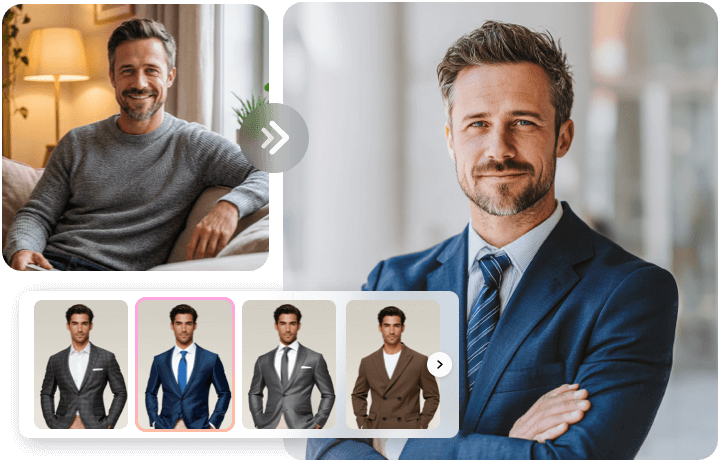
Professional Dress with Your AI Wardrobe
Don’t have the right outfit for your headshot? No problem! With FlexClip’s AI wardrobe, you can instantly refresh your look with a professional business suit. Choose from preset clothing options, upload a reference image, or simply describe the outfit you want, FlexClip makes it easy to create a clean, business-style appearance in seconds.
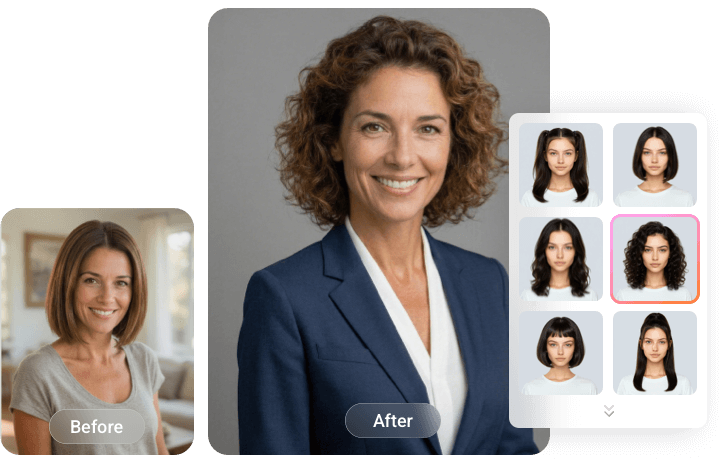
Confident Look with Your AI Hairstyle Changer
A great hairstyle can make all the difference in your resume photo. With our AI Hairstyle Changer, you can experiment with various hairstyles to find the perfect look for your CV image. Simply upload a photo and try on new haircuts in just a few clicks without a salon visit. A confident, polished look is just one hairstyle away.
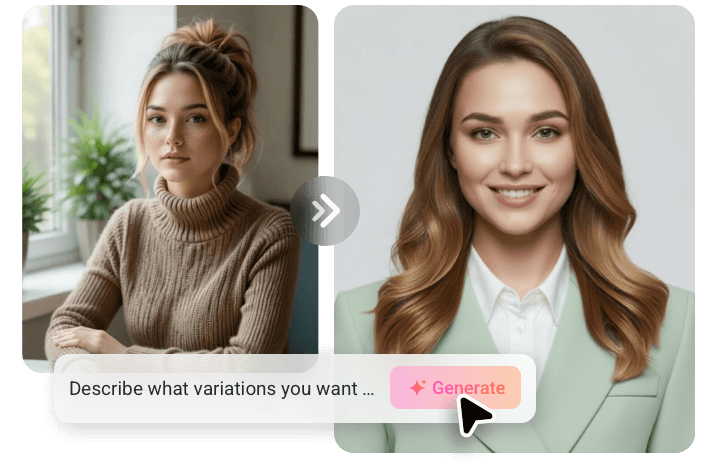
Perfect Your Background for a Sharper Focus
Don’t let a cluttered background distract from your resume photo.With FlexClip’s AI resume photo maker, you can easily replace the distracting background with a neutral color, studio-like background or a blurred office-style setting to make it entirely focus on your face while adding depth.
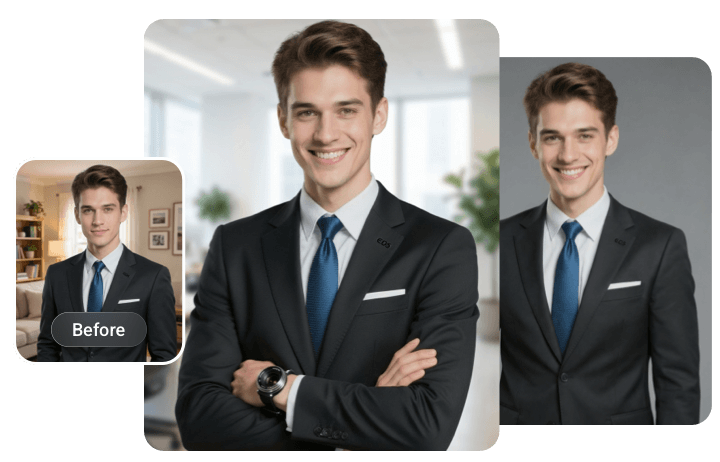
Generate Professional Resume Photos with AI
In addition to easy and quick resume photo editing, FlexClip’s AI resume photo maker can intelligently generate resume images that meet resume standards. Whether you’re creating a formal headshot, updating your LinkedIn profile, or preparing a photo for a job application, you can skip the hassle of retakes and get polished results in just a few clicks. Simply upload your casual photo and let AI transform it into a professional version of you.
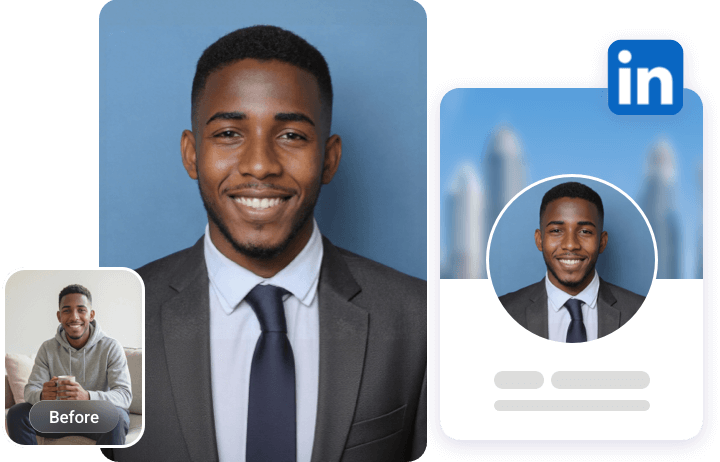
How to Edit Your Resume Photo with AI?
- 1
Upload Your Photo
Start by uploading a clear, front-facing photo of yourself. A simple head-and-shoulders shot works best.
- 2
Enter Your Prompt
In the Prompt box, describe the edits you want to retouch and enhance your resume photo.
- 3
Generate and Download
Click Generate and let AI transform your picture into a professional resume headshot based on your instructions. After being generated, download and use it for your resume, LinkedIn or any professional application.