Free Timelapse Maker: Convert Videos or Photos to Timelapse
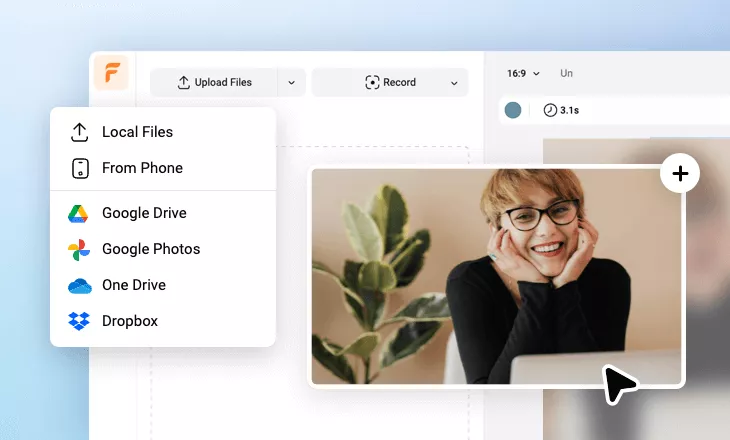
Use FlexClip's free timelapse maker to convert multiple videos or photos to an impressive time-lapse video by adjusting the speed, motions, overlays and animations with ease. Upload your photos and video clips, manage them in order and speed them up for a fancy timelapse video effect. Or, turn to AI image-to-video feature to generate timelapse video from your photo using prompt commands for fast-motion and aging effects. Explore stock footage, pictures, landscapes and sounds for your project, or instead, create with AI. Choose natural transitions, overlays, headlines, intros and outros to make your timelapse video perfect. Try it for free now!
Make Timelapse Video with AI Handy video editor
 Rich video templates
 Extensive media library
 Dynamic text animations
- Trusted by:






Creative Time Lapse Video Templates for Free
 CustomizeAI Recreate
Explore City Paris Travel Vlog Live Recording Youtube Channel Intro Outro
 CustomizeAI Recreate
Dynamic Travel Cinematic Speed Curve Slideshow
Time Lapse Video for Free Editing










Why You Need to Make a Time Lapse Video

Share Moments
Making a video story is a great way to share your important moments with family and friends.

Evoke Emotion
A video can convey strong emotion and resonate well with audiences.

Improve Engagement
People are more likely to engage, share, and comment on video content.
How to Make a Time Lapse Video in 3 Steps
- 1
Add Media
Add videos or photos from computer or stock libraries to the scene.
- 2
Customize
Add text, music, and voiceover to customize your time lapse video.
- 3
Export
Download your time lapse video in various ratios and definitions or share it online with the world.