Make Free Flashback Videos with Flashback Templates & Effects
FlexClip's free flashback video maker helps you turn images, shots and footage into visually stunning flashback videos, slideshows or reels infused with dreamlike flashback effects, overlays and transitions, reliving and sharing people's stories and memories. Upload photos and footage from wedding, birthday, college life, celebration, graduation or any cherished moment, then explore FlexClip's extensive library, AI image-to-image and image-to-video to create meaningful flashback videos and images with ethereal taste. Set a nostalgic tone or reveal hidden backstories by adding surreal effects and overlays such as glitches, light leaks, lens flares and vintage elements. Elevate the illusionary experience further by tuning the playback speed, brightness, contrast or other details to enhance the unreal, cinematic atmosphere. Try it for free now!
Make a Flashback Video Handy video editor
 Rich video templates
 Extensive media library
 Dynamic text animations
- Trusted by:






Dazzling Flashback Video Templates for Free
 CustomizeAI Recreate
Bokeh Love Story Photo Collage
 CustomizeAI Recreate
Family Memories Vintage Slides
 CustomizeAI Recreate
Memories Of Family Moving Moments Slideshow
 CustomizeAI Recreate
Warm Retro Memories Photo Collage Slideshow
 CustomizeAI Recreate
Family Moment Collage Slideshow
 CustomizeAI Recreate
Minimal Love Romantic Light Leaks Wedding Anniversary Collage
 CustomizeAI Recreate
Advanced Anniversary Slideshow
 CustomizeAI Recreate
Special Family Moments Photo Collage
 CustomizeAI Recreate
Family Moment Memories Photo Collage Slideshow
 CustomizeAI Recreate
Camera Warm Love Birthday Family Friend Moments Memories Wishes Photo Collage Slideshow
 CustomizeAI Recreate
Film Warm Family Photo Collage Wedding Travel Memories Slideshow
 CustomizeAI Recreate
Film Countdown Intro Cinema Life Story Family Memories Collage Slideshow Video
Why You Need to Make a Flashback Video

Share Moments
Making a video story is a great way to share your important moments with family and friends.

Evoke Emotion
A video can convey strong emotion and resonate well with audiences.

Improve Engagement
People are more likely to engage, share, and comment on video content.
How to Make a Flashback Video in 3 Steps
- 1
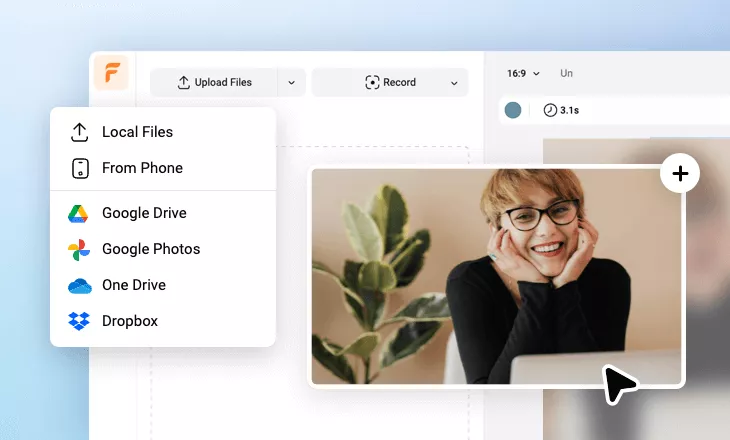
Add Media
Add videos or photos from computer or stock libraries to the scene.
- 2
Customize
Add text, music, and voiceover to customize your flashback video.
- 3
Export
Download your flashback video in various ratios and definitions or share it online with the world.