AI Mimic Motion Generator
Transfer motion, expressions, and movements from your reference video to static photos. Instantly animate portraits, group photos, illustrations, and stylized characters with FlexClip’s AI mimic motion generator.
TRUSTED BY
Why Choose FlexClip’s AI Motion Transfer?

Easy to Use
No editing skills needed. FlexClip allows everyone—beginners and pros—to make any photo move like the reference video in just seconds.

Precise Motion Capture
Powered by advanced AI technology, FlexClip copies every move perfectly. From fast dance steps to small hand gestures, the motion is smooth and natural.

Private & Secure
Your privacy comes first. We process your files exclusively for AI mimic motion video generation, and all uploads are kept completely confidential and secure.
Imitate Dancing Videos with AI Motion Capture
Become a seasoned dancer in just one tap! Our AI mimic motion tool makes your photos dance to the beat. From K-pop and jazz to the latest TikTok trends, simply upload a reference video and watch your photo come alive. Perfect for creating dance videos, music content, and performance animations without any learning curve.
Create Scene Action & Performance by AI Mimic Motion
Want to be an action star or a pro? With FlexClip’s AI motion capturer, you can effortlessly transfer complex actions, athletic moves, and dramatic performances into your static photos. Suitable for recreating movie scenes, sports motions, and high-difficulty body movements with precise motion tracking.
Animate 2D & 3D Characters with Natural Motion
Bring your drawings, illustrations, stylized characters, and game avatars to life with realistic human motion. Our tool captures every detail of the original reference including complex choreography and nuanced expressions while completely preserving your original art style. Designed to meet the creative needs of artists, YouTubers, and game creators.
How to Generate an AI Mimic Motion Video
- 1
Open AI Mimic Transfer Tool
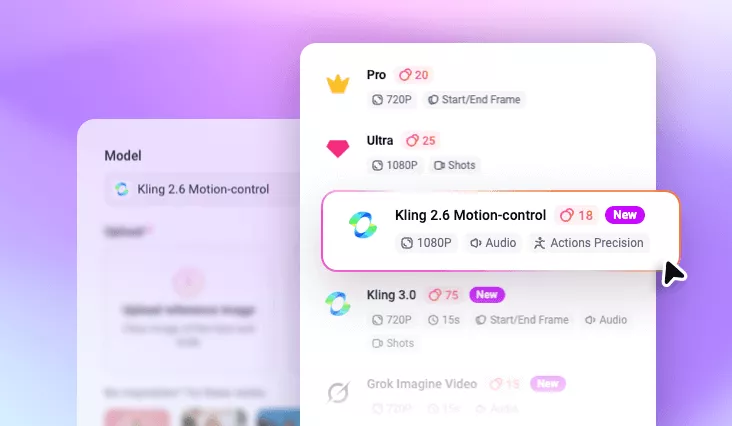
Access FlexClip’s AI mimic motion generator and select Kling 2.6 Motion-Control as the generation model.
- 2
Upload Photo & Reference Motion
Upload a clear full-body photo of yourself and a short reference video showing the motion you want like dancing, walking, or gesturing.
- 3
Generate and Share
Click Generate and your photo will move exactly like the reference. Preview, download or directly share to TikTok, Instagram Reels or YouTube Shorts.