AI Face Dance Generator
Let’s explore FlexClip's strong AI face dance generator to animate your selfies or photos.
TRUSTED BY
Why Choose FlexClip AI Face Dance Generator?

Instant AI Face Dance Results
Get hyper-realistic AI face dance results in seconds. The artificial intelligence system will help you get an AI face dance video instantly.

100% Online
No downloads, apps, or different versions of the same thing. You can directly use FlexClip’s AI face dance tool online on your desktop browser!

Data Security
Your privacy is our top priority. We use the highest security standards during image edits and data transmission to ensure your information is never misused or shared with third parties.
Realistic AI Face Dance Effect to Make Photos Come Alive
FlexClip’s AI face dance tool can bring endless possibilities for users to experience AI face dance effects. Whether it's a selfie or a portrait, FlexClip will allow you to make any photo dance with realistic facial expressions. Its strong AI face dance tool lets you animate faces with realistic motions and expressions. You can make a historical figure sing opera, or make your portrait laugh or angry. Let’s bring joy and fun to your photos and create funny, virtual videos on social media.
Also Provide AI Body Dance Effect for You to Try
FlexClip is not only an AI face dance tool, but also an AI body dance generator. With it, you can generate viral and entertaining dance videos from still images and become the most shining dance star with AI. You can choose from FlexClip’s diverse AI dance video templates, featuring modern, lifelike movements paired with on-beat music to bring your photos to life. For a more personalized AI dance effect, you can also upload your own dance video as a custom template. Create share-worthy dance animations in minutes and bring your photos to life.
Add Social Elements to AI-generated Face Dance Video
Why not try to personalize your AI-generated face dance videos to make them more engaging? FlexClip’s powerful editing page can satisfy your needs! For example, adding social icons, sound effects, and attractive text overlays can enhance your video creations. Moreover, FlexClip’s template library provides different templates that suit different social channels, such as YouTube, TikTok, and so on. You can easily refine your face dance animations into engaging, scroll-stopping content.
How to Use FlexClip’s AI Face Dance Tool?
- 1
Choose AI Model
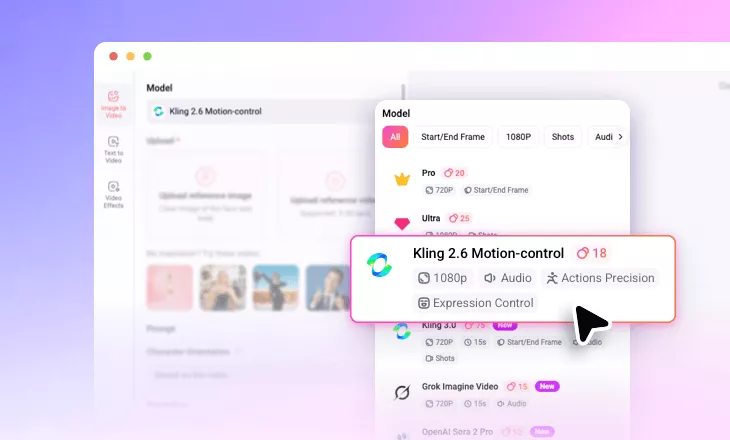
Enter FlexClip’s AI video generator and choose Kling 2.6 Motion-control to begin your AI face dance video creation.
- 2
Upload Your Photo
You should upload a portrait and a reference face dance video, then tap the Generate button.
- 3
Download and Share
When you are done with the AI-powered face dance video process, you can directly save it to a local folder or directly post to social media.