AI Consistent Character Video Generator
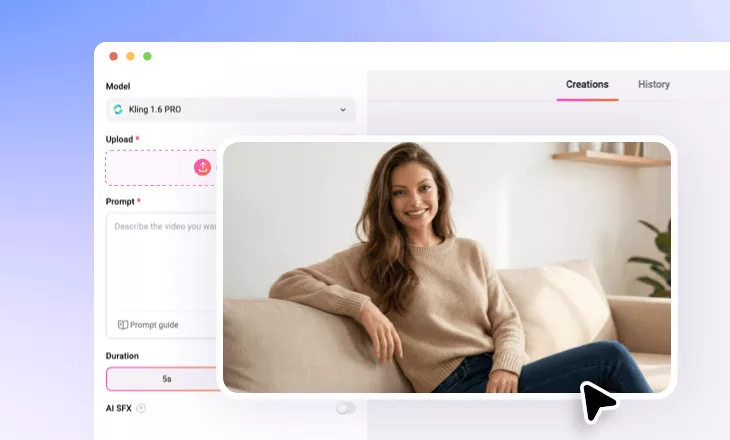
Animate your character effortlessly. Just upload a reference image and describe the motion and our AI will create high-quality videos where your subject stays flawlessly consistent from frame to frame.
TRUSTED BY
Why Choose FlexClip AI Consistent Character Video Generator?

Smart AI
Create videos effortlessly while keeping perfect character consistency using top-tier AI models like Kling AI. Simply upload your reference images, and let AI transform them into a cohesive, high-quality video.

Easy and Fun Generation
No editing skills needed — our AI tool is built for simple, fast video creation while perfectly maintaining character traits in any props and scenes for an ultra-realistic look.

Fast Processing
No need to wait for hours. Your recreated videos will be processed and delivered in minutes, with uniform character consistency throughout the video.
Turn Reference Image into Consistent Character Video with AI
Say goodbye to inconsistent AI character videos! With our AI Consistent Character Video Generator, your character will animate while staying the same from frame to frame. Simply upload a reference image and enter a text prompt, then watch your character move with a cohesive, unified look.
Precise Control over Character Movement with Simple Text
Want full control over your AI-generated character videos? With our AI, you’re the director of every movement through text prompts. Describe the background, scene transitions, character expressions, and actions — the entire storyline is in your hands. No need to worry about unnatural looks as your character stays consistent in every frame.
Recreate Favorite Characters with Reference Image in One Video
Reimagine your favorite characters by bringing them all together in a single video — making the impossible possible! Whether they come from comic books, anime, cartoons, or beyond, just upload a reference image for each character and let AI merge them into an unforgettable scene with identical traits of each protagonist remained consistency.
Take Your Consistent Character Video to the Next Level
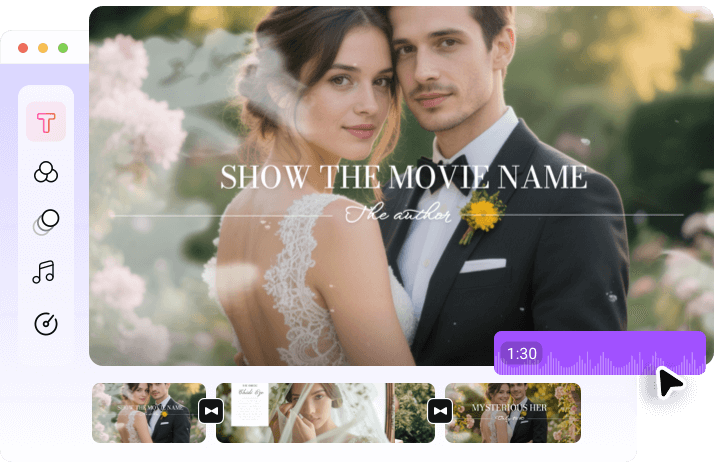
With FlexClip’s built-in video editor, enhancing your AI-generated consistent character video is just a few clicks away. Add background music, apply stylish filters, include eye-catching captions, and more — all to showcase your character’s personality while making your video shine on social media.
How to Generate a Consistent Character Video with AI?
- 1
Upload Character Reference Image
Open FlexClip’s AI image-to-video tool, select Kling 1.6 PRO Subject Reference AI model and upload reference image to create a consistent character video.
- 2
Describe the Scene and Action
Write a text prompt describing what you want to happen. Outline the scene, actions, and even the storyline while keeping the character consistent.
- 3
Generate and Download
Click Generate, and watch our AI create unique character video with consistent appearance and features. In seconds, you’ll have your character video ready to download and share.