


AI Transition Generator
Transform your content with seamless, cinematic AI transitions. Upload your images, add a prompt, and let FlexClip's AI instantly generate smooth, morphing video transitions.
TRUSTED BY
Dive into Mesmerizing AI Transitions
Why Choose FlexClip's AI Video Transition Generator?

AI-Powered Transitions
Say goodbye to complicated software. With AI, you can effortlessly blend different scenes with smooth transitions.

Fast & Easy Generation
No long waits—quickly generate cinematic transitions between two photos with zero experience required. Anyone can get started easily.

High-Quality Output
AI understands your prompts and generates high-quality video transitions based on your photos and instructions—accurate, natural, and smooth.
Transform Two Photos into a Seamless Transition Video with AI
A powerful AI transition tool that effortlessly turns your photos into smooth, engaging visuals, no tedious manual work required. Simply upload your first and last image, and our AI instantly produces a fluid, cinematic transition video with professional-quality results.
Take Full Control of Transitions with Prompts
Turn any photos into a smooth, captivating video with AI-powered transitions. Customize every detail using creative prompts, whether you want a cinematic vibe, artistic flair, or a surreal transformation. Guide the AI to create transitions that reflect your unique style and imagination.
Endless Possibilities with Seamless AI Transitions
From magical face morphs and age transformations to stunning day-to-night and seasonal shifts, seamless AI transitions open the door to endless creative possibilities. Every transition is smooth, customizable, and perfect for storytelling, social media, professional projects, or bringing your memories to life.
Further Edit the AI-Generated Transition Video at Will
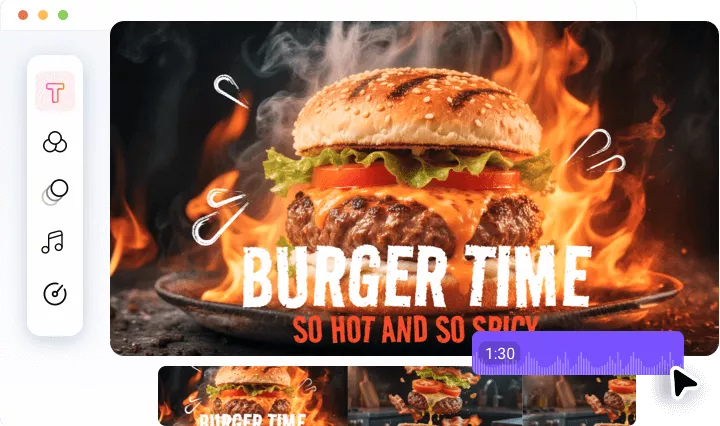
If you want additional refinements, use our powerful editing tools to perfect effects, transitions, and more. You can also add music, sound effects, dynamic text, animated stickers, stunning overlays, and various other effects. Select items from our library to enhance your AI-generated transition video!
How to Use the AI Smooth Transition Video Generator?
Upload Your Photo
Upload the image you want the transition to start with and choose an AI model. Optionally, enable the End Frame feature to add the final image.
Enter Prompt
Go to the prompt box and describe the vibe, style, or effect you want. The AI will use both photos and your prompt to generate a seamless video transition.
Download or Keep Editing
Your AI transition video will be ready in a few minutes. Once satisfied, download it, share it, or open it in FlexClip's built-in editor for further editing.
Frequently Asked Questions
How does the AI smooth transition video generator work?
FlexClip's AI transition generator blends two uploaded photos into a seamless transition video. Simply upload the first and last image, add a prompt to guide the transformation, and the AI automatically handles morphing, timing, and blending to create a smooth AI video transition, so you don’t need editing skills.
What if the result looks off?
Don't worry! AI results often improve with a few simple adjustments. You can refine the outcome by simplifying or modifying your prompt, changing the duration, or trying a different AI model to achieve a smoother, more accurate transition.
Can I add AI transition effects between two clips?
Yes! While FlexClip's AI Transition Generator focuses on generating seamless transitions between two photos, there's an easy workaround for video clips.
First, load your clips into FlexClip's built-in editor. Use the Export Frame feature to capture the last frame of the first clip and the first frame of the second clip. Then, upload these two frames to the AI Transition Generator to create a smooth transition video. Finally, import the transition video back into the editor and use FlexClip’s tools to blend it seamlessly with your clips.
How do you handle my privacy?
Your privacy is our top priority. All photos uploaded to our AI transition generator are securely processed and used only for creating your project. We do not share or use your photos for any other purpose without your consent. You can also choose to delete your data after creating and downloading your project.