AI Face Mimic
Bring any photo to life with our AI Face Mimic tool. Animate expressions, reactions, or even create a face dance—turn your photos and characters into realistic, moving animations instantly!
TRUSTED BY
Why FlexClip Is Your Go-To Tool for Face Mimic Magic?

Smart AI Process
Upload a facial photo and a reference video, and our AI automatically handles the entire face mimic process. No technical skills or video editing experience needed!

Privacy Protection
Your privacy comes first. We process your files exclusively for AI face mimic video generation, and all uploads are kept completely confidential and secure.

Precision Motion Capture
The AI replicates every face movement perfectly. From a subtle smile to a surprised expression, the motion is smooth and lifelike.
Realistic Face Mimic Makes Every Expression Come Alive
Transform any static image into smooth, lifelike animations that capture every smile, blink, and surprise in perfect detail. Bring your selfies, friends, pets, or even formal portraits to life with our AI-powered Face Mimic tool. From subtle smiles to wide-eyed reactions, your images move naturally, instantly adding personality, fun, and realism.
Make Your Characters Move with Lifelike Facial Expressions
With our AI face mimic tool, you can animate your 2D & 3D characters with lifelike facial expressions. Your avatars, illustrations, or game characters can smile, laugh, frown, blink, and react naturally, showing a full range of emotions just like real people. No technical or video editing skills required, turn static characters into expressive, captivating animations in seconds.
Create Fun & Shareable Content with AI Face Mimic
With AI Face Mimic, you can effortlessly create face dances, reactions, or memes with lifelike, smooth motion that captures every subtle facial motion. Instantly add humor, personality, and emotion to make your content more engaging and shareable than ever. Perfect for social media, messaging, storytelling, or just having fun with friends.
How to Generate an AI Face Mimic Video?
- 1
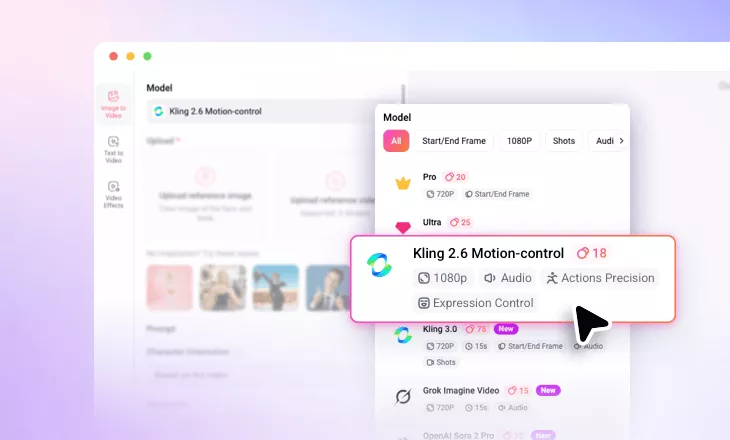
Select FlexClip Motion Control Model
Access FlexClip’s AI Motion Mimic Generator and pick Kling 2.6 or 3.0 Motion-Control to create smooth, lifelike face animations.
- 2
Upload Photo & Reference Motion
Upload the face image you want to animate and choose a mimic video for face motion reference.
- 3
Generate and Share
Click Generate and your photo will move exactly like the reference. Preview, download or directly share share in just moments.