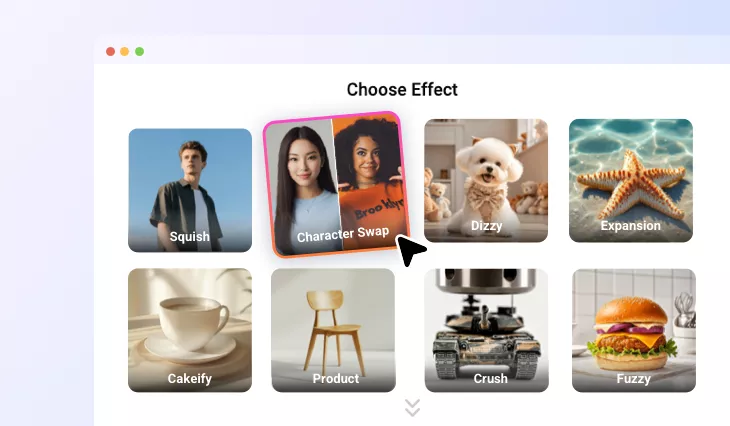
AI Video Character Swap
Instantly replace character in your footage from a single image to create your perfect video transformation. Swap faces, bodies, and styles with our AI video character swapper while preserving every motion perfectly.
TRUSTED BY
Why Use FlexClip to Swap Character in Video?

One-click Generation
One click is all it takes. Simply upload the video and your target character image, and click the button. The AI handles everything for you in the background.

Realistic Swap Result
Our AI video character swapper delivers authentic results, creating seamless character replacements without changing the original video's actions, expressions, or environment.

Privacy Protection
FlexClip is a trustworthy video character swap editor. Your privacy comes first. Unless you make it public, every image and video you upload or generate is exclusively visible to you.
Effortless AI-Powered Character Swaps in Video
Swap characters in your videos with incredible realism, without any complicated tools. Upload one character image and a reference video, and our automated workflow takes care of the rest. Achieve studio-quality character replacements with minimal effort. No skills, no experience, and no prompts needed.
Full Character Swap: Body, Face, and Style
Our advanced AI video character swapper completely reimagines your on-screen character by replacing the face, body, and overall visual style. Meanwhile, it preserves every nuance of the original performance. Motion and pose remain perfectly aligned, delivering a result that feels expertly crafted and production-ready.
Works Across All Video Styles & Any Character
All video types, any style, any character, our AI delivers natural, realistic results. Whether your content is live-action, animated, or artistic, our AI adapts seamlessly to any style and works with characters of all ages, genders, and appearances, giving you complete creative freedom.
Swap Character in a Video for Any Purpose
Swap character in your video for any purpose, and any project. Our AI makes it instant and effortless. Whether you're crafting a new storyline, enhancing a project, creating promotional content, or experimenting creatively, our tool lets you replace any on-screen character with a completely new identity in seconds.
How to Swap the Character in a Video with FlexClip AI?
- 1
Access Character Swap Effect
Visit FlexClip's Video Generator tool, switch to the Video Effect section, and select the Character Swap effect.
- 2
Upload Character & Video
Upload a clear photo of your main character and provide any video you'd like to use as a movement reference.
- 3
Generate & Download
Click the "Generate" button and swap the character in the video. Once done, download your video or edit more by taking it into FlexClip's built-in editor.