AI Cakeify Video Effect Generator
Try this AI cake cut video effect to cakeify any photo—from portraits to pets, logos to landmarks—turning them into delicious surprises.
TRUSTED BY
Why Choose FlexClip AI Cakeify Effect Video Generator?

Smooth AI Cakeify Animations
Harness cutting-edge AI to generate smooth, natural animations. Your photos will come alive with the playful Cakeify effect—transform any image into a hyper-realistic cake with smooth cutting animation.

100% Automatic
Transform your images into sweet, sliceable masterpieces without manual editing. Just upload an image and let AI work its magic.

Privacy Guarantee
Your privacy comes first. Your data stays secure—everything is processed locally in your browser. Your projects remain private until you explicitly authorize download or sharing permissions.
Effortlessly Create Cakeify Effect Videos from Images
Imagine your favorite photo... but made of cake. Just try the sweet and surreal AI Cake Cut Effect! With our AI Cakeify video effect, you don’t need a bakery, a camera crew, or editing software to create these surreal videos. Just with a simple click, your photo can be instantly transformed into a lifelike cake that gets sliced open in a mesmerizing, animated video.
Cakeify Anything for Various Use Cases
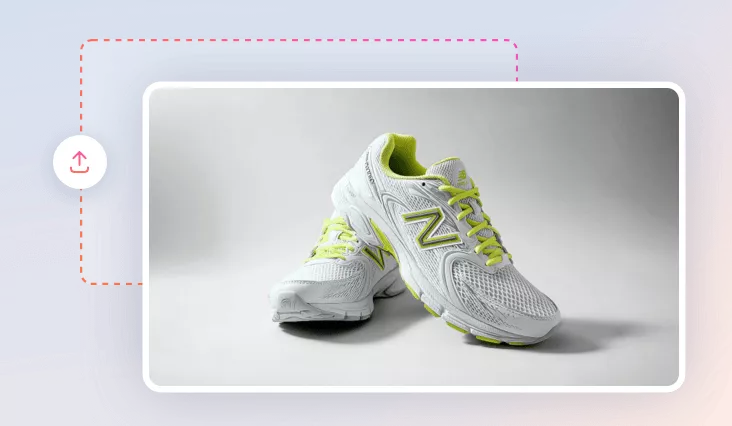
It works on a regular photo of anything—your pet, your face, a product, or a meme—and turns it into a realistic cake, creating a video of it being cut open to reveal its tasty layers. Whether it’s vanilla sponge under your dog’s fur or strawberry jam inside your favorite sneaker, the result is silly, satisfying, seriously addictive, and totally viral.
More Creative AI Video Effects
Besides the Cakeify effect, there are tons of other fun and creative AI effects you can try—AI Squish, AI Bloom, AI Kissing, AI Ghibli-style animation, and more. These effects are perfect for social media, storytelling, or just adding a weird and wonderful twist to your content—and you can even combine them for wild, viral-ready video edits.
How to Turn Images into Cakeify Effect Videos with AI?
- 1
Upload Image
Choose and upload any image you want to transform into a Cakeify effect video.
- 2
Generate Cakeify Animation Video
Select the Cakeify effect and click the “Generate” button to let AI create a fun cake cut effect video.
- 3
Download or Share
The AI cake cut effect video will be generated after a few minutes. Download or share it instantly with friends and followers!