


FlexClip vs Lumen5: Which Tool Elevates Your Video Creation?
Compare FlexClip and Lumen5 to discover which video creation tool offers the best features, versatility, and pricing for your needs. Make an informed choice and elevate your video projects to the next level.
Explore FlexClip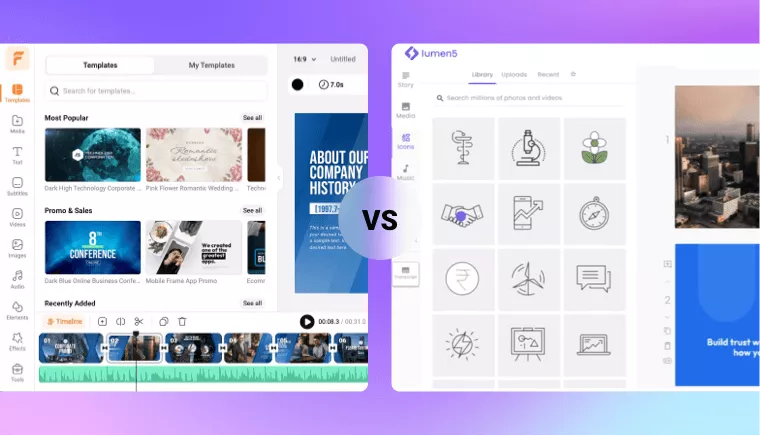
Comparison of FlexClip and Lumen5
- Versatility
- Video templates
- Saved custom templates
- Music tracks
- Text styles
- Dynamic elements
- Transitions
- Effects & filters
- Text mask effects
- Advanced editing features
- Green screen
- Speed curve
- Freeze frame
- Detach audio
- Gif maker
- Screen recorder
- AI-powered features
- AI noise reducer
- AI video script
- Auto subtitle
- Text to speech
- AI text to video
- AI video translator
- Post to video
- AI image background remover
- AI image generator
- AI vocal remover
- AI image to 3d animation
- AI photo colorizer
- AI photo restoration
- AI image upscaler
- AI image extender
- AI face swap
- Talking head video
- Export
- Video export quality
- FPS control (adjust frame rate)
- Pricing
- Free trial
- Packages

- Intuitive interface with lots of helpful video editing tools
- 6,000+ customizable templates
- Up to 200
- 74k
- 1,000+
- 3M+
- 200+
- 700+
- Up to 4k
- No video export limits
- Plus: $19.99/mo; Business: $29.99/mo

- Very basic interface with limited editing tools
- 30+ simple templates
- Up to 3
- Hundreds
- Not provided
- Not provided
- Not provided
- Not provided
- Up to 1080p
- Up to 5 videos a month
- Basic: $29/mo; Starter: $79/mo; Professional: $199/mo
Why FlexClip Stands Out for Video Creation?
- Rich Resource Library
FlexClip offers a wide range of templates, stock videos and photos, text styles, and effects. These resources give you great flexibility and creativity for your projects.
- Advanced Editing Capabilities
FlexClip offers a full range of advanced editing tools, such as green screen, speed curve, freeze frame, audio detachment, GIF maker, and screen recorder. The integration of AI image tools makes visual enhancements quick and easy.
- High-Quality Exports
You can export videos in 4K quality and adjust the frame rate. These capabilities ensure your videos are of the highest quality, setting it apart from Lumen5.
Frequently Asked Questions
How do FlexClip and Lumen5 compare in AI video editing tools?
FlexClip offers AI tools like image background remover, image generator, and video translator. Lumen5 provides AI features such as text to video, auto subtitles, and text to speech, but some advanced AI tools are only available in their higher-tier plans.
Which platform offers better customization flexibilities?
FlexClip provides superior customization with over 6,000 templates, extensive stock videos and photos, 1,000+ text styles, and 700+ effects and filters. It allows users to create highly personalized videos with a wide array of resources, whereas Lumen5 offers around 30 templates and has more limited customization options.