AI Season Change Video
Try FlexClip's AI season change video generator to effortlessly transform any landscape photo into a seamless seasonal video, delivering hyper-realistic transitions from spring and summer to autumn and winter.
TRUSTED BY
Why Choose FlexClip's AI Season Change Video Generator?

Beginner-Friendly
No skills, no stress! With a simple, intuitive interface, anyone—whether you're a beginner or a seasoned creator—can transform landscape photos into realistic season change videos in just seconds.

Smooth Season Transformation
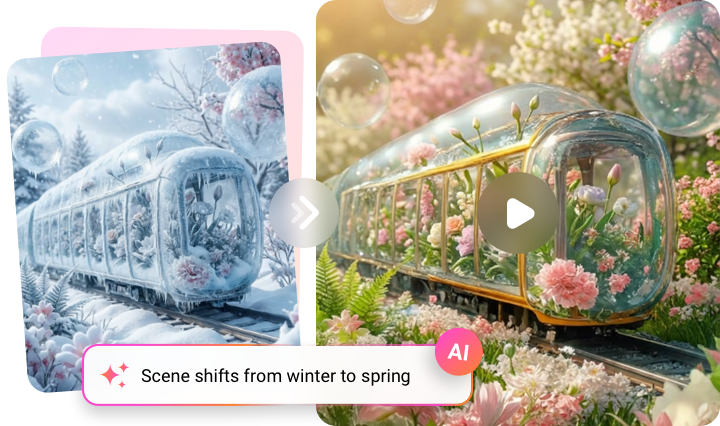
Using advanced AI, FlexClip instantly converts your landscape photo into a smooth season-change timelapse video with realistic transitions through nature and time.

High-Quality Video Generation
AI can analyze your photo and understand your prompt to generate a realistic transition effect. For the most accurate results, you can experiment with different professional generation modes.
Turn Any Photo into a Season Change Video with AI
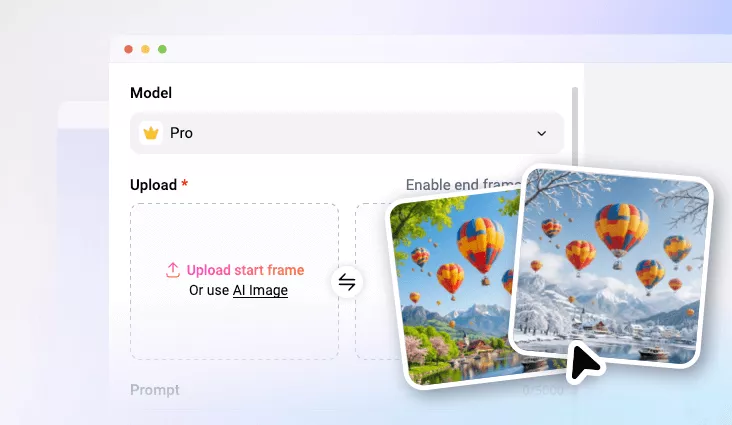
Animate any photo into a mesmerizing season-change video with AI using FlexClip's image-to-video tool. Start with a single image for a smooth seasonal transformation, or use a start-and-end frame pair to create a more customized seasonal video. Just enter your prompts and watch your visuals come to life!
Render Realistic Seasonal Changes for Your Videos
Transform any scene into a living, breathing seasonal masterpiece with FlexClip's realistic AI transformations. Create smooth, natural seasonal transitions—from the first bloom of spring to the golden hues of autumn or the serene beauty of winter—and produce professional-quality season change videos in no time.
AI Seasonal Change Videos for Any Use Case
Whether you're creating social media content, marketing campaigns, presentations, or personal projects, FlexClip's AI-powered tool allows you to transform static photos into visually stunning, dynamic seasonal transition videos that capture attention, tell compelling stories, and engage your audience across any platform.

Perfect Your Season Change Video with Edits
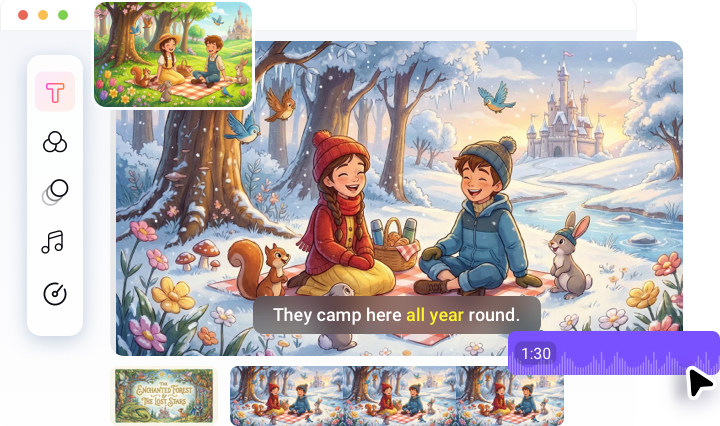
Once your AI-generated season-change video is ready, use FlexClip's built-in editor to take it to the next level. Add background music, sound effects, special effects, and text overlays with ease. With powerful AI tools, an extensive media library, and a full-featured editing suite, FlexClip lets you effortlessly refine your video into a polished, professional-quality creation.
How to Create a Season Change Video with AI?
- 1
Upload Your Photo
Begin by uploading a photo, or enable the End Frame option to work with a start-and-end frame pair.
- 2
Enter Text Prompts
Choose an AI model and write a detailed prompt that explains how you want the seasonal transition to look.
- 3
Preview and Download
Your season change video will be ready in seconds! Download it, share it, or fine-tune it with FlexClip's built-in editor.