AI Construction Timelapse Generator
Try this easy-to-use AI construction timelapse generator to create your own construction timelapse video according to your needs.
TRUSTED BY
Why Choose FlexClip’s AI Construction Timelapse Generator?

Online AI Construction Timelapse Generator
No extra software download. Simply open your browser and access our online AI construction timelapse generator to create your own construction timelapse videos as you need.

Easy to Use
FlexClip offers an easy-to-use AI construction timelapse generator that is accessible to all. Navigate effortlessly through our user-friendly design, and create captivating construction timelapse video content with ease.

Fast Generation
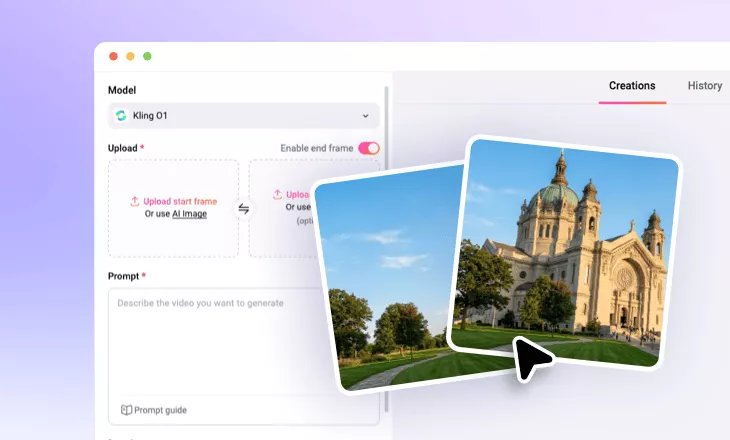
Once you upload 2 building images, our AI construction timelapse generator will instantly turn them into an AI-driven build-up timelapse animation in seconds.
Get Comparison Construction Pictures with AI
If you want to create an AI construction timelapse video in FlexClip, you should prepare 2 pictures before or after the construction building comparison pictures. And FlexClip’s AI photo editor can help you easily get this kind of building comparison picture. You can type text prompts to let its AI generate a after construction building picture according to your uploaded building sketch photo. Or you can let FlexClip’s AI generate a before-construction building sketch photo according to your uploaded building picture. It’s up to you!
Generate Construction Timelapse Video
FlexClip’s AI image to video generator enables you to create a smooth transition between 2 images. Therefore, you only need to upload 2 construction comparison photos to FlexClip and write a simple prompt about your desired construction timelapse effect. Then, its AI will magically generate a high-quality AI construction timelapse video for you. FlexClip’s advanced AI will understand your prompts well and create a realistic, stunning construction timelapse effect corresponding to your needs.
Diverse AI Video Effects for You to Select
FlexClip is a strong AI video editor, so you can try its diverse AI video effects online. For example, you can try its AI mimic motion generator to transfer motion, expressions, and movements from your reference video to static photos. Perfect for creating dance videos, music content, and performance animations without any learning curve. Or you can try FlexClip’s preset AI video effects to enjoy trendy AI video effects online.
How to Create AI Construction Timelapse Video?
- 1
Upload 2 Construction Comparison Photo
Enter FlexClip’s AI image to video generator and upload 2 construction comparison photos to it.
- 2
Generate AI Construction Timelapse Video
Write the construction timelapse effect you want, and tap the Generate button to begin AI creation.
- 3
Download Your Construction Timelapse Video
Check the video result and see if you are happy with it. Download and share this new AI video according to your needs.