AI Outfit Transition
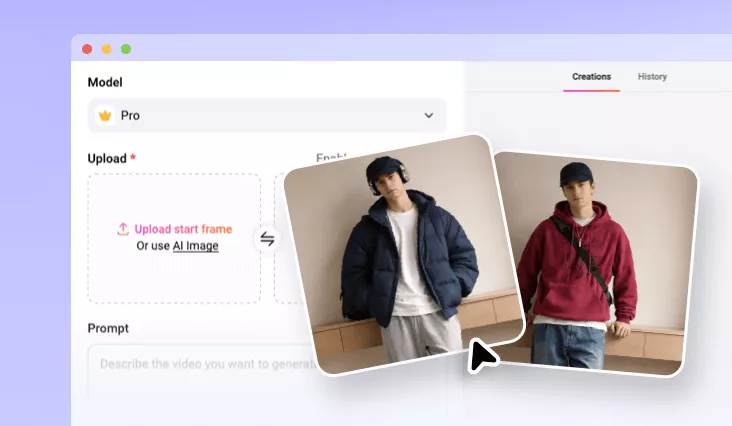
Turn two photos into a viral outfit transition video featuring smooth movements, seamless changes in seconds.
TRUSTED BY
Why Choose FlexClip to Create Outfit Transitions

AI Ease
No editing experience, keyframes, or technical setup. Just upload two images, enter a prompt, AI will automatically generate realistic outfit transition videos.

High Efficiency
FlexClip minimizes waiting and rework. AI-driven outfit transition processing delivers one satisfying output within several minutes.

Privacy & Security
We prioritize user privacy and data protection throughout the creative process. User information and generated content will never be generated or shared without permission.
Clean, Smooth Transitions
Smooth movements and cloth changing define the success of an outfit transition. And FlexClip excels on both. Its AI accurately interprets your prompt and turns images into eye-catching dress change videos. The motion, lighting, and timing are perfectly aligned, ensuring each transition feels natural and fluid, rather than abrupt or artificial.
Identify Preservation, Consistent Body, and Background
While generating smooth transitions, FlexClip’s AI maintains consistent facial features, body proportions, skin tone, and posture throughout every outfit change. The background elements and camera framing remain stable. The consistency ensures users still look like themselves, but in a different style.
Social-First Output
FlexClip-generated AI outfit transition videos are designed for vertical formats and high-resolution playback. They are instantly ready for TikTok, Instagram Reels, and YouTube Shorts. Create eye-catching outfit transition videos that fit platform expectations and boost engagement.
How to Do AI Outfit Transition
- 1
Upload Images
Access FlexClip’s AI Video Generator tool, select a video generation model that supports start and end frame, then upload two images of you in different outfits.
- 2
Enter Prompt
Enter a detailed prompt that describes the outfit transition you need. Select the video duration then hit Generate. The dress change video should be done within several minutes.
- 3
Preview & Export
Preview. Whenever you are happy with the output, export to a local folder, share to social media, or edit further on FlexClip’s timeline.