


FlexClip vs Veed: Which Video Editor is Right for Me?
Explore which platform best suits your creative video creation needs: FlexClip or Veed? Uncover their features, usability, and unique advantages to make an informed decision tailored to your preferences.
Explore FlexClip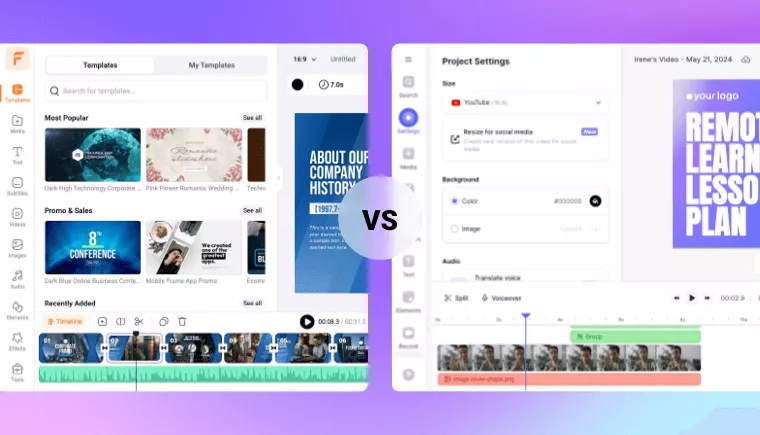
Comparison of FlexClip and Veed
- Ease of use
- Video templates
- Text styles
- Transitions
- Effects & filters
- Gif maker
- Real-time text editing
- Text mask effects
- Dynamic charts
- Video export length
- Advanced editing features
- Green screen
- Speed curve
- Freeze frame
- AI-powered features
- Auto subtitle
- Text to speech
- AI image generator
- AI video script
- AI text to video
- AI noise reducer
- AI vocal remover
- URL/post to video
- AI image to 3d animation
- AI photo colorizer
- AI photo restoration
- AI image upscaler
- AI image extender
- AI face swap
- AI avatars
- Platform compatibility
- Web-based
- Mobile app

- Intuitive timeline, beginner friendly
- 6,000+ video templates for a quick start
- 1,000+
- 200+
- 700+
- Ranges from 10 minutes to unlimited

- Complete timeline, some learning curve needed
- 40+ simple video templates
- 30+
- 30+
- 100+
- Ranges from 10 minutes to 120 minutes
Why FlexClip Stands Out as a Must-Try Alternative to Veed?
- Enhance Photos, Elevate Videos
FlexClip offers a variety of AI-powered image tools, such as photo colorizer, old photo restoration, and image upscaler, enhancing photo editing and seamlessly integrating these visuals into video projects, making it a versatile alternative to Veed.
- 6,000+ Video Templates
FlexClip offers a diverse array of templates suitable for various purposes, ranging from social media content to business presentations. This extensive template library ensures users can easily find the perfect starting point for their projects, streamlining the editing process and saving time.
- Abundant Resources
FlexClip provides users with a diverse selection of resources, such as transitions, filters, and text effects, enabling them to enhance their videos with professional-grade visual elements.
Frequently Asked Questions
What are the main differences between FlexClip and Veed?
FlexClip and Veed differ in several aspects, including their range of templates, available resources, and feature sets. FlexClip emphasizes a rich selection of templates and ready-to-use resources, while Veed offers more AI tools such as AI avatars and magic cut.
Which platform is better for me: FlexClip or Veed?
FlexClip is ideal for users seeking a platform with a rich selection of templates and built-in resources for creating exquisite works effortlessly. In contrast, Veed is better suited for those interested in leveraging more AI tools like AI avatars, especially beneficial for self-media creators. Your decision between FlexClip and Veed ultimately depends on the specific features and functionalities that align with your creative needs.