AI Hair Color Changer
Try from natural tones to fantasy colors, and see what fits you best before the dye.
FlexClip AI Hair Color Changer’s Top Features

Try Hair Color Online
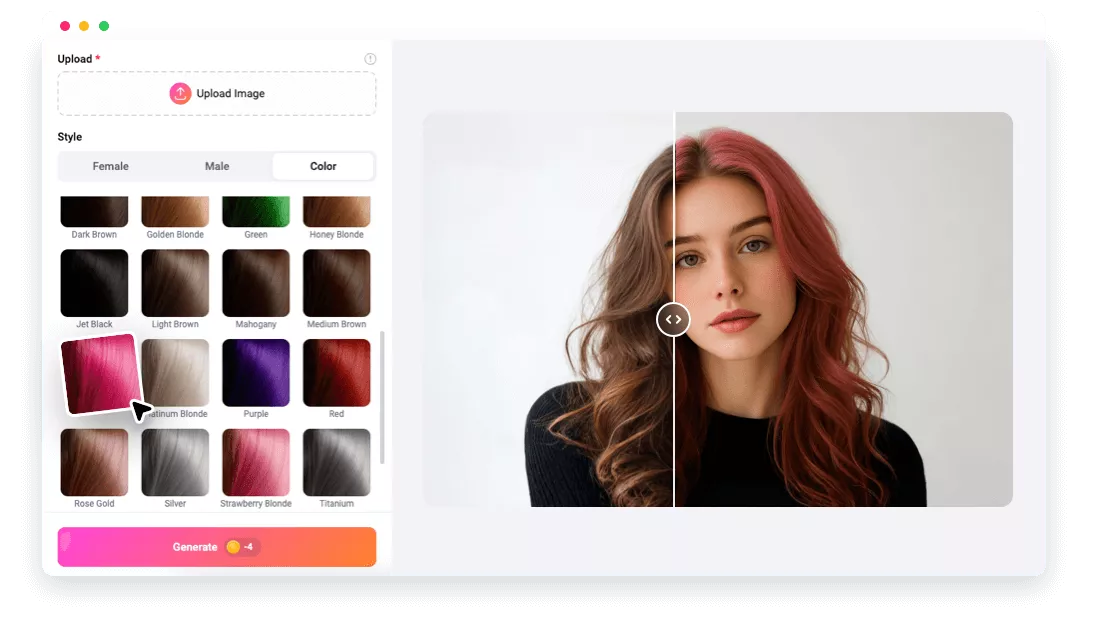
You can try out popular hair colors, from natural to bold, right on your browser. No download, no design skill is required.

High-Quality Images
FlexClip lets you try on hair color while preserving its original image quality, thanks to the advanced AI hair-mapping technology.

Top Security
Your facial information will not be stored or shared with third parties. Feel safe uploading your portrait to FlexClip.
please input title
Virtual Hair Dye Salon with AI
Whether you want to try out natural browns, blondes, or bold purples, pinks, FlexClip’s Hair Color Changer is made for you. The smart AI detects your face, overlays realistic shades that blend seamlessly with natural texture and lighting. No hairstyle regrets, no risk, only realistic, instant results.
Try Hair Color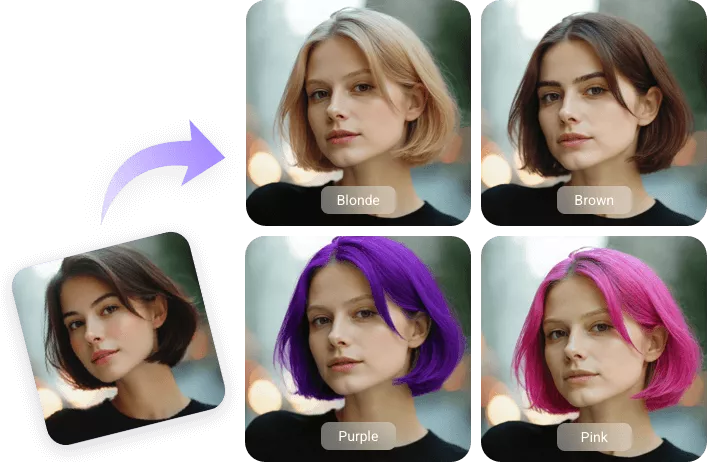
Gender-Friendly Hair Color Changer
FlexClip doesn’t only limit hairstyles and hair colors to females. It is designed for males too. This tool is able to seamlessly blend different styles and colors to all genders, face shapes, skin tones, and hairlines, delivering realistic, incredibly great results. Test daring color ideas and haircuts before stepping into a real barbershop.
Male Hair Color Try On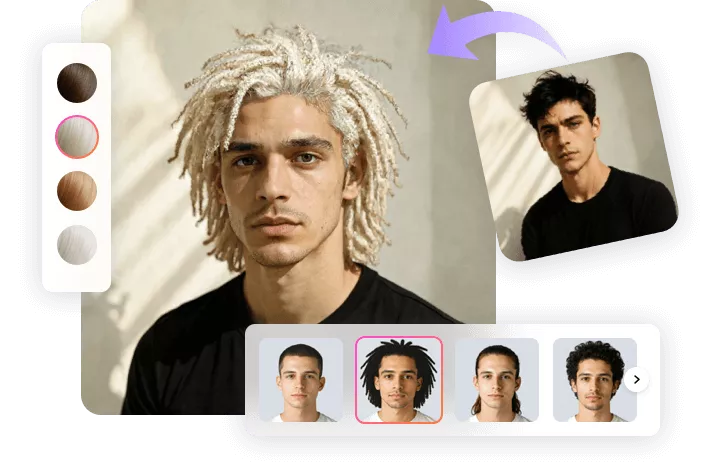
New Hair Color in Video
Why stop at a static image when you can see your new hair color in motion? With FlexClip’s AI Image to Video tool, you can convert your look into a short video that captures how your brand new hair color shines, and flows with natural movements, all with just one prompt. You can also edit the new video by adding text, applying filters, etc. in the easy editing panel.
Image to Video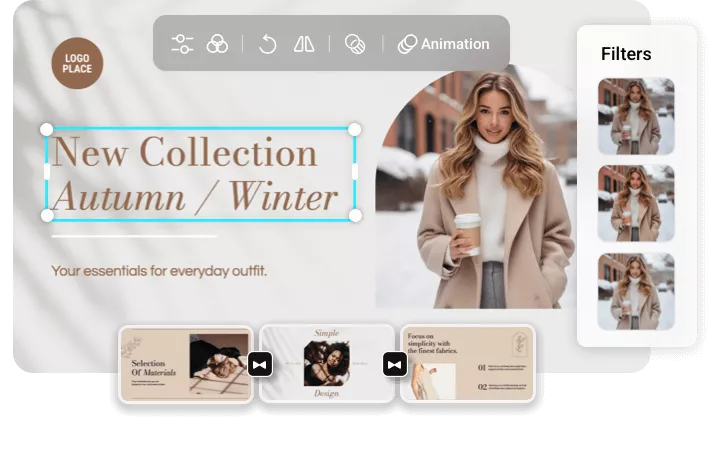
How to Change Hair Color with AI
- 1
Upload a Portrait to FlexClip
Access FlexClip’s AI Hair Color changer, drag and drop your photo to the upload section.
- 2
Try on Colors You Like
Dive into the Color section, choose among 29 popular colors and hit Generate. You will get the output within several seconds.
- 3
Export & Share
Save the photo for your stylist’s reference, or share directly to social media.