Create Review Videos Using Free Templates and AI Online
FlexClip's free review video maker helps you easily create compelling review videos, presentations or intros for a movie, game, software, product, gadget or other things using free review video templates, lower-thirds, comparison graphics, charts and easy AI editing. Start with a review video template, manually modify visuals and details with easy drag-and-drop, or instead, let AI-Recreate button auto-swap them with your media. Select and change your title design, intro & outro, overlays, effects, background music to make your review video look as professional as designer make it. AI toolkit can also help you with image editing, image style changing, photo animation, subtitle & voiceover generation, video translation, etc. Easily demonstrate, evaluate and share your review via a custom video through an MP4, social networks or a URL. Try it for yourself for free now!
Create Review Videos Handy video editor
 Rich video templates
 Extensive media library
 Dynamic text animations
- Trusted by:






Attractive Review Video Templates
 CustomizeAI Recreate
Annual Review
 CustomizeAI Recreate
Modern Review Of Corporate Project Proposal Business Presentation
 CustomizeAI Recreate
Minimalism Year Review Sunset Travel Life Photo Collage Mood Recap Story
 CustomizeAI Recreate
Shop User Review
 CustomizeAI Recreate
Review Of Tech Product Video
 CustomizeAI Recreate
Team Year In Review
 CustomizeAI Recreate
Write A Review
 CustomizeAI Recreate
Japan Travel Motivational Memories Review Nature Landscape Photo Vlog
 CustomizeAI Recreate
Dress Review
 CustomizeAI Recreate
Software Review
 CustomizeAI Recreate
Hotel Guest Review
 CustomizeAI Recreate
My Annual Review Spring Summer Autumn Winter Polaroid Photo Sharing
Create Your Best Ever Review Videos
Add Informative Messages
Grab the features of FlexClip and you are all set. The program has lower thirds, texts, and titles that will make your review video, whether it?s intended for your YouTube or your affiliate marketing. Let the people know that the video is informative and they have something to learn out of it that will solve their issues.
Make Your Review Concise
Use the built-in video cutter and trimmer of FlexClip to get the work done with perfection. Make sure that no unwanted clip is there within the video that spoils the fun for your audience. FlexClip makes the process too easy.
Entertain Your Audience
Add the voiceover using the storyboard of FlexClip to exactly match your video. Make sure that you get the audience entertained. There is a huge plus of adding music to your video using the inbuilt FlexClip music library. Just keep your audience stuck to the video using every available method in FlexClip.
Proven Tips to Make Your Review Video Impactful
Use Data and Infographics
Use data to analyze what you review and compare the product with others. By using infographics, the impact of the video will increase and all of this can be done with ease using FlexClip as it has all sorts of templates & visuals to fit your project needs.
Review from Practical Perspective
This is important as you get your users the firsthand experience that no one else does. Use the impactful storyboard of FlexClip to let the world know that the product solves multiple issues and you have used it yourself.
Give Your True User Experience
Be honest. It is important that you get your audience's experience from their perspective and that you have used the product. Use FlexClip to make your review impactful, and it can be done by adding relevant data & animations if required to make your video more entertaining & user-friendly.
Quote Experts and Reviewers, Videos and Posts
Try quoting other experts that have used and reviewed the same product. Use the comparison charts and video links in your video using FlexClip. The text indentation and the transition can be changed to highlight the expert reviews.
Compare with Other Products and Services
Use inbuilt FlexClip templates to compare products and make sure that users are impressed and informed. The best part is that you have FlexClip video editor that makes the review process a lot easier and allows your audiences to make a decision.
Celebrity Documentary Video
Narrate a celebrity's journey to their successful careers by producing a documentary video. Show challenges they've been through, awards they've received, and downfalls they've survived while in the entertainment industry. This way, you can clearly explain what a celebrity's life looks like behind the film reels.
Make a Conclusion
The impact is required in a review video and bold texts can be used to conclude features of your product and how your audience will benefit from it shortly. Use FlexClip to use the tools that are essential to make a review conclusion nicely.
Fast Review Video Maker to Compose a Review like a Pro
Make a review video to promote your affiliate marketing, or make your social media a review channel. Use the power of FlexClip to make various kinds of review videos easily. There's no need of buying stuff that's expensive when it comes to review video editing as FlexClip has it all.
With fast processing and sytlish video effects, FlexClip is an online program that is too good to be true. Use FlexClip and get a step ahead of your review competitors in a flash.
Why You Need to Make a Review Video

Boost Sales
A compelling video can absolutely influence buying behavior, leading directly to sales.

Increase Traffic
Nothing can compare to the power of video content when it comes to driving traffic to your site.

Encourage Social Shares
Videos on social media platforms generate more likes and shares than images and text combined.
How to Make a Review Video in 3 Steps
- 1
Add Media
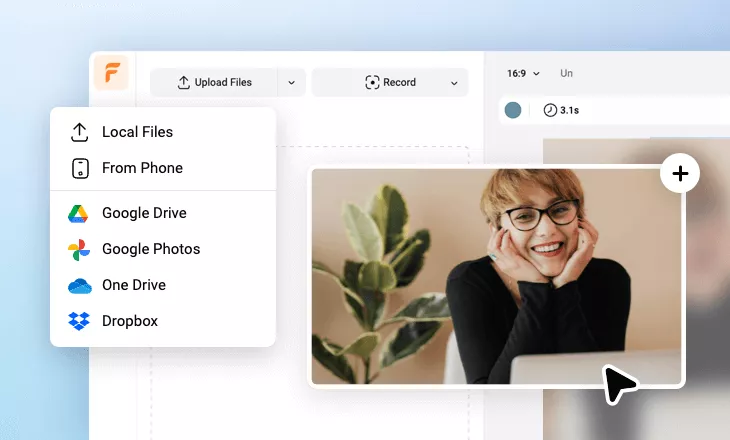
Add videos or photos from computer or stock libraries to the scene.
- 2
Customize
Add text, music, and voiceover to customize your review video.
- 3
Export
Download your review video in various ratios and definitions or share it online with the world.